

Industrial Touchscreen Tablet Selection: Engineering & ROI Guide

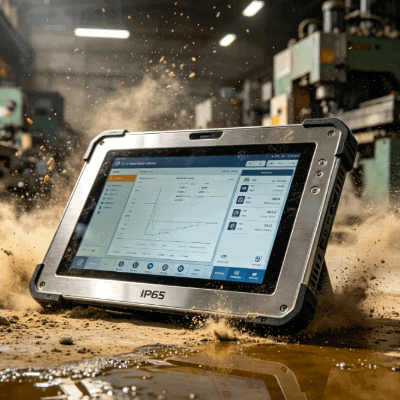
Selecting an industrial touchscreen tablet involves more than comparing screen sizes or CPU speeds. In a factory setting, the touch interface is the primary point of failure. Environmental stressors like electromagnetic interference (EMI), chemical exposure, and varying light conditions dictate whether a tablet improves operational efficiency or becomes a maintenance liability.
Engineers and project managers must move beyond consumer-grade expectations. A tablet that performs well in an office often fails on a CNC shop floor or in a cold-storage warehouse. This guide analyzes the core touch technologies and integration variables necessary for high-uptime industrial applications.
Capacitive vs. Resistive: Which Suits Your Shop Floor?
The choice between Projective Capacitive (PCAP) and 5-wire Resistive technology is the most critical decision in the procurement process. Each serves distinct environmental needs.
| Feature | Projective Capacitive (PCAP) | 5-Wire Resistive |
|---|---|---|
| Durability | High; scratch-resistant glass surface | Lower; prone to punctures and wear |
| Touch Method | Finger, conductive stylus, thin gloves | Any object (stylus, gloved hand, tool) |
| Clarity | Excellent; high light transmission | Moderate; multiple layers reduce brightness |
| EMI Resistance | Sensitive to electrical noise | Immune to electrical interference |
| Multi-touch | Supports gestures (pinch, zoom) | Single-touch only |
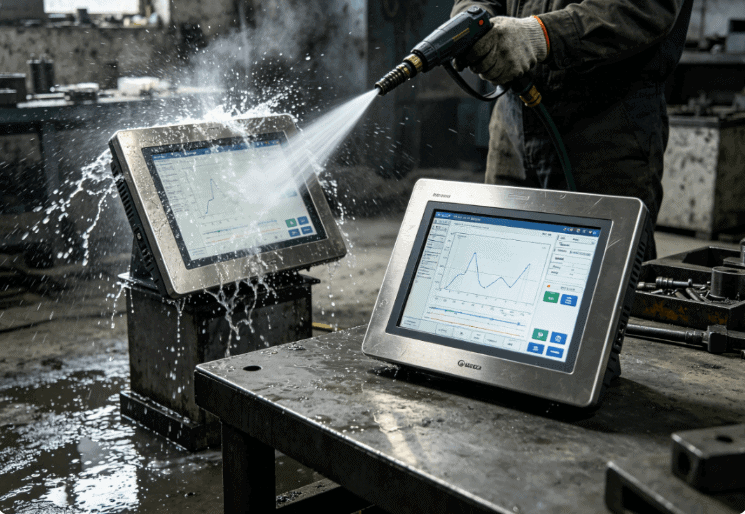
PCAP is now the standard for most modern industrial tablets, such as those found in the Industrial Tablet PC lineup. It offers a rugged, “gapless” design that prevents contaminants from entering the bezel. However, in environments with heavy electrical noise or high-pressure water jets, specialized controller tuning is required to prevent “ghost touches.”
Resistive technology remains relevant in heavy manufacturing. Because it relies on pressure rather than electrical capacitance, it is the only reliable choice for operators wearing thick, insulated gloves or in areas where the screen is constantly splashed with non-conductive fluids like oil.
Optical Bonding and Sunlight Readability
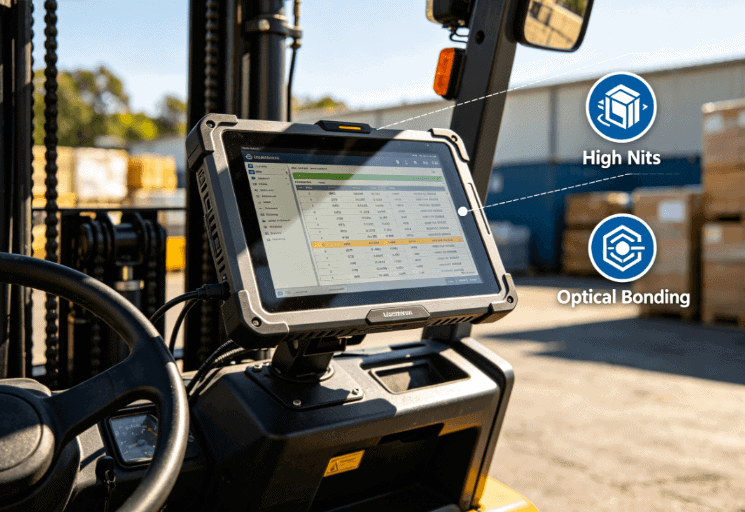
Internal reflections significantly degrade screen legibility in outdoor or high-glare environments. Standard “air-bonded” displays leave a small gap between the LCD and the touch glass. This gap traps moisture and reflects light, reducing contrast.
For mission-critical deployments, look for tablets utilizing Optical Bonding. This process fills the air gap with a specialized resin. It achieves three engineering goals:
- Eliminates Internal Reflection: Increases contrast ratios by up to 400%.
- Prevents Condensation: Removes the air gap where moisture can fog the screen.
- Enhances Impact Resistance: The resin layer acts as a shock absorber for the LCD panel.
When evaluating an industrial touchscreen tablet, verify the Nit rating. A standard tablet offers 250–300 Nits, while sunlight-readable versions should exceed 800–1000 Nits to remain functional under direct solar load.
Engineering for Harsh Environments: IP Ratings and Materials
The housing of the tablet must be as resilient as the screen. Most industrial applications require at least an IP65 rating, meaning the device is dust-tight and protected against water jets.
However, the material of the bezel matters.
- Aluminum Alloy: Offers excellent heat dissipation for fanless designs and high structural rigidity.
- Stainless Steel: Essential for food processing or pharmaceutical environments (IP69K) where corrosive cleaning agents and high-pressure washdowns are standard.
- Chemical Resistance: Ensure the touch surface is treated with Anti-Glare (AG) or Anti-Reflective (AR) coatings that can withstand isopropyl alcohol or bleach without degrading.
Integration and Lifecycle Management
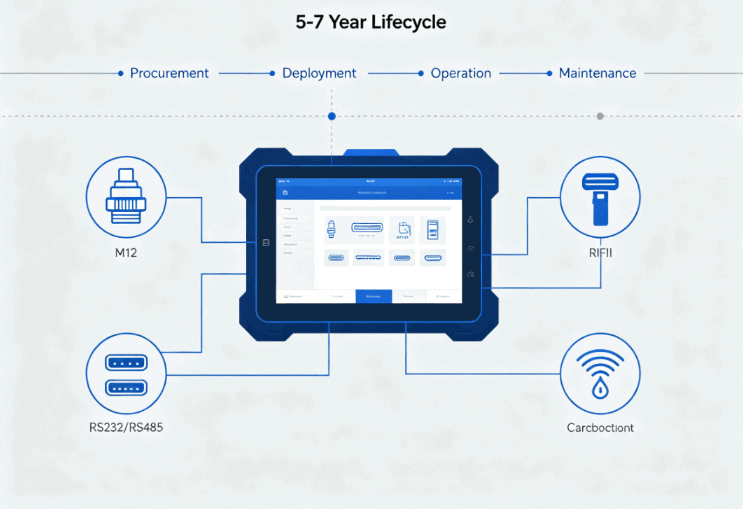
A frequent mistake in industrial procurement is overlooking the I/O and mounting requirements. Consumer tablets rely on fragile USB-C ports. True industrial tablets offer M12 connectors or reinforced DB9 (RS232/RS485) ports for legacy machine communication.
Consider the mounting ecosystem. Does the project require VESA 75/100, RAM Mounts, or a flush-mount panel solution? High-vibration environments, such as forklift-mounted tablets, require specialized vibration-dampening brackets to prevent port fatigue and internal component failure.
Furthermore, consider the Product Lifecycle. Consumer hardware changes every 12 months. Industrial-grade suppliers provide 5-to-7-year lifecycles, ensuring that if a tablet fails in 2028, you can replace it with the exact same form factor and software image.
Evaluating Your Supplier Requirements
When sourcing an industrial touchscreen tablet, the technical specifications are only half the battle. To ensure long-term ROI, your RFQ should address:
- Customization (OEM/ODM): Can the supplier integrate specific RFID, Barcode, or CAN bus modules?
- Compliance Support: Does the hardware meet CE, FCC, or MIL-STD-810G standards for shock and vibration?
- Thermal Management: In fanless designs, how does the tablet handle throttling in high-ambient-temperature environments (above 50°C)?
- Lead Times: Industrial components often have longer lead times; confirm “buffer stock” agreements for critical projects.
The Industrial Tablet PC category offers a range of Windows and Android-based solutions designed for these specific stresses. Matching the touch sensitivity and sealing level to your specific operator workflow is the most effective way to reduce the Total Cost of Ownership (TCO).
FAQ
Can I use a PCAP industrial touchscreen tablet with work gloves?
Yes, but it requires a controller tuned for “high sensitivity.” Most modern industrial tablets support thin nitrile or latex gloves. For thick leather or insulated gloves, a resistive touchscreen is generally more reliable.
What is the difference between IP65 and IP67 for tablets?
An IP65-rated tablet is protected against dust and low-pressure water splashes from any direction. IP67 means the device can be fully submerged in water up to 1 meter for 30 minutes. Most indoor factory applications only require IP65.
How does “Ghost Touching” happen in industrial environments?
Ghost touches occur when electromagnetic interference (EMI) from large motors or high-frequency welders mimics the electrical charge of a human finger on a capacitive screen. High-quality industrial tablets use shielded controllers and firmware filters to mitigate this.
Is Windows or Android better for industrial tablets?
Windows is preferred for complex SCADA software and integration with legacy ERP systems. Android is increasingly popular for lightweight, task-specific apps like inventory scanning and logistics due to its lower hardware overhead and ease of UI customization.
Reference Sources
- IEEE Xplore: Technical papers on Electromagnetic Interference (EMI) in Capacitive Touch Interfaces.
- ISO 9241-410: Ergonomics of human-system interaction – Design criteria for physical input devices.
- IEC 60529: Degrees of protection provided by enclosures (IP Code).
- MIL-STD-810G: Department of Defense Test Method Standard for Environmental Engineering Considerations and Laboratory Tests.