

Why Fanless Industrial Mini PCs Outperform Traditional Systems

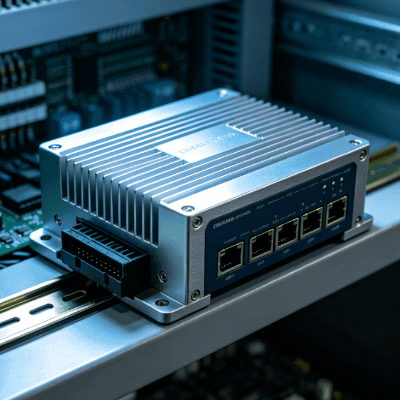
The shift from traditional active-cooled towers to compact, fanless architectures marks one of the most significant evolutions in industrial computing. As industrial applications become more demanding, system reliability has become just as important as computing performance.In environments where dust, vibration, and extreme temperatures are the norm, engineers have engineered the cooling fan—the historically most common point of failure—out of the system.
For engineers and system integrators, choosing a fanless industrial mini PC isn’t just about saving space, it is a strategic decision to maximize system uptime, reduce the Total Cost of Ownership (TCO), and simplify long-term maintenance.
The Engineering Logic of Passive Cooling
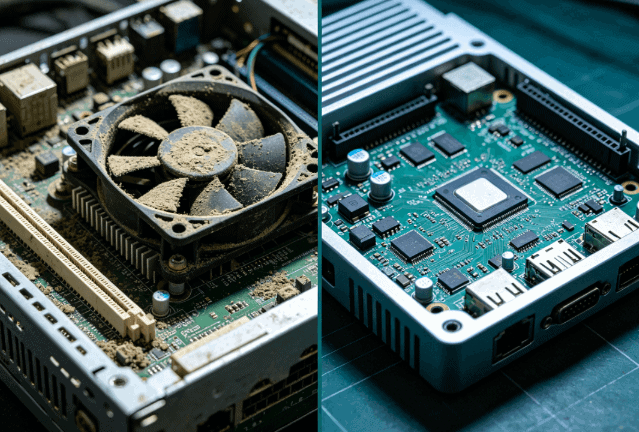
Traditional PCs rely on high-RPM fans to pull air across internal components. In a controlled office, this is effective. On a factory floor, this mechanism becomes a vacuum for contaminants.
A fanless industrial mini PC uses a “Passive Cooling” architecture. The chassis itself, typically constructed from high-thermal-conductivity aluminum alloy, acts as a giant heat sink. Engineers connect internal heat-generating components such as the CPU and PCH to the chassis using high-performance thermal pads or heat pipes.
Key Technical Benefits:
- No Internal Airflow: Since there is no intake fan, conductive dust, fibers, and corrosive particles cannot accumulate inside the enclosure, helping protect sensitive electronic components over years of continuous operation.
- Enhanced Heat Dissipation: Large surface area fins on the exterior of the chassis use natural convection to radiate heat away from the core.
- Reduced Thermal Throttling: Industrial designs are rated to maintain peak performance even at ambient temperatures reaching 60°C or 70°C.
Eliminating the Primary Failure Point: MTBF and Reliability
Moving parts often determine the Mean Time Between Failures (MTBF) of a system. Mechanical fans are prone to bearing wear, dust clogging, and physical seizure. When a fan fails, the CPU overheats within minutes and forces the system to shut down or suffer hardware damage.
By removing the fan, industrial computers eliminate the most frequent cause of hardware-related downtime. This “Solid State” approach ensures that the PC can operate 24/7 in remote or inaccessible locations—such as outdoor digital signage or oil rig monitoring stations—where sending a technician for a $10 fan replacement would cost thousands in logistics and lost production.
Resilience Against Vibration and Mechanical Stress
Industrial environments are characterized by “dirty power” and physical movement. Standard PCs use friction-fit fans and rotating HDDs that are highly susceptible to G-forces.
Engineers design fanless industrial mini PCs with a cableless internal architecture. Components are securely mounted or soldered directly to the motherboard where appropriate, reducing the risk of loosening caused by continuous vibration during long-term operation. When paired with Solid State Drives (SSD), these systems become entirely immune to the mechanical shocks common in automotive testing, CNC machining, or rail transport applications.
Protection Against Ingress and Environmental Contaminants
One of the most overlooked advantages of fanless design is the ability to achieve higher IP (Ingress Protection) ratings. Because the chassis does not require ventilation holes, it can be sealed more effectively.
| Feature | Standard Active-Cooled PC | Fanless Industrial Mini PC |
|---|---|---|
| Cooling Method | High-speed internal fan | Passive heat-sink chassis |
| Dust Accumulation | High (leads to short circuits) | Zero (sealed enclosure) |
| Vibration Resistance | Poor (moving parts) | Excellent (solid-state) |
| Maintenance Cycle | 6–12 months (cleaning/replacement) | 5–7 years (minimal) |
| Noise Level | 30–50 dB | 0 dB (Silent) |
| Operating Temp | 0°C to 35°C | -20°C to 70°C |
Compact Form Factor and Integration Versatility
Space is a premium commodity in control cabinets and embedded machinery. Fanless mini PCs use highly integrated motherboards (such as 3.5-inch or EPIC standards) to provide full desktop performance in a footprint smaller than a hardcover book.
These units support diverse mounting protocols that are standard in the automation industry:
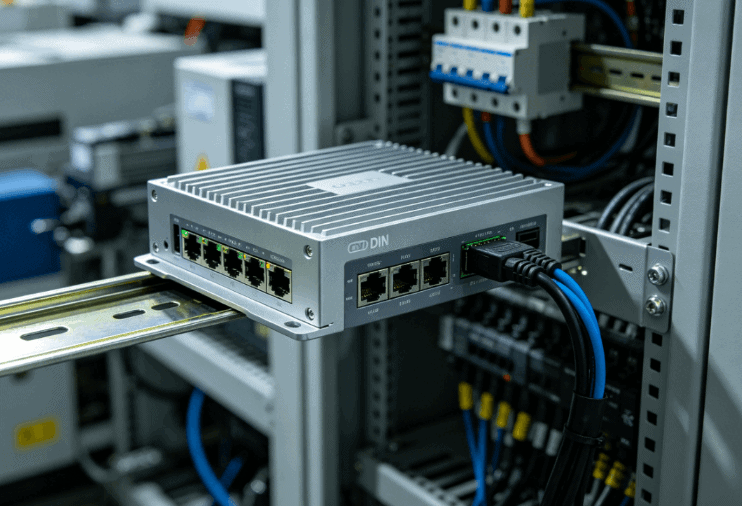
- DIN-Rail Mounting: For easy integration into standard electrical cabinets.
- VESA Mounting: For attaching directly to the back of industrial monitors.
- Wall/Flange Mounting: For secure installation on moving vehicles or vibrating machinery.
Power Efficiency and Wide-Voltage Input
Engineers typically build industrial fanless PCs around low-TDP (Thermal Design Power) processors, such as Intel® Celeron® or Core™ U-series. These chips provide a high performance-per-watt ratio.
Furthermore, unlike consumer PCs that require a steady 12V DC, industrial variants often feature wide-voltage power modules (e.g.9V to 36V DC). This allows them to run directly off vehicle batteries or unstable factory power grids without requiring expensive external power conditioners.
Why Industry Leaders Are Moving Toward Fanless Architectures
The transition to fanless computing is driven by the need for “Edge Computing.” As more data processing happens on the factory floor rather than in a remote data center, the reliability of that local node becomes critical. A fanless mini PC offers the silent, rugged, and maintenance-free operation required for AI-driven visual inspection, IoT gateways, and complex SCADA systems.
When evaluating these systems for your next project, prioritize units with high-grade aluminum enclosures, efficient thermal design, and industrial-grade I/O (such as isolated COM ports or dual/quad LAN) to ensure the hardware can withstand the electrical and environmental demands of your application.
FAQ
Do fanless mini PCs overheat easily under heavy loads?
No, provided they are used within their rated operating temperature. Industrial fanless PCs are designed with “thermal headroom.” The chassis is engineered to dissipate the maximum TDP of the CPU. However, it is vital to ensure adequate airflow around the external cooling fins.
Can I use a fanless mini PC in a completely airtight box?
While the PC itself is sealed, it still needs to transfer heat to the surrounding air. If placed in a small, airtight secondary enclosure, the heat will eventually build up. It is recommended to use a ventilated enclosure or a heat-conductive bridge to the outer box.
Are fanless PCs less powerful than fan-cooled PCs?
In the past, yes. However, modern mobile and embedded processor architectures (like Intel® 12th/13th Gen U-Series) allow fanless systems to handle intensive tasks like multi-channel 4K video processing and real-time automation logic without the need for active cooling.
How does a fanless design affect the lifespan of the motherboard?
It generally extends it. Without a fan, there is less thermal cycling (rapid heating and cooling) and significantly less buildup of moisture and dust, which are the primary causes of PCB corrosion and component degradation.
Reference Sources
- IEEE Xplore: Thermal Management of Fanless Power Supplies and Electronic Components – Technical insights into passive heat dissipation efficiency.
- Intel® Ark: Intel® Core™ i7-1355U Processor Specifications – Example of low-TDP (15W) processors ideal for fanless industrial architectures.
- IEC Webstore: IEC 60068-2-6:2007 – Environmental testing for Vibration – Official standard for testing industrial electronics against sine vibration.
- International Electrotechnical Commission: Understanding the IP Code (IEC 60529) – Detailed breakdown of Ingress Protection ratings for sealed enclosures.