
Hot-Swappable Batteries in Rugged Tablets: How They Work and What to Check

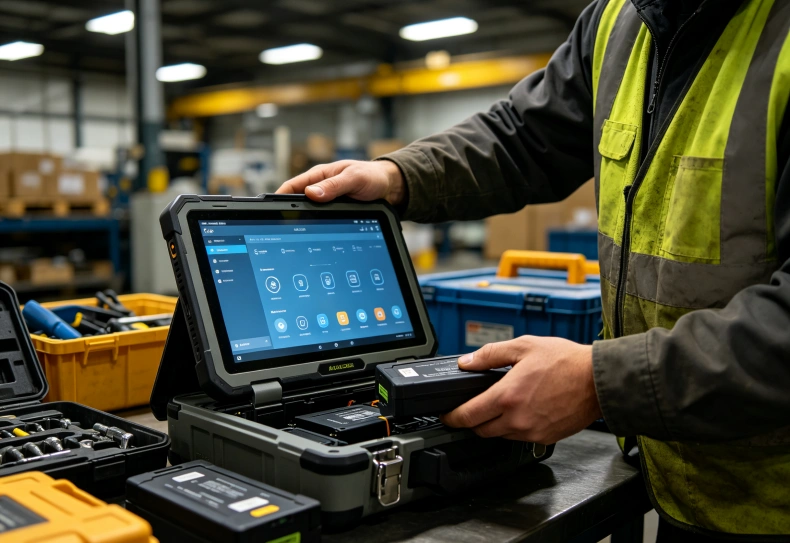
A rugged tablet hot swappable battery system allows users to replace a removable battery without shutting down the tablet. It maintains power through an internal backup battery, a second operating battery, or another manufacturer-approved power arrangement. This helps field technicians, warehouse employees, and industrial maintenance teams continue working without restarting applications or interrupting active tasks.
However, not every rugged tablet with a removable battery supports hot swapping. The device must provide an approved method of maintaining power during replacement.
Battery replacement time, power reserve, operating temperature, and latch design also vary between models. Understanding these details helps businesses determine whether uninterrupted battery replacement is necessary for their daily operations.
How Does a Hot-Swappable Battery Work in a Rugged Tablet?
Hot swapping means replacing a battery while the device remains powered and operational.
When a user removes the main battery, another power source temporarily supplies the tablet’s essential electrical components.
The power management system controls this transition so the operating system does not experience an unexpected shutdown.
Two common architectures support this capability.
Internal Bridge Battery Design
Some rugged tablets include a small internal backup battery, often called a bridge battery.
The bridge battery stores enough energy to power the system temporarily while the user replaces the removable main battery.
A typical sequence is:
- The main battery powers the tablet during normal operation.
- The user checks that the internal backup battery has sufficient charge.
- The user releases and removes the main battery.
- The bridge battery temporarily supplies the device.
- The user installs a charged replacement battery.
- The power management system returns to normal operation.
The bridge battery does not usually provide the same operating duration as the main battery.
Its purpose is to preserve system operation during a short replacement interval.
The allowed swap window depends on backup capacity, device power consumption, battery condition, and firmware behavior.
Some systems may reduce screen brightness or enter a protective power state during the process.
Dual-Battery Hot-Swap Design
Other rugged tablets use two removable or independently powered batteries.
The tablet continues operating on one battery while the user replaces the other.
This approach can provide greater flexibility when employees work long shifts or use power-intensive applications.
However, both batteries should not be removed simultaneously unless the manufacturer explicitly permits it.
Removing all available power sources can cause an unexpected shutdown and potentially interrupt unfinished work.
Bridge Battery vs. Dual-Battery Systems
| Feature | Internal Bridge Battery | Dual-Battery System |
|---|---|---|
| Primary power source | Removable main battery | Two operating batteries |
| Power during replacement | Internal backup battery | Remaining installed battery |
| Swap time | Limited by backup energy and firmware | Depends on remaining battery and system design |
| User action | Replace main battery within approved window | Replace one battery at a time |
| Important check | Backup charge level and permitted interval | Remaining battery level |
| Main advantage | Enables battery replacement with one main pack | Supports flexible battery replacement |
| Main limitation | Restricted backup runtime | Additional battery weight and system complexity |
Neither design is automatically superior.
The correct choice depends on working hours, application power consumption, battery replacement frequency, and the device’s mechanical construction.
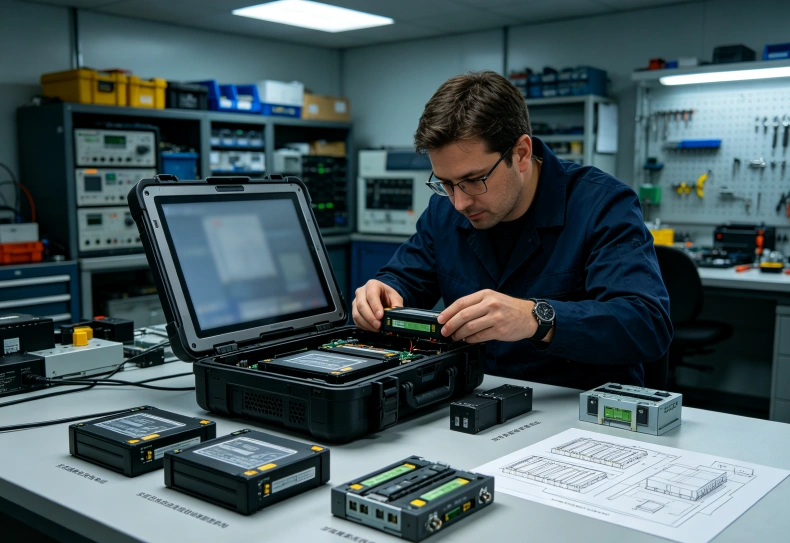
Hot-Swappable vs. Removable Batteries: What Is the Difference?
A removable battery is simply a battery that users can take out of the device.
It does not necessarily support replacement while the tablet remains powered on.
A hot-swappable battery system includes the power-management capability needed to maintain operation throughout an approved replacement procedure.
| Battery Type | Replacement Without Shutdown | Typical Consideration |
|---|---|---|
| Fixed internal battery | No routine user replacement | Charging and device lifecycle |
| Removable battery | Not necessarily | May require shutdown |
| Hot-swappable battery | Yes, within supported conditions | Backup power and swap procedure |
| Dual-battery hot-swap system | Yes, when one battery remains installed | Battery monitoring and replacement sequence |
Manufacturers sometimes use phrases such as removable battery, replaceable battery, and hot-swappable battery in product descriptions.
These terms should not be treated as interchangeable.
A specification stating “detachable battery” is not sufficient evidence of hot-swap functionality.
The technical manual should explicitly describe the supported replacement process.
For general power planning, the rugged tablet battery life guide explains how battery energy, display brightness, connectivity, and workload affect operating time.
Hot swapping addresses how employees replace batteries. Battery capacity determines how long the tablet can operate between replacements.
These are related but separate requirements.
Battery Swap Time, Power Reserve and Safety Limits
The maximum permitted battery replacement time is one of the most important specifications.
It indicates how long a user can remove the primary battery while the alternative power source maintains an approved system state.
Why Swap Time Varies
Different tablets have different backup energy capacities and power management architectures.
A device running a demanding application may consume more energy than one operating in a low-power state.
Some systems manage this by reducing display power or limiting selected functions during battery replacement.
Other systems maintain operation using a second battery with sufficient remaining capacity.
The published replacement interval should therefore be treated as a model-specific condition.
For example, a rugged tablet with a two-minute permitted replacement window should not be assumed capable of operating for five minutes without the main battery.
The manufacturer’s operating instructions determine the safe procedure.
What Happens If the Swap Takes Too Long?
If the backup power becomes insufficient, the tablet may enter hibernation, shut down, or perform another protective action.
The exact behavior depends on the operating system, firmware, and battery management hardware.
An unexpected shutdown may interrupt applications that have not saved their data.
It may also disconnect active network sessions or require employees to authenticate again.
For critical field applications, software should save important work frequently rather than depending entirely on continuous power.
The rugged tablet offline data collection guide explains how local storage and synchronization can protect inspection records during operational interruptions.
Battery Temperature and Charging Restrictions
Battery replacement and battery charging are different operations.
A tablet may operate at temperatures where its lithium-ion battery cannot safely accept a normal charging current.
Low temperatures can increase internal resistance and reduce available power.
High temperatures can accelerate battery degradation and trigger thermal protection.
Before deploying a hot-swap system, verify:
- Operating temperature of the tablet.
- Battery replacement temperature range.
- Charging temperature limits.
- Backup battery charging requirements.
- Approved replacement battery part numbers.
- Procedures for damaged or swollen batteries.
Never assume that an IP rating or rugged enclosure guarantees unrestricted battery replacement under extreme temperatures.

Industrial Applications That Benefit from Hot Swapping
Uninterrupted battery replacement is most useful when shutting down the tablet would interrupt a time-sensitive operation.
The benefits vary across industries.
Warehouse Inventory and Logistics
Warehouse employees may use rugged tablets for inventory counting, receiving, picking, and dispatch verification.
During long shifts, a discharged battery can interrupt active work orders and scanning applications.
A hot-swap system allows an employee to install a charged battery without performing a normal shutdown and restart.
However, the warehouse management application must still preserve transaction integrity during network interruptions or unexpected faults.
For continuous warehouse operations, battery replacement procedures should be coordinated with charging stations and spare-battery availability.
Utility Inspection and Field Maintenance
Utility technicians may work in remote locations without reliable access to charging equipment.
Their tablets may display work orders, electrical diagrams, inspection forms, and equipment photographs.
Battery replacement can be useful when technicians must continue an inspection without returning to a vehicle.
The rugged tablet field service selection guide discusses the role of battery endurance, connectivity, and application requirements in mobile maintenance operations.
A hot-swappable system should be evaluated alongside vehicle chargers, external power accessories, and offline application support.
Manufacturing and Industrial Maintenance
Maintenance engineers may use rugged tablets to monitor equipment, review diagnostic information, and record machine service activity.
Unexpected power loss could interrupt the technician’s software session.
Hot swapping can reduce planned battery-related interruptions when the hardware and application support the procedure.
However, continuously operating industrial equipment should not depend on a mobile tablet for safety-critical control unless the complete system is engineered and validated for that purpose.
Outdoor Construction and Infrastructure Work
Outdoor projects often involve changing temperatures, limited charging access, and high screen brightness.
These conditions can increase battery consumption.
A hot-swap arrangement may help workers complete extended shifts without relying entirely on one large battery.
The advantage must be balanced against the weight of spare batteries and the need to protect the battery compartment from dust and moisture.
What to Check Before Choosing a Hot-Swappable Rugged Tablet
Published battery specifications provide useful information, but they do not establish the performance of the complete power system.
Businesses should examine the battery architecture, replacement procedure, software behavior, and support arrangements.
Essential Technical Checklist
| Requirement | What to Verify |
|---|---|
| Hot-swap support | Explicit manufacturer confirmation |
| Power architecture | Bridge battery or dual-battery design |
| Maximum swap interval | Approved replacement time |
| Backup power status | Battery indicator or system warning |
| Battery capacity | Nominal energy in Wh |
| Compatible batteries | Approved replacement part numbers |
| Battery charging | Charger and temperature compatibility |
| Power continuity | Behavior of active applications during replacement |
| Environmental protection | Sealing after battery replacement |
| Mechanical durability | Battery latch and connector reliability |
| Software support | Power alerts and battery status reporting |
| Service support | Replacement batteries and maintenance instructions |
Why Watt-Hours Matter
Battery capacity is often expressed in milliampere-hours (mAh).
However, comparing mAh alone can be misleading when battery voltage differs.
Watt-hours provide a more useful measure of nominal battery energy.
The basic relationship is:
Battery Energy (Wh) = Capacity (Ah) × Nominal Voltage (V)
For example, a 7,000mAh battery rated at 3.8V contains approximately 26.6Wh of nominal energy.
A second battery with the same mAh rating but a different nominal voltage may store a different amount of energy.
Actual runtime also depends on power conversion losses, battery aging, operating temperature, and application workload.
Hot swapping can extend the time a tablet remains available through successive battery replacements, but it does not increase the capacity of an individual battery.
Evaluating Existing Rugged Tablet Product Options
Uralsmart’s rugged tablet portfolio includes RT80, RT82, and RT83 models for different industrial mobile computing requirements.
These models provide starting points for evaluating display size, processing performance, connectivity, and field operating conditions.
However, the available published information does not establish that every configuration supports hot-swappable batteries.
For project evaluation, confirm the exact battery architecture and replacement procedure before specifying this feature.
The OEM rugged tablet engineering guide provides additional background on configurable hardware and specialized industrial requirements.
An OEM project may involve different battery arrangements, but any proposed modification must receive appropriate electrical, thermal, mechanical, and safety validation.
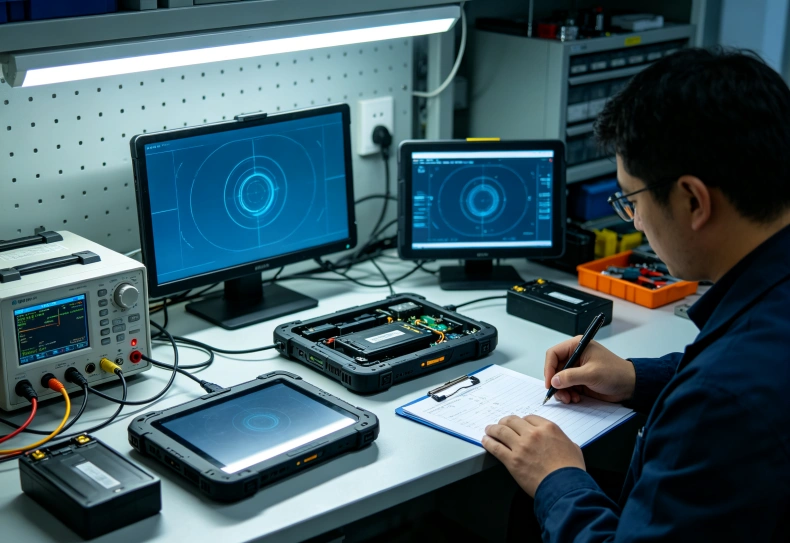
How to Test Hot-Swap Reliability Before Deployment
A practical validation process should demonstrate that the tablet maintains an acceptable operating state throughout battery replacement.
The test should use the exact device configuration, approved batteries, and applications expected in production.
Step 1: Confirm the Approved Procedure
Review the manufacturer’s operating manual.
Identify the permitted battery replacement sequence, backup power requirements, and temperature limits.
Do not attempt live battery removal unless the manufacturer explicitly supports the procedure.
Step 2: Test Normal Operation
Charge the batteries according to the manufacturer’s instructions.
Start the normal industrial applications and establish network connectivity.
Record battery levels, application state, and active tasks.
Step 3: Perform the Battery Replacement
Follow the approved release and installation procedure.
Observe whether the device remains operational or enters a documented protective state.
Monitor the time taken to install the replacement battery.
The test should remain within the manufacturer’s permitted replacement interval.
Step 4: Verify Application Continuity
After replacement, confirm:
- The operating system remains available.
- The active application retains its state.
- Unsaved information is not unexpectedly lost.
- Network communication recovers correctly.
- The battery indicator recognizes the replacement.
- Device logs show no unexpected power failure.
- The battery latch is securely closed.
For applications involving inspection data or inventory transactions, verify the final records in the backend system.
Step 5: Repeat Under Representative Conditions
Test with different approved battery charge levels and normal field workloads.
Where permitted, evaluate operation under the temperatures expected at the deployment site.
Repeat the process sufficiently to identify intermittent connector or latch problems.
A single successful replacement does not establish long-term reliability.
Mechanical wear, battery aging, and repeated handling can affect performance over time.
Conclusion
Hot-swappable batteries help rugged tablets remain operational when employees need to replace depleted battery packs during extended shifts.
The technology relies on a suitable backup power arrangement, such as an internal bridge battery or a second operating battery.
However, removable batteries and hot-swappable batteries are not the same.
Industrial teams should verify the actual battery architecture, permitted replacement interval, environmental limitations, and software behavior before deployment.
A properly tested battery replacement process can reduce planned interruptions, but overall field reliability still depends on battery endurance, safe charging, application data protection, and suitable maintenance procedures.
FAQ
What is a hot-swappable battery in a rugged tablet?
It is a battery system that allows users to replace an approved battery pack without shutting down the tablet. Another power source maintains the device during replacement.
Do all rugged tablets with removable batteries support hot swapping?
No. A removable battery may require the device to shut down before replacement. Hot swapping requires explicit hardware and power-management support.
How long can a rugged tablet operate without its main battery?
The permitted interval depends on the model and its backup power system. Some devices allow a short replacement window, while dual-battery systems use the remaining installed battery.
Can hot swapping cause data loss?
A correctly performed hot swap should maintain the system’s supported operating state. However, exhausted backup power or improper replacement can cause interruption, so critical applications should save data reliably.
Are hot-swappable batteries suitable for cold-storage or outdoor operations?
They can be suitable when the manufacturer’s specifications support the intended temperatures. Battery performance, charging limits, replacement procedures, and environmental sealing must all be verified.
Need a Rugged Tablet for Extended Field Operations?
Battery endurance and uninterrupted operation can be critical during long industrial shifts. Explore Uralsmart’s rugged tablet solutions and discuss battery configurations, charging options, and application requirements before selecting hardware.
Explore Uralsmart Rugged Tablet Solutions
External Reference Sources
1. Dell — Latitude 7030 Rugged Extreme Tablet Battery Specifications
Dell official battery documentation
2. Panasonic — TOUGHBOOK 33 Technical Specifications
Panasonic
3. Getac — Rugged Tablet Battery Replacement Guidance
Getac ZX80 User Guide
4. Uralsmart — Rugged Tablet Battery Life for Field Work
Uralsmart battery life planning guide