
UHF RFID Handheld Reader Integration with Warehouse Management Systems


UHF RFID handheld reader warehouse integration connects RFID tag identification with warehouse management system (WMS) transactions. The reader captures electronic product codes (EPCs), while mobile software filters duplicate reads, matches identifiers to inventory records, and submits validated transactions through APIs or middleware. Reliable integration also requires controlled reading zones, exception handling, and synchronization when wireless connectivity fails.
Unlike conventional barcode scanning, UHF RFID can detect multiple tags during one reading session. That capability can simplify pallet verification, stock counting, and reusable container tracking.
However, reading 100 tags does not mean the warehouse has successfully received 100 items. The WMS must still establish what those tags represent, where the assets belong, and which business operation is taking place.
How Does a UHF RFID Handheld Reader Connect to a WMS?
A handheld RFID reader acts as the data-capture device within a larger warehouse system.
The RFID module detects passive UHF tags and sends their identifiers to a mobile application. The application processes those observations and exchanges transaction data with the WMS.
A typical architecture follows this sequence:
RFID Tags → Handheld Reader → Mobile Application → Filtering and Validation → API or Middleware → WMS → Transaction Confirmation
Each layer has a specific responsibility.
| System Component | Primary Function |
|---|---|
| UHF RFID tags | Identify physical assets or logistic units |
| Handheld RFID reader | Captures EPCs within its reading zone |
| Reader SDK | Provides access to tag data and reader controls |
| Mobile application | Organizes reads into warehouse tasks |
| Filtering layer | Removes duplicates and irrelevant identifiers |
| API or middleware | Exchanges structured records with backend software |
| WMS | Validates and processes inventory operations |
| Inventory database | Stores confirmed stock and transaction records |
The application connects raw RFID observations to the business process.
For example, a worker might scan 40 tagged cartons during receiving. The application must compare those EPCs with the expected shipment before confirming the receiving transaction.
If three unexpected tags appear, the software should flag them rather than automatically adding them to inventory.
Why RFID Integration Differs from Barcode Integration
Barcode scanners generally capture a deliberately selected symbol. RFID readers can detect multiple tags without direct visual alignment.
That difference changes the application design.
A barcode workflow often processes one identifier per scanning action. An RFID workflow may need to handle hundreds of observations, repeated EPCs, and tags outside the intended work area.
The warehouse handheld terminal WMS integration guide explains general scanning, API communication, and inventory transactions.
RFID integration adds a dedicated filtering layer between tag capture and business validation.
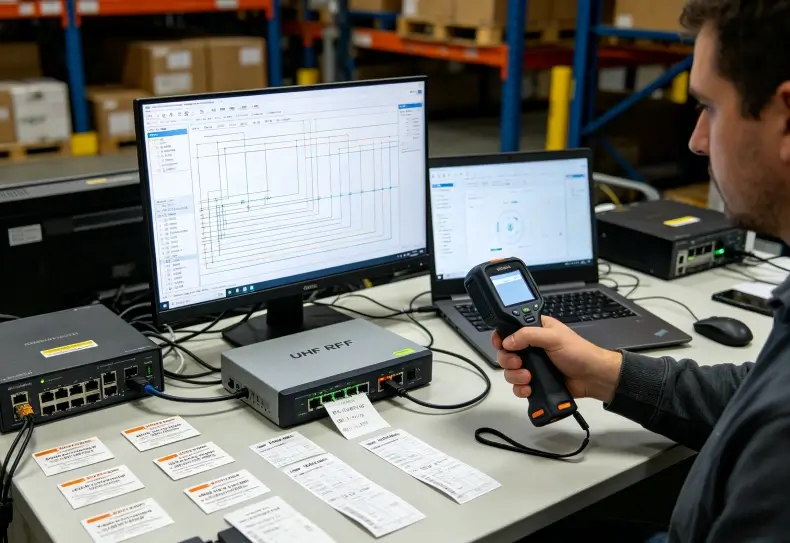
EPC Mapping: Turning Tag Reads into Inventory Records
An EPC is an electronic identifier commonly used to identify tagged items or logistics assets.
In an RFID-enabled warehouse, the EPC links a physical tag to information stored in the WMS or a connected database.
That information may include the product, serial number, batch, owner, location, or logistics unit.
EPC vs. SKU vs. Asset Identifier
These identifiers serve different purposes.
| Identifier | What It Represents | Typical Use |
|---|---|---|
| EPC | A tagged object or other encoded identity | RFID identification |
| SKU | A product or inventory category | Stock management |
| Serial number | An individual item | Serialized tracking |
| SSCC | A logistic unit, such as a pallet | Shipment and handling-unit identification |
| Location ID | A physical warehouse position | Putaway and stock counting |
A single SKU can represent thousands of products.
Individual EPCs can distinguish particular tagged objects, depending on the encoding scheme.
However, not every EPC follows the same product-serialization structure. The application must identify the encoding scheme and apply the correct mapping rules.
Building a Reliable EPC Mapping Process
Before deployment, define how each EPC relates to the warehouse database.
A typical process includes:
- Assign or verify a unique tag identifier.
- Associate the EPC with the relevant product or asset record.
- Record the identifier’s format and encoding scheme.
- Validate that the identifier is not incorrectly reused.
- Confirm successful tag reading after attachment.
- Make the mapping available to the mobile application.
- Define how unknown or duplicate identifiers are handled.
For reusable containers, the EPC may identify the container rather than the goods inside it.
For serialized inventory, the EPC may identify an individual product.
The distinction matters when determining whether a read should update an asset location, confirm a shipment, or change available stock.
The existing UHF RFID handheld reader asset tracking guide provides additional information about EPC assignment, tag installation, and asset records.
Filtering RFID Reads Before Sending Them to the WMS
RFID middleware and mobile applications often need to process large groups of tag observations.
Without filtering, repeated detections can create unnecessary network traffic and misleading inventory records.
Duplicate Reads Are Normal
A handheld RFID reader may detect the same tag repeatedly while the operator holds the trigger.
This behavior does not mean that the system has identified multiple physical items.
The application should group observations into a defined scanning session and remove repeated EPCs as appropriate.
For example, an operator scanning a pallet might capture the same 25 EPCs hundreds of times.
The useful result may be a list of 25 unique identifiers, not every individual radio observation.
Filtering Unintended Tags
The reading zone may extend beyond the target pallet or storage location.
Nearby shelving, reflected RF energy, and excessive reader power can cause unexpected tags to appear.
Application controls can include:
- Expected EPC lists.
- Task-specific product filters.
- Scanning-session boundaries.
- Reader output power settings.
- Location or work-order association.
- Exception messages for unexpected identifiers.
Filtering should not silently discard all unusual data.
An unexpected EPC could indicate misplaced inventory, a mixed shipment, or an incorrectly registered tag.
The application should distinguish irrelevant observations from exceptions requiring investigation.
The Role of GS1 EPCIS
GS1 EPCIS provides a standardized framework for describing visibility events, including what happened, when, where, and why.
Its architecture distinguishes raw tag observations from business events.
For example, observing a tag near a warehouse entrance is different from confirming that the corresponding goods were received.
EPCIS 2.0 supports standardized event structures and interfaces, including JSON/JSON-LD and REST-based capabilities.
However, a WMS does not need to implement EPCIS to support a handheld RFID reader. Some systems use proprietary REST APIs or integration middleware instead.
The appropriate approach depends on the existing enterprise architecture and data-sharing requirements.
RFID Warehouse Workflows: Receiving, Inventory and Shipping
The integration should reflect how employees actually handle goods.
Different warehouse operations require different validation rules.
RFID Receiving and Shipment Verification
During receiving, a worker selects the expected purchase order or advance shipment record.
The handheld reader captures the EPCs of tagged cartons or logistics units.
The application then compares the detected identifiers against the expected shipment.
A suitable receiving workflow should:
- Retrieve the expected shipment.
- Start a controlled RFID reading session.
- Collect unique EPCs.
- Match EPCs to known items or handling units.
- Identify missing and unexpected tags.
- Ask the operator to resolve exceptions.
- Submit the validated receiving transaction.
- Display the WMS confirmation.
The system should not automatically treat every detected EPC as an accepted delivery.
A tag may belong to another pallet or nearby shipment.
Cycle Counting and Inventory Audits
Handheld RFID can help employees identify groups of tagged assets without scanning each label individually.
The operator selects a warehouse zone and walks through the designated locations.
The application compares observed EPCs with the expected inventory records.
Possible results include:
| RFID Observation | WMS Interpretation |
|---|---|
| Expected EPC detected | Item observed in the selected zone |
| Expected EPC not detected | Potential missing item requiring investigation |
| Unexpected EPC detected | Possible misplaced or unregistered item |
| Repeated EPC detected | Duplicate observation, not additional stock |
| Unreadable tag suspected | Requires manual verification |
A missed read is not conclusive proof that an item is missing.
Metal structures, liquid products, tag orientation, and scanning technique may affect identification.
Consequently, inventory variance procedures should include physical verification before final adjustments.
Shipping and Dispatch Confirmation
RFID can help verify whether tagged items belong to a selected shipment.
Before dispatch, the application compares scanned EPCs with the WMS shipment list.
It should identify missing, additional, or incorrectly assigned items.
Only after resolving exceptions should the system submit a dispatch confirmation.
For bulk-tagged goods, this approach can reduce repeated manual barcode scanning. However, verified performance depends on tag coverage and the reliability of the reading procedure.
Data Synchronization, API Design and Error Recovery
A warehouse RFID system must preserve transaction accuracy when wireless connections become unreliable.
This is especially relevant in buildings with metal shelving, dense inventory, and multiple access points.
RFID Observations vs. Confirmed Transactions
The application should distinguish several states.
| State | Meaning |
|---|---|
| Captured | RFID identifier detected |
| Filtered | Duplicate and irrelevant observations processed |
| Validated | Identifiers checked against the current WMS task |
| Pending | Transaction stored locally for submission |
| Submitted | Backend request sent |
| Confirmed | WMS accepted the business transaction |
| Rejected | WMS returned an error requiring action |
A completed RFID scanning session does not necessarily mean inventory has changed.
The application should confirm successful backend processing before showing a final transaction status.
Preventing Duplicate Inventory Updates
A common failure occurs when the WMS accepts a transaction but the handheld loses connectivity before receiving confirmation.
The application may attempt to send the same transaction again.
Without duplicate protection, the backend could repeat a stock adjustment.
Assigning each transaction a unique identifier allows the server to recognize repeated requests.
This is called idempotent processing.
For inventory operations, it is particularly important because repeated transactions can produce incorrect quantities even when the RFID observations were accurate.
Offline RFID Data Collection
Some warehouse environments require temporary offline operation.
A suitable application can store RFID observations and pending transactions locally until the network returns.
The synchronization process should:
- Preserve session identifiers.
- Retain collected EPCs.
- Record the operator and warehouse location.
- Store the relevant transaction type.
- Retry interrupted submissions.
- Handle server-side validation errors.
- Confirm accepted transactions.
- Prevent duplicate processing.
Offline operation requires explicit software support.
A handheld computer’s internal storage does not automatically make its WMS application offline-capable.
Securing WMS Communication
RFID data should be transferred using authenticated and protected communication channels.
Depending on the architecture, this may include TLS-protected APIs, access tokens, device authentication, and role-based permissions.
The backend must validate the operator’s authority to perform receiving, inventory adjustments, or shipping confirmations.
A valid EPC does not authorize an inventory change by itself.
Audit logs should identify who performed a transaction, which device was used, and when the WMS accepted it.

Selecting UHF RFID Handheld Hardware for WMS Projects
Hardware selection should follow the tag population, operating environment, and software architecture.
A higher nominal reading rate does not guarantee a more accurate warehouse operation.
For example, a reader that detects hundreds of nearby tags may require more application filtering than a device with a controlled reading zone.
Comparing R366C-S and R366A-S
Uralsmart offers several UHF RFID handheld terminals relevant to inventory and asset identification.
| Specification | R366C-S | R366A-S |
|---|---|---|
| Operating system | Android 13 | Android 13 |
| RFID configuration | Impinj E710 module | Built-in 40 × 40mm ceramic RFID module |
| Published reading distance | Up to 10m with 4dBi antenna | Up to 2m |
| Battery | 3.8V, 10,000mAh detachable | 3.8V, 5,700mAh detachable |
| Wireless connectivity | Dual-band Wi-Fi, Bluetooth 5.1 | Dual-band Wi-Fi, Bluetooth 5.1 |
| Application consideration | Larger reading zones and inventory scanning | Compact, shorter-distance identification |
These figures come from the manufacturer-published configurations. Actual performance depends on tags, reader settings, antenna orientation, and environmental conditions.
The R366C-S UHF RFID handheld reader provides a relevant starting point for bulk inventory and asset identification projects.
The R366A-S RFID handheld terminal may suit operations requiring a more compact device and shorter working distances.
Neither specification alone confirms direct compatibility with a particular WMS.
Check SDK and Application Compatibility
Before selecting a device, verify:
- Availability of an RFID SDK or documented device interface.
- Supported tag inventory and EPC filtering functions.
- Reader power and frequency configuration options.
- Access to tag read events within the Android application.
- WMS application requirements.
- Wi-Fi authentication and roaming behavior.
- Battery endurance during continuous RFID scanning.
- Supported regional UHF frequencies.
- Firmware update and technical support arrangements.
The UHF RFID handheld terminals category provides additional product configurations for evaluation.
The exact SDK and integration features should be confirmed through current technical documentation before development begins.
How to Test an RFID–WMS Integration Before Deployment
A pilot should evaluate the complete process from tag detection to confirmed inventory transaction.
Use representative tagged products, real warehouse locations, and a test WMS environment.
A practical acceptance test includes:
- Register known EPCs in the test inventory database.
- Load expected receiving or picking tasks.
- Scan a representative group of tagged items.
- Verify unique EPC counts after filtering.
- Introduce unexpected and duplicate tags.
- Confirm that exceptions appear in the application.
- Submit a valid transaction to the WMS.
- Verify the resulting inventory records.
- Disconnect Wi-Fi during submission.
- Restore connectivity and test recovery.
- Repeat the submission to verify duplicate protection.
- Record missed reads and unintended detections.
The test should also include metal racks, mixed product packaging, and normal operating distances.
Where the application supports offline scanning, restart the device before synchronization to verify that pending records remain available.
Measure read completeness, transaction confirmation time, error frequency, and the accuracy of final WMS records.
These results are more valuable than relying exclusively on the manufacturer’s maximum reading distance.
Conclusion
Integrating UHF RFID handheld readers with warehouse management systems requires reliable tag identification, controlled data processing, and accurate business transaction handling.
The reader captures EPCs, but the application must filter observations, match identifiers to warehouse records, and obtain confirmation from the WMS.
Receiving, cycle counting, and shipping each require their own validation rules.
A successful deployment combines suitable RFID hardware with clear EPC mapping, robust API communication, offline recovery, and realistic warehouse testing. The ultimate measure of success is trustworthy inventory data, not simply the number of tags detected.
FAQ
Can a UHF RFID handheld reader connect directly to a WMS?
It can connect through a compatible mobile application, API, or middleware. Direct integration depends on the reader’s SDK and the interfaces supported by the WMS.
What is the difference between an EPC read and a WMS inventory transaction?
An EPC read confirms that the reader detected a tag. A WMS transaction validates the identifier within a business workflow and updates the relevant inventory records.
How can RFID systems prevent duplicate inventory records?
Applications should filter repeated EPC observations, use unique transaction identifiers, and implement server-side duplicate protection before updating stock records.
Can handheld RFID readers work offline in warehouses?
Yes, when the mobile application supports local storage and queued synchronization. The software must preserve pending transactions and reconcile them when connectivity returns.
Does an RFID handheld reader need EPCIS for WMS integration?
Not necessarily. EPCIS provides a standardized model for supply-chain visibility events, but a WMS may also integrate through proprietary APIs or middleware.
Looking for a UHF RFID Handheld Reader for Warehouse Integration?
Reliable RFID warehouse workflows start with compatible hardware, accurate tag reading, and dependable data handling. Explore Uralsmart’s UHF RFID handheld terminals to compare available configurations for inventory counting, asset identification, and WMS integration projects.
Explore UHF RFID Handheld Terminals
External Reference Sources
1. GS1 — EPCIS 2.0 Standard
Official GS1 EPCIS 2.0 Standard
2. GS1 — EPCIS and CBV
GS1 EPCIS and Core Business Vocabulary
3. Android Developers — Offline-First Applications
Android Offline-First Architecture
4. ISO/IEC 18000-63 — UHF RFID Air Interface
ISO/IEC 18000-63