
Rugged Tablet Sunlight Readable Display: Nits & Glare Guide

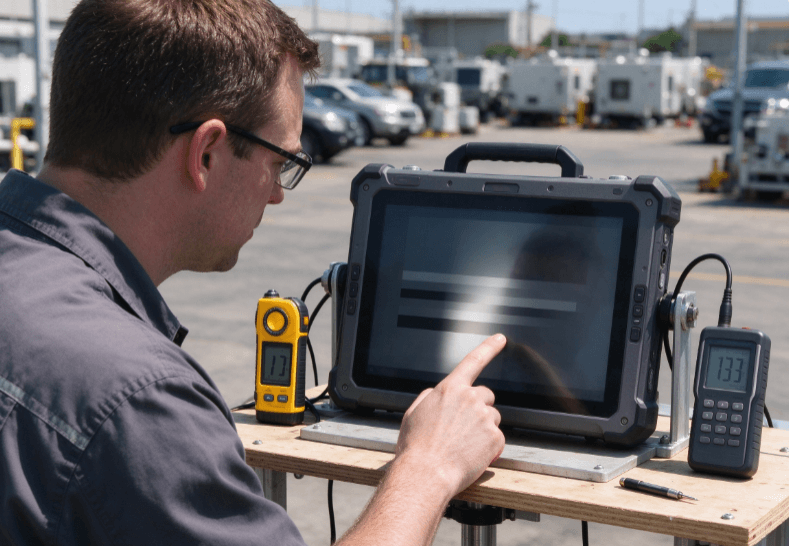
A rugged tablet sunlight readable display must provide enough brightness and contrast to keep information visible under strong ambient light. Screen brightness, measured in nits, is important, but reflections, optical bonding, anti-reflective coatings, and viewing angles also determine outdoor readability. A 1,000-nit display is not automatically easier to read than a lower-brightness screen with better reflection control.
For utility inspectors, construction supervisors, and field service technicians, the important question is whether they can read drawings, enter data, and operate applications in actual daylight conditions.
Understanding how sunlight affects display contrast helps explain why two rugged tablets with similar brightness specifications may perform differently outdoors.
What Makes a Rugged Tablet Display Sunlight-Readable?
Sunlight readability describes a display’s ability to present legible information under bright ambient illumination.
On an LCD, the backlight produces the light needed to display information. Outdoors, reflected sunlight adds unwanted brightness to the screen surface, reducing the visible difference between light and dark image areas.
This loss of contrast can make text, diagrams, and interface controls difficult to distinguish.
The National Institute of Standards and Technology (NIST) has studied daylight readability using measurements of display contrast and reflections. Its research demonstrates why screen brightness alone cannot fully describe outdoor visibility.
Four display characteristics are especially important:
- Luminance: The light emitted by the screen, usually expressed in nits.
- Reflectance: The proportion of ambient light reflected toward the viewer.
- Ambient contrast: The visible contrast between displayed information and its background under surrounding illumination.
- Optical construction: The screen layers, bonding materials, and coatings that influence internal reflections.
A display with strong backlighting but high reflectance may still appear washed out in sunlight.
For related engineering considerations, Uralsmart’s guide to rugged tablets for harsh environments discusses display construction alongside thermal management and environmental protection.
How Many Nits Does an Outdoor Rugged Tablet Need?
A nit is equivalent to one candela per square meter (cd/m²). It measures display luminance, not the brightness of sunlight falling onto the screen.
Higher luminance can improve readability, but it also increases power demand in many display systems.
There is no universal nit value that guarantees sunlight readability across all environments.
Understanding Common Brightness Ranges
The following ranges provide practical starting points for evaluating conventional backlit displays.
| Display Brightness | Potential Application | Main Limitation |
|---|---|---|
| 300–400 nits | Indoor work and controlled lighting | Often difficult in direct sunlight |
| 500–700 nits | Bright interiors and shaded outdoor locations | Reflections may still obscure details |
| 800–1,000 nits | Outdoor inspections and mixed lighting | Optical design remains important |
| Above 1,000 nits | Demanding daylight applications | Heat, power consumption, and reflectance |
These are indicative selection ranges, not certified performance classifications. Actual readability depends on contrast, reflections, and viewing conditions.
A 600-nit tablet with effective anti-reflective treatment may outperform a brighter display with uncontrolled reflections in certain viewing conditions.
For this reason, the display’s optical construction deserves as much attention as the maximum brightness specification.
Peak Brightness vs. Sustained Brightness
Published brightness figures may describe peak output rather than continuous performance.
This distinction matters when a tablet operates outdoors for several hours.
High backlight output produces additional heat and consumes more electrical power. Depending on the display and system design, thermal controls may reduce brightness as internal temperatures rise.
When evaluating a tablet, ask whether the quoted luminance is sustained, whether it applies to the complete display, and under which test conditions it was measured.
A short brightness demonstration cannot establish performance during a full outdoor working shift.
Why Glare and Optical Bonding Matter
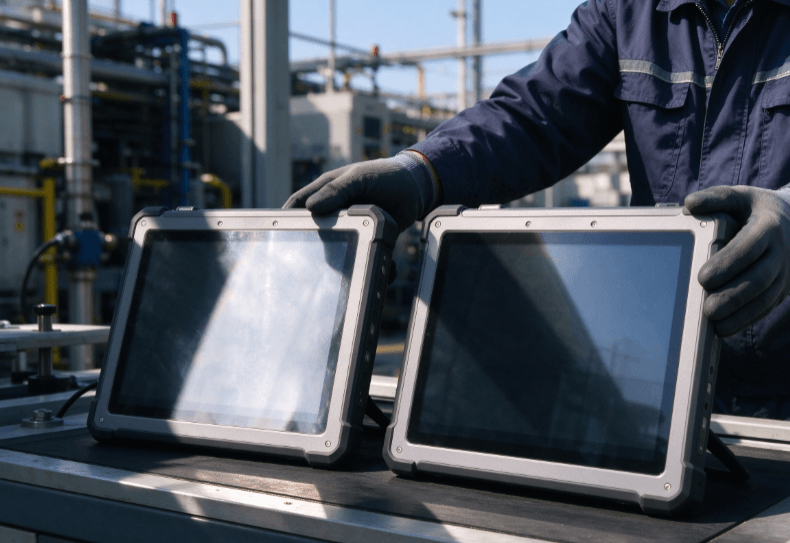
Display reflections are not all the same.
Specular reflections create recognizable images of bright objects, such as the sun or surrounding structures. Diffuse reflections scatter ambient light across the display and can reduce perceived contrast.
Both affect readability, but they require different approaches to control.
Optical Bonding and Internal Reflections
Many displays use several transparent layers, including protective glass, a touch sensor, and the display panel.
When air gaps exist between these layers, light can reflect at each material interface.
Optical bonding uses a transparent adhesive to connect layers and reduce internal air-gap reflections.
This can improve perceived contrast and reduce visual separation between the touch surface and the displayed image.
However, optical bonding does not eliminate every reflection. The outer cover-glass surface can still reflect strong ambient light.
The engineering differences between display constructions are discussed further in the OEM rugged tablet guide.
Anti-Reflective vs. Anti-Glare Treatments
Anti-reflective and anti-glare treatments address different optical problems.
Anti-reflective (AR) coatings reduce reflected light at selected surfaces through optical interference.
Anti-glare (AG) treatments scatter reflected light to make sharp reflections less distracting.
These treatments are not interchangeable.
An anti-glare surface may reduce mirror-like reflections but introduce haze that affects fine text or detailed graphics.
An anti-reflective coating may preserve image clarity while reducing surface reflections, although performance depends on the coating design.
For field applications involving engineering drawings or small interface elements, both reflection control and image sharpness should be tested.
Sunlight-Readable Displays in Real Field Applications
Different outdoor jobs place different demands on screen readability.
Utility and Infrastructure Inspection
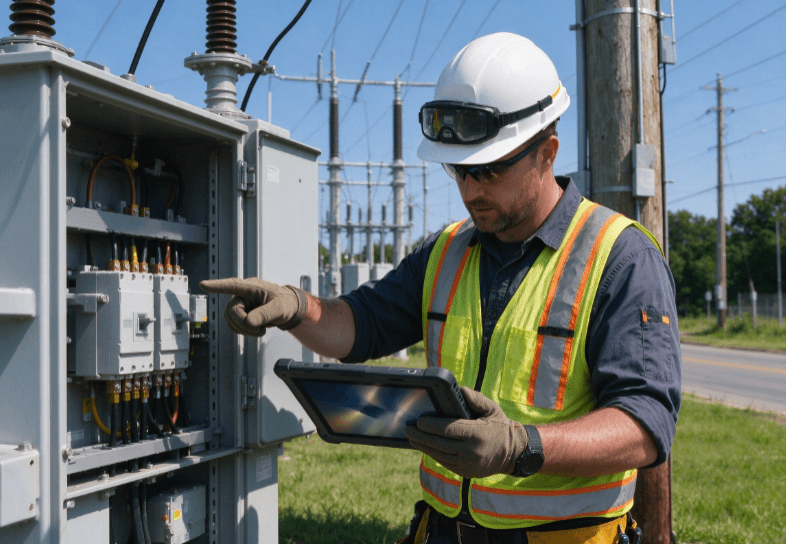
Utility technicians often review equipment diagrams, asset records, and maintenance instructions while standing beside exposed infrastructure.
A screen must remain readable during changing lighting conditions, including direct sunlight and deep shadows.
Viewing angle also matters because technicians may hold the tablet in different positions while inspecting equipment.
The rugged tablet field service guide discusses how display visibility relates to mobile inspection workflows.
Construction and Outdoor Site Management
Construction supervisors may use rugged tablets to review drawings, update inspection reports, and document site conditions.
Fine lines and small text can become difficult to distinguish when reflections lower screen contrast.
In these situations, higher luminance is useful, but optical clarity and display size also influence the result.
A larger display does not automatically solve glare problems. Its reflective surface may remain difficult to view under certain lighting angles.
Vehicle-Based Field Operations
Technicians and operators may use tablets inside service vehicles, forklifts, or construction equipment.
Windshields and windows introduce additional reflections, while direct sunlight can strike the display from changing angles.
A fixed mounting position may also limit the user’s ability to tilt the screen away from glare.
For these applications, the fixed-mount industrial tablet guide provides related information about mounting and environmental requirements.
The display should be evaluated from the actual operator position rather than only when held directly in front of the viewer.
How to Test Rugged Tablet Sunlight Readability
A meaningful field test should measure whether technicians can complete their normal tasks, not simply whether the screen appears bright.
Prepare a Representative Test
Use the same applications, protective accessories, and screen settings expected during normal operation.
The test should include:
- Direct sunlight around midday when practical.
- Bright overcast conditions.
- Shaded outdoor locations.
- Indoor-to-outdoor transitions.
- Different viewing angles.
- Extended operation at outdoor brightness settings.
Record the ambient conditions, display settings, and device temperature during testing.
For more controlled comparisons, use appropriate measurement instruments to assess display luminance and ambient contrast.
NIST’s research on daylight display measurements provides a technical basis for evaluating emitted light and reflected illumination together.
Test Real Work, Not Just a Brightness Screen
A white test image may look impressive outdoors, but it does not represent a maintenance application.
Use real operational content, including:
- Small text in equipment manuals.
- Technical drawings with fine lines.
- Data-entry forms and dropdown menus.
- Photographs showing equipment defects.
- Maps and location information.
- Alerts and status indicators.
Ask users to complete the same tasks on each device.
Record reading errors, task completion time, screen adjustments, and situations where users must move into shade.
A practical test may reveal that one display is easier to read even when its published brightness is lower.
Check Battery Consumption and Thermal Behavior
Display brightness can substantially influence battery endurance.
For field technicians working full shifts, high-brightness operation should be tested together with cellular connectivity and application workloads.
The rugged tablet battery life guide explains how power consumption affects shift planning.
Test whether brightness remains stable after prolonged exposure to sunlight. Also monitor battery consumption and any thermal warnings.
A display that performs well for ten minutes may not provide the same experience after several hours in a hot environment.
Choosing a Display Configuration Without Overspending
The highest-brightness display is not necessarily the most practical option.
Extra luminance can increase power demand, thermal design requirements, and hardware cost.
A sensible evaluation should consider the operating environment first.
For indoor industrial work, extreme brightness may provide little value. For utility inspections under direct sunlight, better reflection control and sustained brightness may justify a more specialized display.
When comparing rugged tablet configurations, focus on:
- Measured display luminance.
- Optical bonding and cover-glass construction.
- Anti-reflective or anti-glare treatment.
- Sustained brightness under thermal load.
- Touchscreen performance with gloves.
- Battery endurance at outdoor brightness settings.
- Readability of the actual applications.
The Kroniix rugged mobile device portfolio provides another starting point for reviewing available rugged hardware.
Any shortlisted model should be assessed using its current display datasheet. Do not assume that every rugged tablet includes a high-brightness or optically bonded screen.
FAQ
How many nits are needed for a sunlight-readable rugged tablet?
Displays rated around 800–1,000 nits or higher are often considered for demanding outdoor applications. However, anti-reflective treatment, optical bonding, and ambient contrast also influence readability.
Is a 1,000-nit display always readable in direct sunlight?
No. Strong reflections, unfavorable viewing angles, and poor optical construction can reduce readability even at high brightness. Field testing is necessary.
What does optical bonding do for rugged tablet displays?
Optical bonding reduces internal air-gap reflections between display layers. This can improve visible contrast and reduce parallax, particularly under bright ambient lighting.
Is anti-glare coating the same as anti-reflective coating?
No. Anti-glare treatments scatter reflected light, while anti-reflective coatings reduce reflection at treated surfaces. Their effects on glare, haze, and image clarity differ.
Does higher screen brightness reduce battery life?
It can. Higher backlight output generally requires more electrical power. Actual battery impact depends on display technology, brightness settings, and other device workloads.
How should sunlight readability be tested?
Test real applications in direct sunlight, shade, and changing lighting conditions. Evaluate text readability, reflections, viewing angles, sustained brightness, battery use, and thermal behavior.
Conclusion
Sunlight readability depends on the interaction between screen luminance, reflected light, optical construction, and the conditions in which a tablet is used.
Higher nit ratings can improve outdoor visibility, but brightness alone cannot establish whether a device is suitable for field work.
For technicians working in direct sunlight, the most useful evidence comes from testing real applications under representative lighting and temperature conditions.
A well-matched display should remain readable, responsive, and practical throughout the working shift without creating unnecessary battery or thermal limitations.