
Rugged Handheld Computer for Cold Storage: Buying Guide

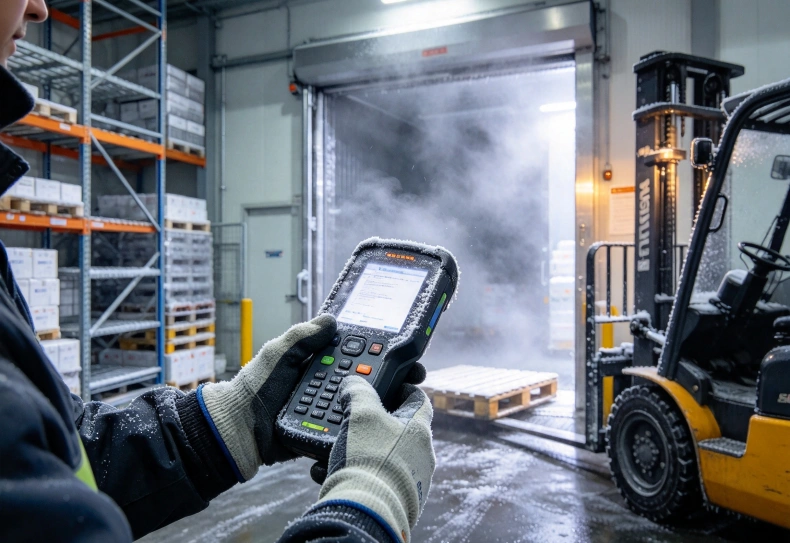
A rugged handheld computer for cold storage must operate reliably at the facility’s lowest working temperature, manage condensation during temperature changes, and maintain enough battery power for warehouse shifts. Freezer applications may also require heated scan windows, glove-friendly controls, and batteries specifically designed for sub-zero operation.
A standard rugged handheld is not necessarily suitable for a frozen warehouse. A device rated for occasional outdoor use may experience reduced battery capacity, screen fogging, or scanning failures during repeated transitions between freezer and loading areas.
For cold-chain operations, the critical consideration is whether the entire device can support daily picking, receiving, and inventory tasks under actual temperature conditions.
What Makes a Handheld Computer Suitable for Cold Storage?
Cold storage environments create several operating challenges that conventional warehouses rarely encounter.
Temperatures remain low for extended periods, workers wear insulated gloves, and equipment frequently moves between areas with different humidity levels.
These conditions affect the display, barcode reader, battery, and electronic components.
Cold Storage vs. Freezer Requirements
Not every refrigerated warehouse requires a freezer-rated handheld.
| Operating Environment | Illustrative Temperature | Main Device Concern |
|---|---|---|
| Chilled storage | 0°C to 5°C | Moisture, glove operation, battery endurance |
| Frozen food warehouse | Around -18°C | Reduced battery capacity, condensation, cold-temperature reliability |
| Deep-freeze storage | Around -25°C to -30°C | Specialized batteries, frost management, component temperature limits |
| Loading and transition areas | Frequently changing temperatures | Condensation, thermal cycling, Wi-Fi continuity |
These are illustrative working conditions, not universal warehouse temperature standards.
A device operating continuously at -25°C faces different challenges from one spending only a few minutes inside a refrigerated room.
Operating temperature specifications should cover the complete handheld computer, including its display, battery, scanning engine, and peripherals.
Honeywell’s CK65 Cold Storage Handheld Computer illustrates the distinction between a general rugged terminal and a configuration specifically developed for freezer environments.
Cold-storage suitability depends on the documented device configuration, not simply an IP rating or a rugged enclosure.
Condensation and Frost: The Hidden Reliability Problem
Temperature changes can be more troublesome than continuous exposure to a stable cold environment.
When a cold handheld computer enters a warmer, humid loading area, moisture may condense on surfaces below the surrounding air’s dew point.
The scan window can fog, the touchscreen may become difficult to operate, and moisture may accumulate around exposed interfaces.
Why Condensation Happens
Consider a worker leaving a -20°C freezer and entering a warehouse corridor at 15°C.
The handheld remains cold immediately after the transition. If its surface temperature is below the corridor air’s dew point, moisture can condense on exposed surfaces.
When the worker returns to the freezer, accumulated moisture may freeze.
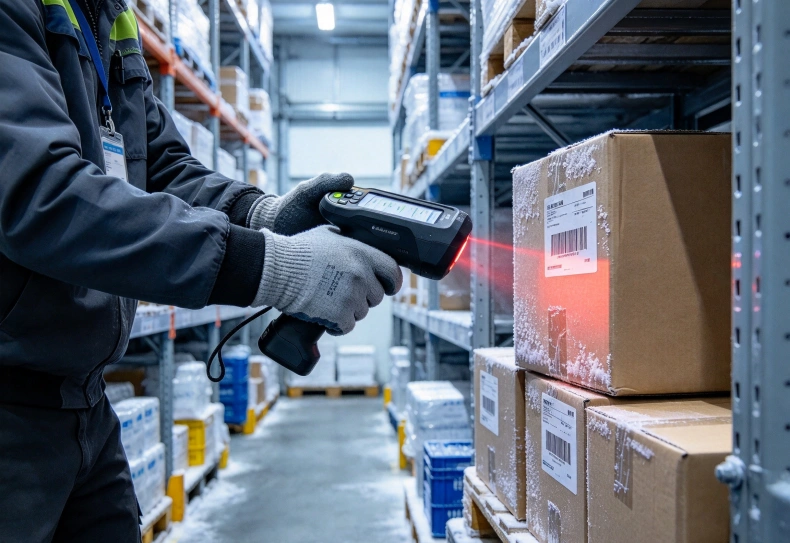
Repeated transitions can produce frost on the scanning window, making barcode capture less reliable.
The problem is not limited to visible moisture. Repeated thermal cycling also places demands on seals, connectors, and enclosure design.
Heated Scan Windows and Condensation Control
Some purpose-built cold-storage handheld computers incorporate heaters or defrosting features to manage condensation and frost.
These features can help maintain a clear scan window when workers move between frozen and warmer environments.
However, a heating element consumes energy and introduces additional thermal management requirements.
The design must balance frost control, battery consumption, and operating temperature limits.
An IP67 or IP68 rating does not automatically mean the device includes condensation prevention.
For a broader explanation of thermal management and industrial enclosure design, see the engineering guide to tablets for harsh environments.
How to Test Temperature Transitions
A useful test should reproduce normal employee movements.
- Operate the terminal inside the freezer until its temperature stabilizes.
- Move it into the normal loading or packing area.
- Observe the screen, scanner window, and exposed surfaces.
- Attempt barcode scanning immediately after the transition.
- Return to the freezer and check for frost formation.
- Repeat the cycle under representative humidity conditions.
Record whether scanning remains reliable and how quickly the device recovers from any fogging.
A device that performs well at a constant -20°C may still struggle when moved repeatedly between temperature zones.
Battery Performance in Sub-Zero Warehouses
Lithium-ion battery performance generally decreases at low temperatures.
As temperature falls, internal resistance increases and electrochemical processes slow down. This can reduce usable capacity and limit the power available to the device.
For workers completing an eight-hour shift, this difference can become operationally significant.
Why Battery Capacity Alone Is Misleading
Battery specifications are commonly expressed in milliampere-hours (mAh) or watt-hours (Wh).
Watt-hours indicate nominal stored energy, but they do not guarantee how much energy remains usable at freezing temperatures.
Consider two handheld terminals with similar nominal battery capacity.
One uses a conventional battery designed primarily for moderate temperatures. The other incorporates a battery configuration intended for prolonged cold-storage operation.
Their actual runtime may differ significantly inside a freezer.
The most reliable comparison is measured operating time under the intended workload and temperature.
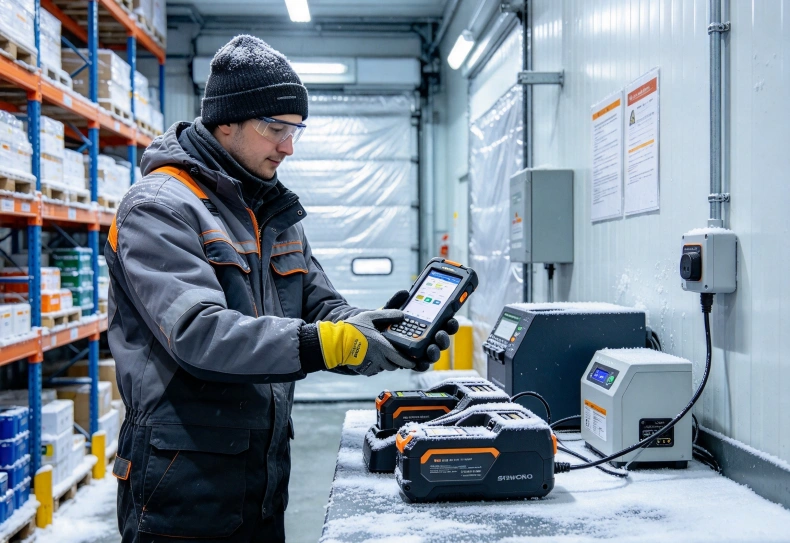
Battery Charging Requires Separate Temperature Limits
A handheld computer may support operation below freezing without allowing its battery to charge at the same temperature.
Charging conventional lithium-ion cells below 0°C can create safety and degradation risks, including lithium plating.
Some specialized systems permit low-temperature charging through controlled heating or other approved battery-management methods.
Never assume that a freezer-rated operating temperature also applies to charging.
Confirm three different specifications:
- Minimum operating temperature.
- Permitted battery charging temperature.
- Battery replacement and storage temperature requirements.
Charging procedures should follow the manufacturer’s instructions.
Planning Battery Life for a Full Shift
A freezer worker may scan hundreds of cartons, receive WMS instructions, and move between storage zones throughout the day.
Battery testing should reproduce these conditions, including wireless activity and scanning frequency.
Check whether the device can maintain power during:
- Continuous barcode scanning.
- Frequent Wi-Fi communication.
- Display and keypad operation.
- Repeated temperature transitions.
- Any integrated defrosting or heating functions.
Replaceable batteries may reduce downtime, but only when supported by the exact device.
Hot-swapping capability should also be verified rather than assumed.
A practical battery plan includes reserve capacity and access to approved charging arrangements outside restricted temperature conditions.
Barcode Scanning, Gloves and Warehouse Connectivity
Cold-storage terminals must remain usable while employees wear protective clothing.
A device with impressive processing specifications may still slow operations if its controls are difficult to use with insulated gloves.
Barcode Performance Through Frost and Damaged Labels
Cold-storage labels may become wet, damaged, or partially covered by frost.
Low-quality printing and reflective packaging can also affect scanning performance.
Test the required barcode formats using real products and labels.
The scanning engine should support the necessary 1D or 2D symbologies and provide consistent results at normal working distances.
For pallet identification, workers may need to scan labels without approaching every storage position.
Long-range scanning can be useful, but the supported read distance must be confirmed for the specific device and barcode configuration.
Glove-Friendly Controls
Warehouse operators may prefer physical scan triggers or keypads because insulated gloves can make touchscreen use difficult.
A glove-compatible touchscreen is another option, although sensitivity and accuracy depend on the display technology.
Before choosing a terminal, test:
- Scan-trigger accessibility with gloves.
- Keypad spacing and tactile feedback.
- Touchscreen response under cold conditions.
- Screen readability in warehouse lighting.
- One-handed operation during picking.
These tests should involve employees wearing their normal protective equipment.
Wi-Fi and WMS Reliability
Metal shelving, dense inventory, and large warehouse structures can create inconsistent wireless coverage.
Cold-storage operations should test Wi-Fi roaming between access points and transaction recovery after brief network interruptions.
When an application supports offline operation, it should store transactions safely and synchronize them without duplication.
Kroniix offers industrial handheld terminals for mobile data collection and logistics applications.
Its associated RS53 handheld terminal is one model that can be considered for general warehouse computing requirements.
However, its suitability for continuous freezer use must be established through the exact model’s operating temperature, battery, and condensation-control specifications.
A general rugged handheld should not be treated as a cold-storage model without this verification.
How to Choose a Rugged Handheld for Freezer Warehouses
The final selection should reflect the coldest operating location, working duration, and frequency of movement between temperature zones.
Cold Storage Handheld Selection Checklist
| Requirement | What to Verify |
|---|---|
| Operating temperature | Rated for the lowest sustained ambient temperature |
| Condensation management | Heated window or documented frost-control solution where needed |
| Battery performance | Measured runtime at freezer temperature |
| Charging | Manufacturer-approved charging temperature and procedure |
| Barcode reader | Required symbols, distance, and frost-affected label performance |
| Operator controls | Functional with insulated gloves |
| Connectivity | Reliable Wi-Fi and WMS synchronization |
| Durability | Applicable IP protection and cold-condition drop testing |
| Serviceability | Battery, scanner, and other component support |
Which Applications Need Specialized Cold-Storage Hardware?
Frozen food distribution centers often require terminals to remain inside freezer areas for entire shifts.
These operations place greater emphasis on sustained low-temperature performance and battery endurance.
Cold-chain loading facilities may experience more frequent temperature transitions. For them, condensation management can be as important as the minimum temperature rating.
Pharmaceutical storage operations may also require reliable environmental operation, but the device must be evaluated alongside applicable storage and handling procedures.
For broader industrial hardware selection considerations, the industrial computing solutions guide discusses cold-chain logistics and industrial computing requirements.
Validate the Complete Workflow
A short laboratory demonstration is not enough for a freezer deployment.
Run a pilot using the actual WMS, barcode labels, Wi-Fi infrastructure, and protective clothing.
Measure transaction completion time, unsuccessful scans, battery consumption, condensation events, and connection failures.
Repeat testing over several shifts, including movements between freezer rooms and warmer staging areas.
These observations help determine whether the selected configuration can support operations without frequent interruptions.
FAQ
What temperature should a cold-storage handheld computer support?
The device should be rated for the lowest temperature at which it will operate continuously. Frozen warehouses may require equipment suitable for -20°C or lower, depending on the facility.
Can a standard rugged handheld operate inside a freezer?
Only if its complete operating specifications support the environment. A rugged enclosure or IP67 rating alone does not establish freezer compatibility.
Why do handheld computers fog when leaving cold storage?
Condensation forms when cold device surfaces encounter warmer, humid air and remain below its dew point. The moisture may subsequently freeze when the device returns to cold storage.
Do cold-storage handhelds need heated scan windows?
Not always. Heated scan windows are particularly useful when frequent temperature transitions create condensation or frost that interferes with barcode reading.
Does freezing temperature reduce handheld battery life?
Yes. Cold temperatures can increase battery resistance and reduce usable capacity. Actual runtime should be measured at the intended operating temperature.
Can handheld computer batteries be charged below 0°C?
Conventional lithium-ion batteries generally should not be charged below freezing. Some specialized systems support controlled low-temperature charging, but the manufacturer’s specifications must explicitly permit it.
Conclusion
Choosing a rugged handheld computer for cold storage requires more than checking its lowest advertised operating temperature.
The device must maintain barcode readability through temperature transitions, provide sufficient battery power in cold conditions, and remain usable with protective gloves.
Charging limits, WMS connectivity, and condensation control are equally important.
The most dependable approach is to test the complete terminal under real warehouse conditions before expanding deployment. A verified cold-storage configuration can reduce scanning interruptions, support inventory accuracy, and improve operational continuity.