
Rugged Tablet for Field Service: Selection Guide

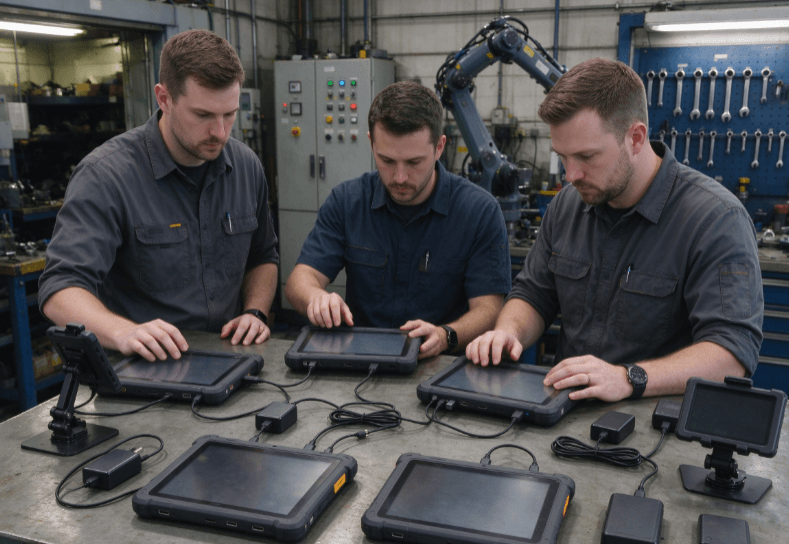
A rugged tablet for field service should provide dependable 4G/5G connectivity, enough battery power for daily operations, resistance to outdoor conditions, and compatibility with maintenance software. For technicians inspecting industrial equipment, servicing utilities, or repairing machinery, these capabilities determine whether work can continue reliably between locations.
Unlike ordinary consumer tablets, rugged devices are built for environments involving dust, moisture, vibration, and frequent handling. However, physical durability is only one part of the decision. Network reliability, charging options, and software integration can be equally important.
What Makes a Rugged Tablet Suitable for Field Service?
Field service technicians rarely work in a controlled environment throughout the day.
They may review equipment manuals inside a vehicle, inspect machinery outdoors, and upload maintenance records from a remote site.
A suitable tablet must support these activities without disrupting established workflows.
Essential capabilities include:
- Cellular connectivity for remote work orders and reporting.
- Wi-Fi and Bluetooth for local networks and peripherals.
- GNSS positioning for navigation and location-based records.
- Sufficient battery endurance for normal service shifts.
- Ingress protection against dust and water.
- Compatibility with inspection and diagnostic applications.
- Practical mounting, carrying, and charging options.
Environmental protection should be assessed alongside internal construction and thermal management. The technical considerations are explained further in this guide to tablets for harsh environments.
For field service deployment, the objective is not simply to select the most durable device. It is to identify hardware that remains practical during real maintenance operations.
Connectivity Requirements: 4G, 5G and Offline Access
A field service tablet often acts as the connection between on-site technicians and centralized maintenance systems.
Technicians may need to retrieve service histories, confirm replacement parts, communicate with dispatchers, or upload inspection results.
Is 5G Necessary for Field Service?
Not every application requires 5G.
Routine work order updates, inspection forms, and maintenance reports can often operate effectively over a stable 4G LTE connection.
5G becomes more relevant when technicians regularly use remote video assistance, transfer large diagnostic files, or access data-intensive cloud applications.
| Field Service Task | Connectivity Requirement |
|---|---|
| Digital work orders | Reliable 4G or 5G |
| Equipment inspection reports | Stable upload connection |
| Remote technical assistance | Consistent bandwidth and latency |
| Asset tracking | Cellular connectivity and GNSS |
| Industrial diagnostics | Compatible interfaces and applications |
| Remote infrastructure maintenance | Offline capability and synchronization |
For organizations evaluating 5G-capable hardware, the RT82 rugged tablet is one option within the company’s enterprise mobility range.
Its suitability depends on regional network support, installed applications, and deployment requirements.
The RT83 rugged tablet provides another configuration to consider when comparing mobile computing options.
Before deployment, organizations should verify supported cellular bands, carrier compatibility, and network performance at actual service locations.
Why Offline Operation Matters
Cellular coverage is not always available at remote utility installations, underground facilities, or isolated industrial sites.
A technician should still be able to complete essential inspection tasks when connectivity is interrupted.
Offline-capable applications can allow users to:
- Access previously downloaded work orders.
- Record measurements and equipment conditions.
- Capture photographs and service notes.
- Store completed inspection forms locally.
- Synchronize records when connectivity returns.
These functions depend on application design rather than rugged hardware alone.
A field trial should test interrupted uploads, duplicate records, and data synchronization after network recovery.
Rugged Tablet Battery Life for Field Work
Battery life should be measured against the actual workload of field technicians.
A tablet used intermittently for inspection forms may operate considerably longer than one running continuous navigation, video calls, and high-brightness displays.
The main factors affecting battery endurance include:
- Display brightness and screen-on time.
- Cellular signal strength.
- GPS and other location services.
- Application processing requirements.
- Connected accessories.
- Ambient temperature.
Battery specifications are useful for initial comparisons, but they do not guarantee a specific operating duration.
For example, the RT80 rugged tablet can be considered alongside the RT82 when evaluating hardware for mobile maintenance operations.
The final assessment should include battery capacity, charging accessories, software workload, and expected working temperature.
Planning Battery Use Across a Service Shift
Consider a maintenance technician completing several service visits during an eight-hour shift.
The tablet may be used for work orders, equipment photographs, customer signatures, navigation, and reporting.
A realistic battery test should reproduce these activities rather than rely exclusively on laboratory runtime figures.
Vehicle charging can be particularly useful for technicians traveling between locations.
For longer shifts, removable battery systems may offer another solution, provided the selected model supports them.
Hot-swappable battery capability should never be assumed without checking the product documentation.
For OEM deployments involving specialized power arrangements, the OEM rugged tablet engineering guide discusses how hardware configuration and system integration affect equipment selection.
Outdoor Durability and Everyday Usability
Field service environments expose mobile equipment to conditions that ordinary office tablets may not encounter.
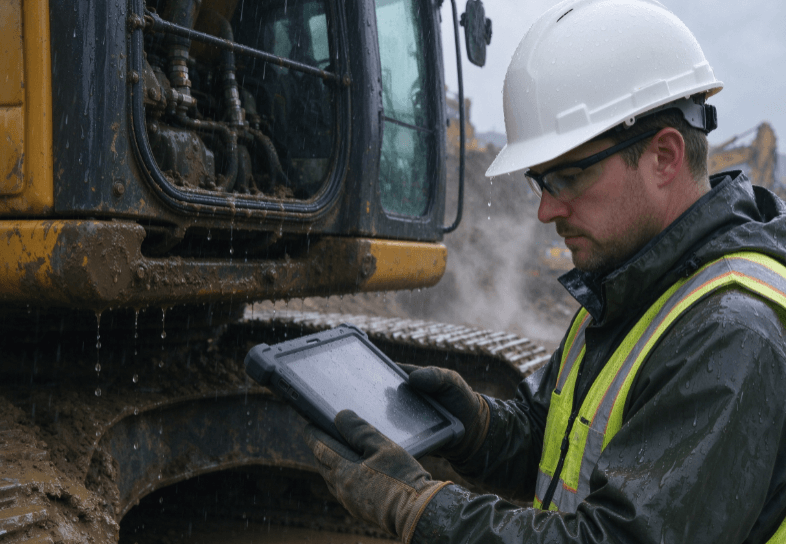
Rain, dust, accidental drops, vibration, and temperature changes all influence device reliability.
However, rugged specifications must be interpreted carefully.
Understanding IP Ratings and Drop Protection
IP ratings describe protection against dust and water ingress under defined test conditions.
| Protection Rating | Meaning | Typical Consideration |
|---|---|---|
| IP65 | Dust-tight and protected against water jets | Dusty or wet working environments |
| IP67 | Dust-tight and protected against temporary immersion | Outdoor inspection with water exposure |
| MIL-STD-810 testing | Environmental tests using specified methods | Shock, vibration, temperature and other stresses |
IP67 does not automatically mean a tablet is resistant to every type of impact.
Similarly, a claim of MIL-STD-810 compliance should be supported by specific test methods and conditions.
For projects comparing rugged and standard mobile devices, this industrial tablet vs. consumer tablet comparison provides additional background on enclosure design, interfaces, and operating environments.
Screen Visibility and Glove Operation
Outdoor readability affects how quickly technicians can review instructions and enter information.
Display brightness is important, but glare, reflection, contrast, and screen construction also affect visibility.
For service teams working in direct sunlight, practical display testing is more valuable than relying on brightness figures alone.
Touchscreen performance should also be evaluated with the gloves technicians normally wear.
A water-resistant enclosure does not automatically guarantee accurate touchscreen operation when the display is wet.
These details become particularly important during utility inspection, roadside maintenance, and outdoor equipment servicing.
Matching Rugged Tablets to Field Service Workflows
Different maintenance activities place different demands on mobile hardware.
The device should be selected around the software environment, operating conditions, and technician workflow.
Utility and Infrastructure Inspection
Utility technicians frequently work across geographically distributed locations.
Their priorities often include reliable cellular connectivity, GNSS positioning, outdoor visibility, and efficient inspection reporting.
A tablet such as the RT82 may be considered for connected inspection workflows, subject to application compatibility and verified hardware specifications.
Where accurate geographic measurements are necessary, the GNSS receiver’s positioning accuracy must also be evaluated.
Standard location services should not be assumed to provide survey-grade precision.
Industrial Equipment Maintenance
Technicians servicing manufacturing equipment may need to access electrical diagrams, maintenance histories, and specialized diagnostic programs.
Software compatibility becomes the primary consideration.
Android tablets can support many mobile inspection and cloud-based maintenance applications.
Windows devices may be necessary when technicians depend on legacy desktop diagnostic software.
The rugged tablet product category offers a starting point for reviewing available industrial tablet configurations.
Before choosing hardware, confirm the operating system, driver support, communication interfaces, and application requirements.
Vehicle-Based Maintenance and Mobile Reporting
Field service teams operating from vehicles often use tablets for dispatch information, route navigation, equipment records, and customer documentation.
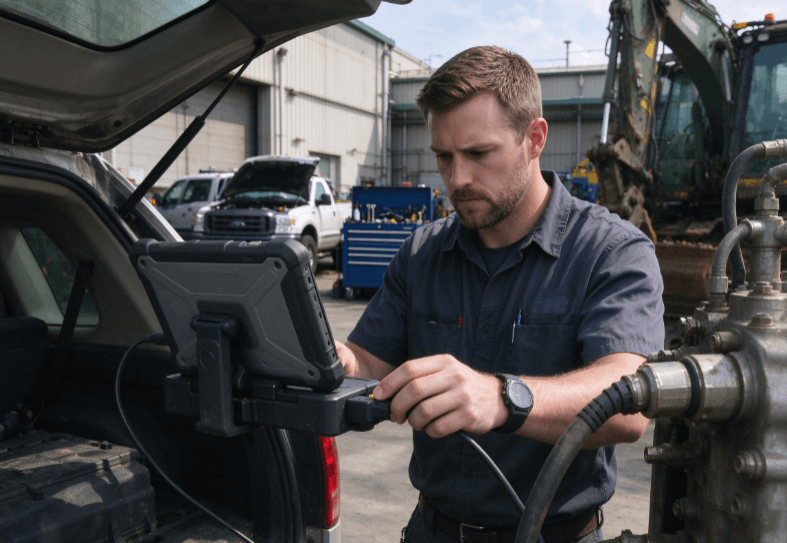
In these environments, charging and mounting arrangements can be as important as processor performance.
A vehicle-mounted tablet should be evaluated for:
- Secure mounting under vibration.
- Compatible vehicle power input.
- Convenient screen positioning.
- Reliable wireless communication.
- Safe cable routing and connector access.
For permanent or semi-permanent vehicle installations, the fixed-mount industrial tablet selection guide explains relevant mechanical and power integration considerations.
A handheld tablet and a vehicle-mounted computer may require different accessory configurations even when they support the same software.
Comparing Rugged Tablet Options
The RT80, RT82, and RT83 provide relevant starting points for field service hardware evaluation.
| Model | Product Positioning | Evaluation Priority |
|---|---|---|
| RT80 | Rugged mobile computing | Connectivity, battery and application compatibility |
| RT82 | 5G rugged tablet | Cellular performance and connected workflows |
| RT83 | 4G rugged tablet | Network coverage and routine mobile applications |
The published product range identifies the RT82 as a 5G Qualcomm model and the RT83 as a 4G Qualcomm model. Final configurations should be confirmed against the current technical datasheets.
Processor generation, available interfaces, cellular compatibility, and accessory requirements should be considered together.
A newer processor or faster network standard does not automatically make one device better suited to every field service operation.
How to Evaluate a Rugged Tablet Before Deployment
Specification sheets help narrow the options, but field testing is essential.
An effective evaluation should follow the technician’s normal working process.
- Open and complete a standard maintenance work order.
- Check screen visibility under actual outdoor lighting.
- Test cellular connectivity at representative service locations.
- Record inspection data without network access.
- Synchronize stored data after reconnection.
- Measure battery use during a representative shift.
- Verify charging, mounting, and peripheral compatibility.
IT teams should also check software update policies, device management support, and application security requirements.
For organizations deploying multiple devices, consistent hardware configurations can simplify maintenance, training, and replacement planning.
The final decision should reflect measured performance rather than advertised features alone.
Conclusion
Choosing a rugged tablet for field service requires balancing connectivity, battery endurance, environmental protection, and software compatibility.
For remote inspections, reliable cellular coverage and offline capability may matter most. Industrial maintenance teams may place greater emphasis on diagnostic applications and peripheral interfaces.
Vehicle-based technicians often need dependable charging and mounting arrangements.
The RT80, RT82, and RT83 provide different rugged mobile computing options for these applications. The appropriate choice depends on confirmed specifications and practical field testing.
A device that fits the technician’s workflow can reduce interruptions and support more consistent service documentation.
FAQ
How long should a rugged tablet battery last for field service?
Battery endurance should cover the intended working period or allow practical charging between tasks. Actual runtime depends on screen brightness, cellular activity, applications, and temperature.
Is 5G required for field service maintenance?
No. A reliable 4G connection is sufficient for many maintenance applications. 5G may benefit video assistance, large data transfers, and other bandwidth-intensive tasks.
Can rugged tablets work without an internet connection?
Yes, when the installed software supports offline operation. Technicians can store inspection records locally and synchronize them once connectivity returns.
What is the difference between IP65 and IP67?
Both provide dust-tight protection. IP65 covers water jets, while IP67 covers temporary immersion under specified conditions.
Are Android rugged tablets suitable for industrial maintenance?
Yes, when the required applications support Android. Specialized industrial diagnostic software may require Windows or additional communication interfaces.
Reference Sources
- IEC 60529 — Degrees of Protection Provided by Enclosures (IP Code)
- Android Enterprise — Enterprise Mobility and Device Management
- U.S. Department of Defense — MIL-STD-810 Environmental Engineering Standards
- Raysko — Rugged Tablet Product Range
- Uralsmart — OEM Rugged Tablet Engineering Guide