

Industrial Mini PC for Machine Vision: Selection & Specs Guide


Machine vision systems are only as fast as the hardware processing the images. While high-resolution cameras capture the data, the industrial mini PC acts as the “brain,” determining whether a component passes inspection or fails on a high-speed assembly line. Selecting the wrong hardware leads to dropped frames, processing latency, and system downtime.
Visual inspection requires a delicate balance of computational power and environmental resilience. Unlike standard office computers, an industrial mini PC for machine vision must handle constant data throughput from multiple camera interfaces while operating in dust-heavy or high-vibration factory settings.
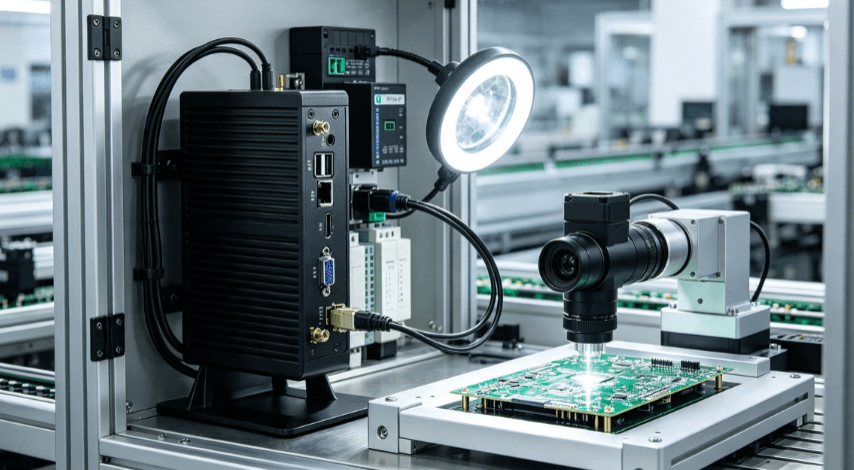
Why Computational Latency Defines Vision Success
In machine vision, latency is the enemy. When a sensor triggers a camera, the image must be transferred, processed by an algorithm (such as HALCON, OpenCV, or Cognex), and a result sent to the PLC within milliseconds.
CPU clock speed is often more critical than core count for traditional rule-based inspection. However, for AI-based deep learning inspection—such as detecting surface defects in textiles or complex PCB solder joints—multi-core performance and GPU acceleration become the primary bottlenecks.
Most modern vision inspection systems benefit from Intel® Core™ i5 or i7 processors. High-performance embedded CPUs provide the necessary instructions-per-clock (IPC) to handle real-time image filtering and blob analysis without thermal throttling.
Core Configuration Requirements for Vision Inspection
Selecting an industrial mini PC requires matching the internal architecture to your specific camera setup and software environment.
| Feature | Requirement for Machine Vision | Why It Matters |
| CPU | Intel Core i5/i7 (11th Gen+) | Handles complex algorithms and high data throughput. |
| Memory | 16GB – 32GB DDR4/DDR5 | Prevents bottlenecks during high-resolution image buffering. |
| Storage | NVMe SSD (Industrial Grade) | Ensures fast logging and OS stability under vibration. |
| I/O Ports | Multiple GigE/USB 3.1 Gen 2 | Dedicated bandwidth for each connected camera. |
| Expansion | Mini-PCIe / M.2 | Allows for AI acceleration modules or specialized grabber cards. |
Connectivity: Bridging the Gap Between Camera and Code
The most common failure point in vision systems is data congestion. If you are using GigE Vision cameras, your industrial mini PC should ideally support Power over Ethernet (PoE). This reduces cabling complexity and ensures a stable power supply directly from the PC to the camera.
For high-speed CMOS cameras, USB 3.1 Gen 2 ports are essential, providing up to 10Gbps bandwidth. However, industrial users must ensure the PC’s internal USB controllers are not shared across too many ports, as this can lead to data packet loss during simultaneous multi-camera captures.
Dedicated COM ports (RS232/485) and isolated DIO (Digital Input/Output) remain vital. These ports allow the mini PC to communicate directly with the PLC or trigger strobe lighting systems without relying on the network, ensuring microsecond precision in synchronization.

Thermal Management in Fanless Architectures
Machine vision often happens in enclosed spaces or near heat-generating machinery. A standard fan-cooled PC will fail in months due to dust ingestion, which coats internal components and leads to overheating.
Industrial mini PCs utilize fanless designs with aluminum alloy chassis acting as a giant heat sink. This “passive cooling” eliminates the most common point of mechanical failure—the fan. When evaluating a unit, check the operating temperature range. A high-quality industrial PC should maintain peak CPU performance between -20°C and 60°C without throttling its clock speed.
Adapting to AI and Deep Learning Inspection
The industry is shifting from “pass/fail” rule-based logic to deep learning-based defect detection. This transition changes the hardware requirements significantly.
If your vision inspection system uses neural networks for “unpredictable” defect detection (like scratches on brushed metal), look for industrial mini PCs that offer:
- AI Acceleration: Support for Intel® OpenVINO™ or M.2 AI modules (like Hailo or Myriad X).
- GPU Performance: Integrated Iris® Xe graphics or support for external GPU expansion.
- High-Speed RAM: Low-latency memory to feed data to the inference engine.
Integration Logic: Choosing the Right Form Factor
Space is at a premium in modern control cabinets. The “Mini” in Industrial Mini PC is a functional requirement, not just a preference. DIN-rail mounting or VESA mounting capabilities allow the PC to be tucked behind a monitor or inside a compact electrical panel.
When browsing professional-grade embedded solutions, prioritize units with a ruggedized DC power input (typically 9V to 36V). Industrial power grids are prone to voltage spikes and drops; a wide-voltage input acts as a built-in safeguard for your vision system’s “brain.”
Evaluating Long-Term Reliability (MTBF)
For OEM and manufacturing projects, the Mean Time Between Failures (MTBF) and product lifecycle are critical. Consumer mini PCs change models every 12 months, which is a nightmare for vision system integrators who need consistent hardware for standardized software images.
Industrial-grade suppliers typically offer a 3-to-5-year production lifecycle. This ensures that if you deploy a vision system today, you can source the exact same hardware configuration three years from now, avoiding costly software re-validation.
FAQ
Q: Can I use a consumer-grade Mini PC for machine vision?
A: While possible for prototyping, consumer PCs lack the high-speed I/O stability, fanless thermal management, and vibration resistance required for 24/7 industrial environments. Dust buildup in fans will eventually cause CPU throttling and system crashes.
Q: How many cameras can one industrial mini PC handle?
A: This depends on the resolution, frame rate, and the PC’s bus bandwidth. Generally, an Intel Core i7 mini PC can comfortably handle 2–4 GigE cameras at 5MP resolution, provided it has dedicated controllers for each port.
Q: What is the benefit of a fanless design in vision inspection?
A: Fanless designs prevent the internal accumulation of oil, dust, and metallic particles found in factories. This significantly reduces maintenance needs and prevents overheating failures in harsh environments.
Q: Do I need a dedicated GPU for machine vision?
A: For traditional 2D measurement and barcode reading, a modern integrated GPU (like Intel UHD or Iris Xe) is sufficient. For 3D inspection or deep learning-based defect detection, a dedicated GPU or an AI acceleration module is recommended.
Q: What power supply should I use for an industrial PC?
A: Most industrial mini PCs use a DC-in terminal block (9-36V). It is best to use a regulated industrial power supply to protect against electromagnetic interference (EMI) and voltage transients common in factory settings.
Reference Sources:
- IEEE Xplore: Real-time Image Processing Architectures
- Intel®: OpenVINO™ Toolkit Documentation
- ISO 13849-1: Safety of machinery — Safety-related parts of control systems
- AIA (Automated Imaging Association): GigE Vision Standard Overview