
Handheld Terminal with Printer: When Is It Worth It?

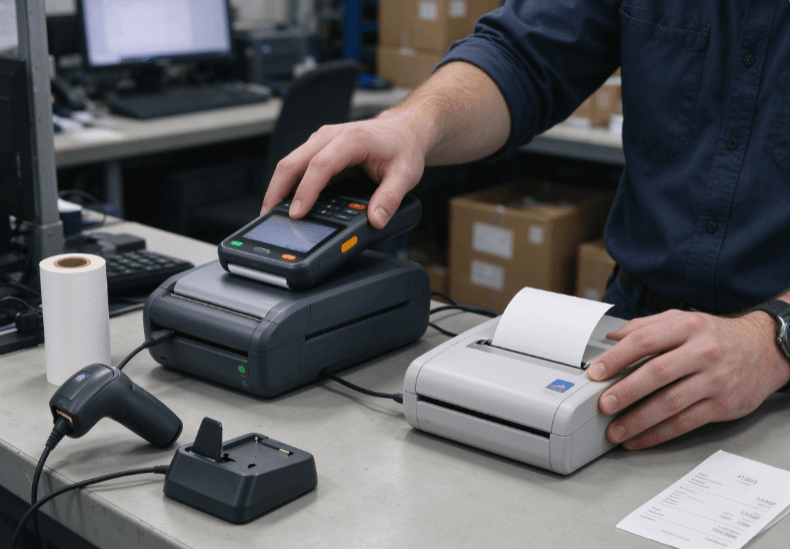
A handheld terminal with printer makes sense when workers need to collect data and produce a physical document at the same location. Combining mobile computing and thermal printing in one device can simplify delivery confirmation, parking enforcement, field service reporting, ticketing, and mobile sales. However, the integrated design adds weight, consumes battery power, and limits printing to the supported media and print mechanism.
The decision depends on how often employees print, what they need to print, and whether carrying a separate printer creates enough operational inconvenience to justify an all-in-one device.
How Does an Integrated Handheld Printer Work?
A handheld terminal with an integrated printer combines a mobile computer, an operating system, business applications, and a compact printing mechanism. Depending on the configuration, it may also include barcode scanning, cellular connectivity, Wi-Fi, Bluetooth, or NFC.
Most compact integrated printers use direct thermal printing. The printhead applies heat to specially coated paper, producing text, barcodes, or simple graphics without ink cartridges or toner.
This arrangement suits short documents generated at the point of service. Common examples include:
- Customer receipts and payment records.
- Parking notices and inspection tickets.
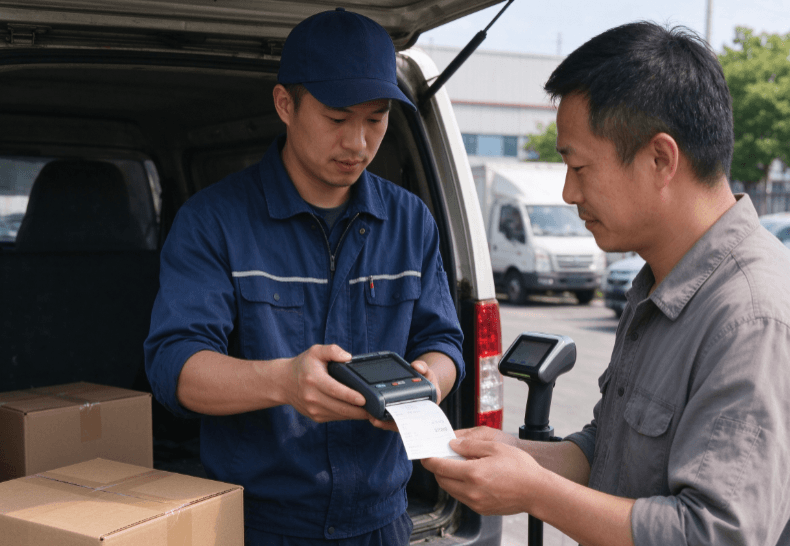
- Delivery confirmation slips.
- Route sales invoices.
- Service reports and work completion records.
- Queue tickets and transaction summaries.
A built-in printer does not automatically support every document type. Paper width, print resolution, media compatibility, cutting mechanism, and software support determine what the device can produce.
For example, a compact receipt printer may handle transaction records well but be unsuitable for printing wide shipping labels or detailed engineering drawings.
Integrated Printer vs. Separate Mobile Printer
The main difference is whether printing hardware is built into the terminal or carried as a separate accessory.
| Consideration | Integrated Handheld Printer | Separate Mobile Printer |
|---|---|---|
| Equipment carried | One combined device | Terminal and printer |
| Setup | Fewer separate components | Requires pairing or connection |
| Weight distribution | Printer adds bulk to the terminal | Weight can be distributed between devices |
| Media flexibility | Limited by integrated mechanism | Depends on the selected printer |
| Replacement | Printer repair may affect the entire device | Printer can often be replaced independently |
| Battery management | Shared or integrated power arrangement | Separate batteries may be required |
| Typical use | Frequent short receipts or tickets | Larger labels or specialized printing |
An integrated design is attractive when workers print repeatedly throughout the day and need immediate output.
A separate printer can be more practical when printing requirements vary, wider media is needed, or the computing device must remain lightweight.
For organizations already using mobile computers, a separate printer may also preserve flexibility when replacing or upgrading the terminal.
When Does a Handheld Terminal with Printer Improve Productivity?
The greatest benefit comes from removing unnecessary steps between completing a transaction and handing over its printed record.
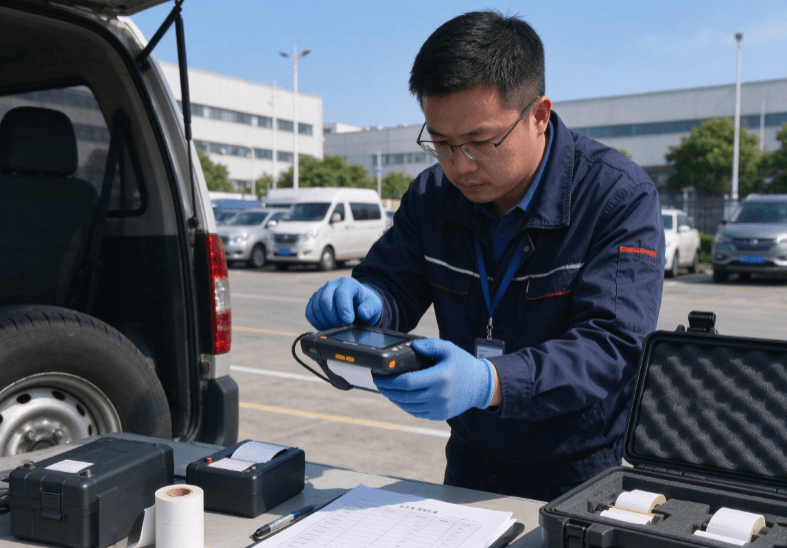
Consider a field technician completing a maintenance visit. The technician records the work performed, obtains the required confirmation, and prints a service receipt before leaving the site.
With a suitable all-in-one terminal, the entire process can happen without returning to a vehicle or retrieving a separate printer.
Field Service and On-Site Reporting
Mobile technicians may need to print job summaries, customer acknowledgements, inspection tickets, or maintenance records.
The terminal must support the required business application and provide a printer interface that the software can control reliably.
Organizations deploying mobile equipment should also consider power and connectivity. The rugged tablet field service guide discusses how mobile workflows depend on reliable data access and practical field operation.
Although an industrial tablet and a printer-equipped handheld terminal serve different form factors, the same workflow principle applies: the device should support the task without forcing technicians to carry unnecessary equipment.
Parking Enforcement and Ticketing
Parking officers and enforcement personnel often need to retrieve records, enter incident details, and issue a printed notice at the roadside.
A combined terminal can reduce the number of devices carried and simplify the interaction between data capture and document printing.
However, outdoor deployments require attention to screen readability, printer paper handling, battery endurance, and operating temperature.
Rain protection for the terminal does not automatically mean the paper roll or printing mechanism can operate without restrictions in wet conditions.
Route Sales and Delivery Confirmation
Drivers and route sales representatives may need to record deliveries, reconcile quantities, and issue customer receipts.
A handheld terminal with a printer can keep transaction entry and document production together.
For high-volume delivery operations, test how quickly the device can generate the required receipt and whether the printer can handle consecutive transactions without overheating or frequent paper replacement.
If the workflow involves large shipping labels rather than receipts, a dedicated mobile label printer may be a better fit.
What Should You Check Before Choosing a Printer-Equipped Terminal?
The most important specifications are not limited to the computing platform. The printing mechanism and the business application must work together.
Print Width, Resolution, and Media
Start by identifying the actual documents the business needs to produce.
| Requirement | What to Verify |
|---|---|
| Paper width | Whether the mechanism supports the required receipt or label format |
| Print resolution | Whether text, barcodes, and graphics remain readable |
| Printing method | Direct thermal or another supported technology |
| Media type | Paper, labels, or other approved materials |
| Cutting mechanism | Manual tear-off or supported automatic cutting |
| Print speed | Output under the intended document format |
| Software integration | SDK, printer commands, and application compatibility |
Print speed alone is not a reliable measure of productivity. A device may print quickly but still slow the workflow if the application takes time to generate the document or the paper roll needs frequent replacement.
Barcode receipts also require practical testing. The printed symbol must remain readable by the intended scanner after handling and storage.
Battery Life and Charging
Printing consumes energy in addition to the terminal’s normal computing workload.
Wireless communication, display brightness, scanning, and repeated printhead activation all contribute to battery demand.
A device that lasts through a normal data-entry shift may not deliver the same runtime when printing continuously.
For deployment planning, estimate the number of print jobs per shift and test battery performance with the actual application. If workers operate from vehicles, review the available charging arrangements and compatibility requirements.
The rugged tablet battery life guide provides related guidance on evaluating power consumption under real workloads.
Durability and Handling
Combining a printer with a handheld terminal changes the device’s dimensions, weight, and balance.
The additional bulk may become tiring during prolonged one-handed operation. Paper replacement and access to the printhead also affect everyday usability.
Before deployment, test:
- Grip and balance during repeated transactions.
- Paper loading and roll replacement.
- Resistance to the expected working environment.
- Screen and keypad operation with work gloves.
- Drop protection under the manufacturer’s stated test conditions.
- Battery access and charging procedures.
For outdoor work, confirm the actual ingress protection rating and operating temperature range. Do not assume the printer mechanism shares every environmental protection characteristic of the computing enclosure.
Software Integration: The Part That Often Determines Success
An integrated printer is only useful if the application can generate the required output consistently.
Some terminals provide a software development kit (SDK) or printer command interface. Others require manufacturer-specific libraries or application integration.
The application should handle document formatting, printer status, paper-out conditions, and failed print jobs.
For business-critical receipts, the software should distinguish between a transaction being saved and its document being printed successfully. Otherwise, workers may repeat a transaction simply because the printer did not respond.
A useful acceptance test includes:
- Completing a normal transaction.
- Printing the expected document.
- Verifying text and barcode readability.
- Simulating an empty paper roll.
- Restarting the application after an interrupted print.
- Confirming that failed output can be recovered without duplicating the transaction.
This is particularly important when the printed document serves as proof of delivery, payment, inspection, or enforcement.
How to Evaluate the Right Hardware Configuration
A printer-equipped handheld should be selected around a specific workflow rather than the number of features listed in a product description.
Kroniix and its associated product range provide mobile computing options that can be reviewed for industrial applications. The Kroniix website and the industrial rugged tablet range are useful starting points for understanding the available device categories.
However, a rugged handheld or tablet should not be treated as a printer-equipped model unless its current specification explicitly confirms an integrated printer.
If a suitable integrated configuration is unavailable, a handheld terminal paired with a compatible Bluetooth printer may provide a more flexible solution.
The final comparison should include device weight, paper format, print volume, software compatibility, battery runtime, repairability, and the cost of replacing the printer mechanism.
Conclusion
A handheld terminal with printer is most useful when workers repeatedly collect information and issue short printed documents at the point of service.
It can reduce equipment handling in ticketing, route sales, field service, and delivery workflows. The trade-off is a larger device with printing-specific limitations and additional power demands.
Before deployment, validate the complete transaction process, including application integration, paper handling, print quality, and battery performance. If printing needs are occasional or require specialized media, a separate mobile printer may be the more practical choice.
FAQ
What can a handheld terminal with printer print?
Depending on its mechanism and software, it can print receipts, tickets, transaction summaries, and selected barcode or label formats. Supported media and print width vary by model.
Does an integrated printer use more battery power?
Yes, printing adds to the terminal’s normal energy consumption. Actual runtime depends on print frequency, document length, display use, wireless activity, and battery capacity.
Is an integrated printer better than a Bluetooth printer?
An integrated printer reduces the number of separate devices carried. A Bluetooth printer offers more flexibility in media size, printer replacement, and terminal selection.
Can a handheld terminal print barcode labels?
Some models support barcode printing, but label compatibility depends on the printing mechanism, media, software, and supported commands. Confirm these details before deployment.
Is a rugged handheld with a printer suitable for outdoor work?
It can be, provided its environmental protection, operating temperature, display, and paper-handling limitations match the working conditions. Verify the specifications of the complete device.
What should be tested before deploying printer-equipped terminals?
Test print quality, barcode readability, paper replacement, battery runtime, software integration, and recovery from failed print jobs using the actual business application.