
Rugged PDA with Physical Keyboard: Benefits and Selection Factors

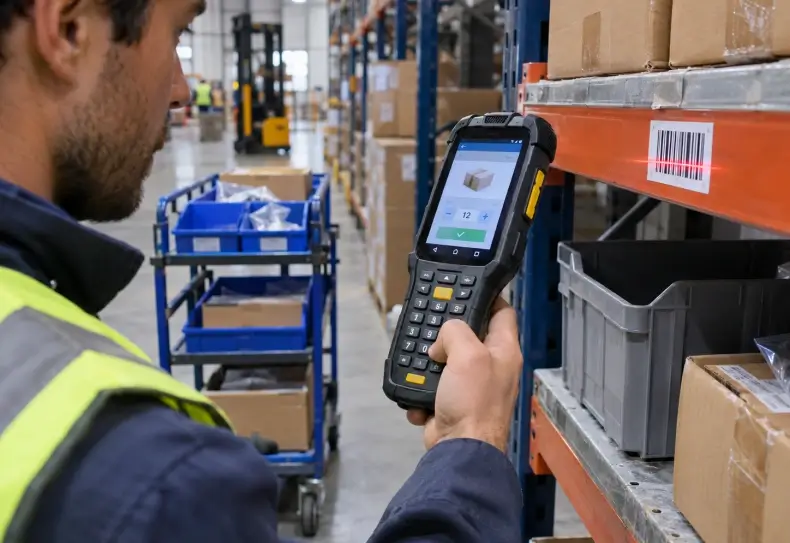
A rugged PDA with physical keyboard is an industrial handheld computer that combines mobile applications and barcode scanning with tactile keys for entering quantities, navigating screens, and confirming tasks. It can be particularly useful in warehouses, manufacturing facilities, and cold-storage operations where workers wear gloves or repeatedly enter numeric data. However, the best configuration depends on keypad layout, scanning requirements, ergonomics, and software compatibility.
Physical keyboards are not automatically faster than touchscreens. Their value depends on how frequently operators enter information and whether the application supports efficient keyboard navigation.
For B2B buyers, a suitable industrial PDA should reduce unnecessary touches and data-entry errors without compromising display usability, durability, or battery performance.
What Is a Rugged PDA with a Physical Keyboard?
A rugged PDA with a physical keyboard is an industrial mobile computer equipped with dedicated tactile keys in addition to, or instead of, touchscreen controls.
Depending on the model, the keyboard may include numeric keys, navigation buttons, function keys, an Enter key, and dedicated scanning triggers.
These controls allow operators to perform routine actions without relying entirely on an on-screen keyboard.
Physical Numeric Keypad vs. Scan Buttons
The distinction matters when comparing product specifications.
A handheld terminal may include physical scanning buttons but no numeric keypad.
In that configuration, workers can trigger barcode capture without touching the screen, but they may still need the touchscreen to enter quantities or location numbers.
| Control Type | Main Function | Typical Application |
|---|---|---|
| Numeric keypad | Enter numbers and quantities | Warehouse picking and stock counting |
| Navigation keys | Move between application fields | Form-based industrial software |
| Function keys | Perform assigned shortcuts | Manufacturing and warehouse tasks |
| Scan trigger | Activate barcode capture | Receiving, picking and shipping |
| Enter/confirmation key | Confirm selected actions | Inventory transaction processing |
| Touchscreen | Display forms and complex information | Modern WMS and inspection applications |
Before purchasing a keypad-equipped PDA, confirm the number of keys and their actual functions.
Two devices with similar appearances may support very different data-entry workflows.
Physical Keyboard vs. Touchscreen PDA: Which Is Better?
Neither input method is universally better.
A physical keyboard can improve repeatability for specific tasks, while a full touchscreen provides more flexibility for complex applications.
Main Differences
| Factor | Physical Keyboard PDA | Full-Touchscreen PDA |
|---|---|---|
| Numeric entry | Dedicated tactile keys | On-screen keyboard |
| Glove operation | Can be convenient with suitable key spacing | Depends on touchscreen glove support |
| Screen space | Keyboard occupies part of device front | More space for display |
| Repetitive workflows | Can support quick key-based operation | Depends on interface design |
| Complex forms | May require combined touch interaction | Often more flexible |
| Cleaning | Gaps around keys require attention | Smooth screen surface is easier to wipe |
| Mechanical wear | Keys require durability testing | Fewer mechanical keys |
| Application compatibility | Requires keyboard mapping support | Usually designed for touch-first applications |
The right choice becomes clearer when the actual task is considered.
An employee who repeatedly enters three-digit quantities may prefer physical numeric keys.
A supervisor reviewing photographs, maps, and complex inventory records may benefit from a larger touchscreen.
Many industrial PDA configurations combine the two approaches.
Why Application Design Matters
A keypad provides limited value if employees must repeatedly touch the screen to select fields.
For efficient operation, the application should support focus navigation, assigned shortcuts, and predictable confirmation actions.
For example, a picking application might allow a worker to scan a location, enter quantity through the numeric keypad, and confirm the task with Enter.
However, these functions depend on the software and keyboard configuration.
Buyers should request an application demonstration before treating the keyboard as a productivity advantage.
Benefits of Physical Keyboards in Industrial Workflows
The strongest benefits appear in repetitive operations where employees need immediate access to a small set of commands.
1. More Convenient Numeric Data Entry
Warehouse employees frequently enter picked quantities, received quantities, storage positions, and exception codes.
A numeric keypad can reduce the need to open and close a virtual keyboard.
It may also make data entry easier when the operator alternates between scanning and confirming quantities.
However, the workflow must still validate entered information.
A keypad does not prevent an operator from entering the wrong number.
The WMS should check values against expected quantities and transaction rules.
2. Tactile Feedback During Repetitive Tasks
Physical keys provide mechanical feedback when pressed.
This helps workers identify key positions by touch after becoming familiar with the layout.
In repetitive workflows, tactile input may reduce the amount of attention operators devote to the screen.
Key spacing, actuation force, and button responsiveness all influence the result.
Small keys positioned too closely together may become difficult to use with protective gloves.
3. Practical Operation with Gloves
Workers in warehouses, factories, and cold-storage facilities may wear protective gloves.
Although many industrial touchscreens offer glove modes, their performance varies with glove material, thickness, moisture, and temperature.
Physical buttons can provide an alternative for common operations.
However, gloves do not guarantee successful keypad operation.
The keyboard must provide enough spacing, travel, and feedback for the intended protective equipment.
4. Faster Access to Frequently Used Functions
Some industrial applications support programmable function keys.
A function key may activate scanning, navigate to a specific field, or confirm an action.
This can reduce repetitive screen interaction.
However, a manufacturer describing a button as programmable does not necessarily guarantee compatibility with every WMS application.
The application, operating system, and available key-mapping interfaces determine which functions are supported.
Where Physical Keyboard PDAs Are Most Useful
Different industries place different demands on keypad design.
Warehouse Picking and Putaway
Warehouse workers often switch between barcode scanning, quantity entry, and task confirmation.
For example, a picker may scan a storage location, identify the item, enter the picked quantity, and confirm completion.
A physical numeric keypad can make this sequence convenient when the WMS supports key-based navigation.
The warehouse rugged handheld terminal selection guide explains how barcode capture, connectivity, battery endurance, and ergonomics affect these operations.
Manufacturing and Production Tracking
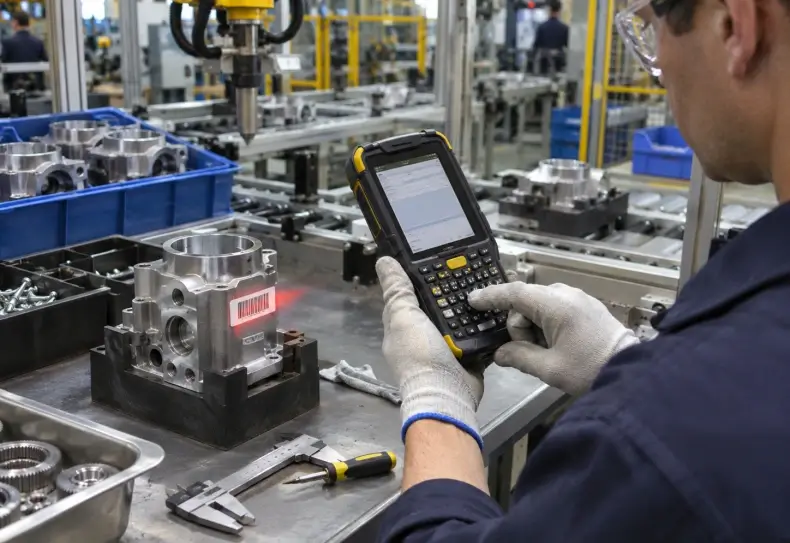
Production workers may record work-order quantities, machine identifiers, batch numbers, or inspection results.
A keypad-equipped PDA can support structured entry where forms contain short numeric fields.
However, manufacturing applications that rely heavily on photographs, diagrams, or complex checklists may still require touchscreen interaction.
The key consideration is the proportion of the workflow completed through scanning and short data fields.
Cold Storage and Protective Gloves
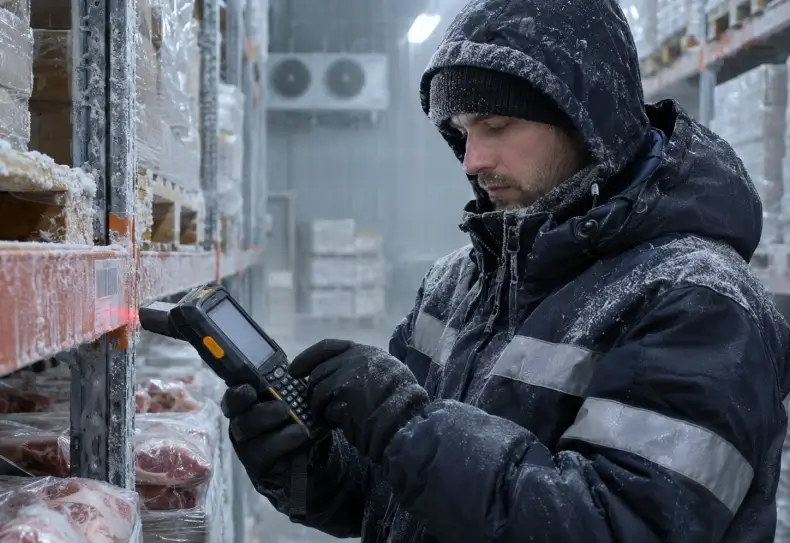
Cold-storage workers may need to operate terminals while wearing insulated gloves.
A physical keypad can reduce dependence on touchscreen sensitivity.
However, the device must also support the required operating temperature, battery performance, and condensation conditions.
The cold-storage handheld computer buying guide covers these environmental requirements in more detail.
A keypad alone does not establish that a PDA is suitable for continuous freezer operation.
Logistics and Delivery Verification
Delivery personnel may enter package counts, exception codes, or confirmation details.
A device with dedicated scan buttons and convenient numeric input may reduce interaction time.
Nevertheless, delivery applications that require signatures, photographs, or route navigation may benefit from a larger touchscreen.
In these situations, a hybrid design often deserves consideration.
What Keyboard Layout Should Buyers Choose?
The right layout depends on the number of data-entry functions and the physical working environment.
Numeric Keypads
Numeric keypads generally support digits and selected navigation or confirmation functions.
They are appropriate when employees frequently enter quantities and location numbers.
However, buyers should confirm whether the application requires letters or special characters.
If workers regularly enter alphanumeric codes manually, a numeric-only keypad may require additional input modes.
Larger Industrial Keyboards
Some industrial handhelds use larger key layouts with additional function and navigation buttons.
For example, Seuic publishes several handheld computers with 27-key configurations.
These products illustrate how a manufacturer can combine front-facing keys, scanning triggers, and push-to-talk functions within one industrial device.
The value of this approach depends on the operator’s workflow rather than the number of keys alone.
Key Backlighting and Environmental Protection
Backlit keys may help operators work in dimly lit storage areas or industrial facilities.
However, key illumination should not be assumed unless the product specification confirms it.
Buyers should also examine:
- Key spacing and travel.
- Resistance to accidental activation.
- Tactile feedback with gloves.
- Key labeling and durability.
- Cleaning requirements.
- Water and dust protection.
- Repair and replacement arrangements.
A professional sample evaluation should include actual operators rather than relying only on a visual comparison.
Barcode Scanning and Keyboard Integration
A rugged PDA typically combines physical input controls with barcode scanning.
However, scanning performance and keyboard operation are separate hardware and software requirements.
Dedicated Scan Buttons
Physical scan triggers allow workers to activate the scanner without using a touchscreen control.
The location of the triggers affects one-handed operation.
For example, side-mounted buttons may suit different grip positions than front-facing controls.
Test trigger placement with the normal working hand and required protective equipment.
Barcode Engine Compatibility
The barcode engine must support the formats used by the warehouse or manufacturing application.
Common requirements include Code 128, EAN, UPC, QR Code, and Data Matrix.
Buyers should confirm the supported symbologies, minimum readable barcode size, and intended scanning distance.
A good keyboard cannot compensate for unreliable barcode capture.
WMS Keyboard Mapping
Before deployment, verify how the application receives both scanned data and physical-key input.
Important questions include:
- Does pressing the Scan button activate the correct scanner?
- Can users enter quantities without opening the on-screen keyboard?
- Do navigation keys move between fields correctly?
- Does Enter confirm the intended action?
- Can key assignments be managed centrally?
- What happens when the application loses focus?
- Do keyboard functions remain available after system updates?
These questions help prevent integration problems during fleet deployment.
Comparing Industrial Handheld Products
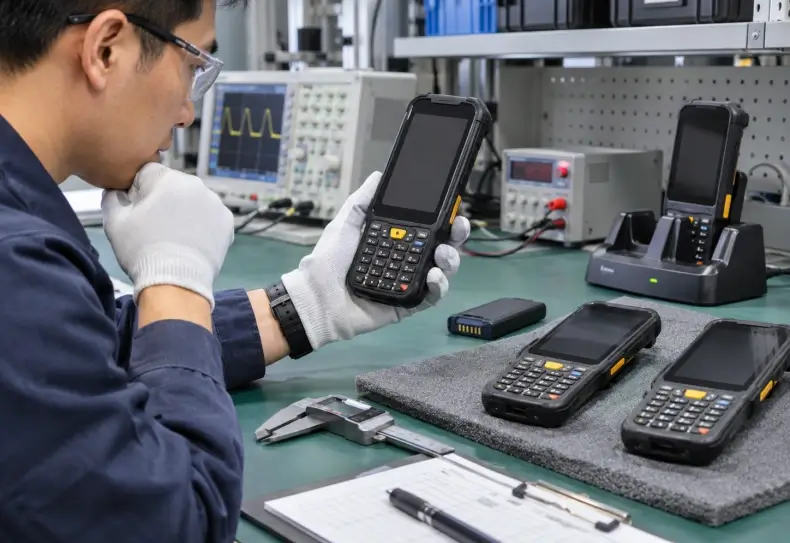
Seaview provides several handheld terminal configurations that businesses can evaluate for warehouse and field applications.
However, its published product specifications must be read carefully.
RS51 Handheld Terminal
The RS51 industrial handheld terminal lists Android 13, a 6.3-inch display, a detachable 5000mAh battery, and IP67 protection.
Its published button configuration includes Power, Volume, Scan, and Fn controls.
This confirms the presence of physical operating buttons.
However, it does not establish that the RS51 has a complete numeric keypad.
For buyers requiring extensive number entry, the exact keyboard configuration must be confirmed.
RS53 Handheld Terminal
The RS53 rugged handheld terminal provides another model within the company’s handheld portfolio.
Its current online product description does not provide enough detail to verify the keyboard layout, number of keys, or programmable functions.
Therefore, buyers should request an updated datasheet and product photographs before comparing its input configuration with dedicated keypad PDAs.
Selecting From the Available Product Range
The industrial handheld terminal product category provides an overview of Seaview’s available handheld devices.
For keyboard-focused projects, buyers should verify whether a model offers:
- A complete numeric or alphanumeric keypad.
- Physical scan buttons only.
- Programmable function buttons.
- A touchscreen with glove support.
- Compatible key-mapping software.
Do not assume that all rugged handheld terminals share the same keyboard design.
What Should B2B Buyers Check Before Bulk Purchasing?
A physical keyboard affects the device’s dimensions, mechanical design, application behavior, and maintenance requirements.
Procurement teams should evaluate the complete deployment.
Hardware Selection Checklist
| Requirement | What to Verify |
|---|---|
| Keyboard layout | Numeric, alphanumeric or function-only |
| Key count | Actual number and purpose of physical keys |
| Scan buttons | Placement and accessibility |
| Key durability | Manufacturer’s mechanical testing |
| Glove usability | Performance with real work gloves |
| Barcode scanner | Supported symbols and read distance |
| Operating system | Android version and support policy |
| WMS integration | Key mapping and input behavior |
| Battery | Runtime and charging arrangement |
| Ruggedness | IP rating, drop tests and temperature |
| Accessories | Cradles, straps, batteries and grips |
| Support | Firmware, repairs and replacement parts |
OEM and ODM Considerations
Distributors and system integrators may request custom keyboard layouts or additional shortcut functions.
However, changes to key placement, housing, or electrical connections may require mechanical and firmware development.
A supplier should distinguish existing configuration options from custom engineering work.
Before committing to an OEM project, ask about development fees, minimum order quantities, sample approval, certification implications, and firmware maintenance.
Quality Control and Compliance
Industrial PDA manufacturers should validate the keyboard as part of the complete device.
Testing may include repeated actuation, input accuracy, mechanical fit, and operation under representative environmental conditions.
IEC 60529 provides a framework for ingress protection classification.
However, an IP67 rating does not establish the mechanical lifetime of individual keys.
Buyers should request relevant product test records and confirm which standards apply to the exact configuration.
Total Cost of Ownership
A keypad-equipped PDA may reduce input friction in repetitive workflows, but it can also introduce mechanical parts that require maintenance.
Compare total ownership costs rather than unit price alone.
Include hardware, integration, accessories, application development, spare parts, repairs, and replacement.
For a fleet deployment, even modest differences in task completion time or support requirements can influence operating costs.
These differences should be measured during a pilot rather than assumed.
How to Test a Rugged PDA with Physical Keyboard
A structured trial should compare the candidate device with the current workflow.
Use representative employees, actual business applications, and normal working conditions.
A practical test includes:
- Scan a representative barcode.
- Enter a quantity using the physical keypad.
- Move between fields using navigation keys.
- Confirm the transaction.
- Repeat the process with protective gloves.
- Test operation while holding the device in one hand.
- Measure incorrect key presses and corrections.
- Verify WMS transaction accuracy.
- Repeat the workflow after a device restart.
- Test battery performance during a normal shift.
Record task time, correction frequency, scanning success, operator feedback, and application errors.
Compare these results against a touchscreen configuration performing the same tasks.
The best keyboard layout is the one that improves the actual workflow without introducing new problems.
Conclusion
A rugged PDA with a physical keyboard can be valuable for industrial workflows involving repetitive numeric entry, frequent scanning, and protective gloves.
However, a complete numeric keypad is different from a handheld device that only has physical scan buttons.
B2B buyers should verify keyboard layout, key durability, barcode engine compatibility, software mapping, ergonomics, and environmental protection before ordering.
The most reliable approach is to test candidate devices using the intended WMS or industrial application.
A well-matched device should make routine tasks easier while preserving data accuracy and long-term serviceability.
FAQ
Is a rugged PDA with a physical keyboard better than a touchscreen model?
It can be better for repetitive numeric entry and glove-based workflows. A touchscreen may be more suitable for complex forms, maps, and applications requiring larger displays.
Can workers use a physical keyboard PDA while wearing gloves?
Yes, if the keys have suitable spacing and tactile feedback. Buyers should test the device using the same gloves employees wear at work.
What is the difference between a numeric keypad and physical scan buttons?
A numeric keypad supports direct number entry. Physical scan buttons activate barcode capture but do not necessarily provide numeric or text input.
Can a physical keyboard PDA work with warehouse management software?
Yes, when the operating system and WMS support the keyboard layout, scanning interface, navigation controls, and required input functions.
What should buyers test before purchasing a keypad PDA in bulk?
Test numeric entry, glove operation, key mapping, barcode scanning, one-handed handling, battery life, application compatibility, and device durability.
Looking for Industrial Handheld Terminals for Warehouse Operations?
Seaview offers rugged handheld terminals for barcode scanning, warehouse data collection, and mobile industrial workflows. Compare available configurations and confirm physical keyboard options, scanning requirements, and application compatibility before choosing equipment for your project.