
Rugged Tablet Battery Life for Field Work: 8-Hour Planning

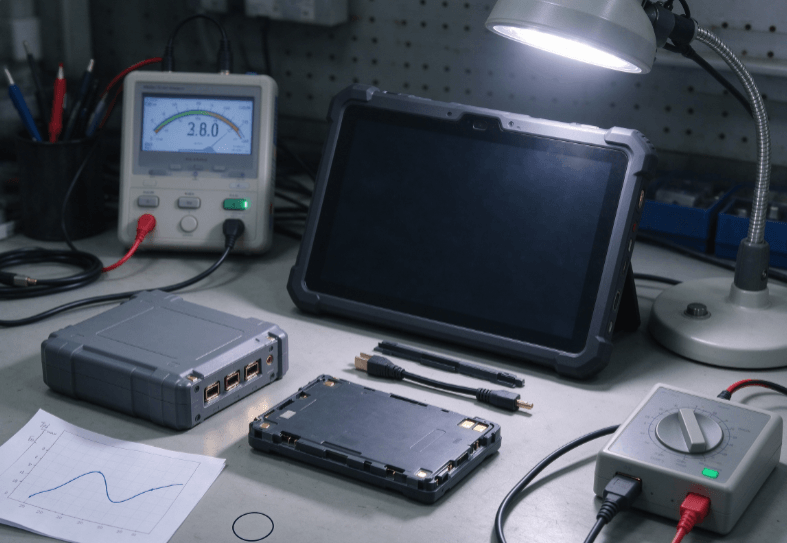
Rugged tablet battery life for field work depends on battery capacity, screen brightness, network activity, operating temperature, and software workload. To support an eight-hour shift, a tablet needs enough usable battery energy to complete daily tasks while retaining power for unexpected delays.
A large battery does not automatically guarantee all-day operation. Continuous GPS navigation, weak cellular signals, and high-brightness displays can significantly affect energy consumption.
For maintenance technicians and infrastructure inspectors, reliable battery performance begins with understanding actual power requirements rather than relying on advertised runtime alone.
How Long Does a Rugged Tablet Battery Last?
A rugged tablet may operate throughout an eight-hour working day, but actual endurance depends on how the device is used.
A technician completing occasional inspection forms may consume considerably less power than someone running navigation, video communication, and diagnostic applications continuously.
Manufacturer battery figures provide a useful starting point. However, they may reflect controlled testing conditions that differ from outdoor maintenance operations.
Understanding Battery Capacity: mAh vs. Wh
Battery capacity is commonly expressed in milliampere-hours (mAh), while battery energy is measured in watt-hours (Wh).
Watt-hours provide a more meaningful comparison when batteries have different nominal voltages.
The calculation is:
Battery Energy (Wh) = Capacity (Ah) × Nominal Voltage (V)
For example, a 10,000mAh battery rated at 3.8V contains approximately 38Wh of nominal energy.
If a device consumes an average of 4W, its theoretical runtime is:
38Wh ÷ 4W = 9.5 hours
Actual operation may be shorter because of power conversion losses, battery aging, temperature, and system power management.
| Average Power Consumption | Theoretical Runtime with 38Wh |
|---|---|
| 3W | 12.7 hours |
| 4W | 9.5 hours |
| 5W | 7.6 hours |
| 6W | 6.3 hours |
| 8W | 4.8 hours |
These figures illustrate energy calculations rather than verified runtime for a specific device.
When comparing different rugged tablet configurations, battery energy should be evaluated alongside the processor, display, wireless modules, and software requirements.
For example, the RT80 rugged tablet and RT82 rugged tablet are two models worth examining for mobile field operations. Their actual battery endurance should be verified under the intended workload.
What Reduces Rugged Tablet Battery Life Outdoors?
Field conditions can create greater power demands than typical office use.
Three factors are particularly important: display brightness, network connectivity, and operating temperature.
Display Brightness and Continuous Screen Use
Outdoor technicians often increase screen brightness to read maintenance instructions under sunlight.
Higher brightness generally increases display power consumption, especially on LCD-based devices.
A technician reviewing technical drawings continuously may therefore experience faster battery drain than someone using the screen intermittently.
Brightness should be adjusted to maintain visibility without unnecessary power consumption.
4G/5G Connectivity and Weak Signals
Wireless communication can become a significant energy demand during remote field operations.
When cellular coverage is weak, the modem may consume additional power while maintaining or searching for network connections.
Frequent data synchronization, file uploads, and video communication also affect energy use.
For mobile inspection teams, network coverage should be evaluated together with battery performance.
The rugged tablet field service guide explains how connectivity and workflow requirements influence industrial tablet selection.
Temperature and Battery Efficiency
Lithium-ion batteries are sensitive to environmental conditions.
Low temperatures can temporarily reduce available energy and increase internal resistance. Extended exposure to high temperatures can accelerate battery degradation.
A tablet that performs well indoors may deliver shorter runtime during winter infrastructure inspections.
Charging limits also deserve attention because acceptable charging temperatures may differ from operating temperatures.
The engineering guide to tablets for harsh environments discusses temperature resistance, thermal management, and environmental design considerations.
IP ratings describe ingress protection and should not be interpreted as guarantees of battery performance at extreme temperatures.
Planning Battery Power for an Eight-Hour Field Shift
An eight-hour shift rarely involves eight hours of continuous tablet operation.
Technicians typically alternate between equipment inspection, reporting, travel, communication, and standby periods.
Battery planning should account for this changing workload.

Example: Field Maintenance Workday
Consider a technician inspecting industrial equipment across several locations.
| Activity | Duration | Example Power Consumption |
|---|---|---|
| Reviewing work orders | 1.5 hours | 4W |
| Equipment inspection | 3 hours | 5W |
| Navigation and communication | 1 hour | 6W |
| Service reporting | 1 hour | 4W |
| Standby between tasks | 1.5 hours | 1W |
Estimated energy consumption:
- Work orders: 6Wh
- Equipment inspection: 15Wh
- Navigation: 6Wh
- Reporting: 4Wh
- Standby: 1.5Wh
Total estimated consumption: 32.5Wh
These power levels are hypothetical examples, not published measurements for a particular rugged tablet.
If the tablet has 38Wh of nominal battery energy, the estimated workload leaves relatively little reserve.
Cold weather, additional service visits, or battery aging could reduce the available operating margin.
Why Battery Reserve Matters
Field teams should avoid planning battery usage around complete discharge.
A practical operating reserve provides time for unexpected inspections, delayed travel, or additional reporting.
For illustration, an engineering plan might reserve 20% of nominal energy.
The required capacity becomes:
32.5Wh ÷ 0.8 = 40.6Wh
Under this simplified assumption, the example 38Wh battery would not provide the intended margin.
The team could reduce energy consumption, schedule charging, or consider hardware with greater usable battery energy.
A 20% reserve is a planning example rather than a universal industrial requirement.
Battery Strategies for Different Field Applications
Field service teams should plan charging around where technicians work and how frequently they access external power.
Utility and Remote Infrastructure Inspection
Utility inspectors may spend extended periods away from vehicles and charging facilities.
Battery endurance becomes particularly important when tablets are used for asset identification, photography, GPS positioning, and digital reporting.
For these deployments, teams should evaluate battery capacity and practical charging options before selecting hardware.
The RT83 rugged tablet is another available model for comparison with the RT80 and RT82.
Battery specifications, replacement options, and charging compatibility should be confirmed for each configuration.
Vehicle-Based Field Service
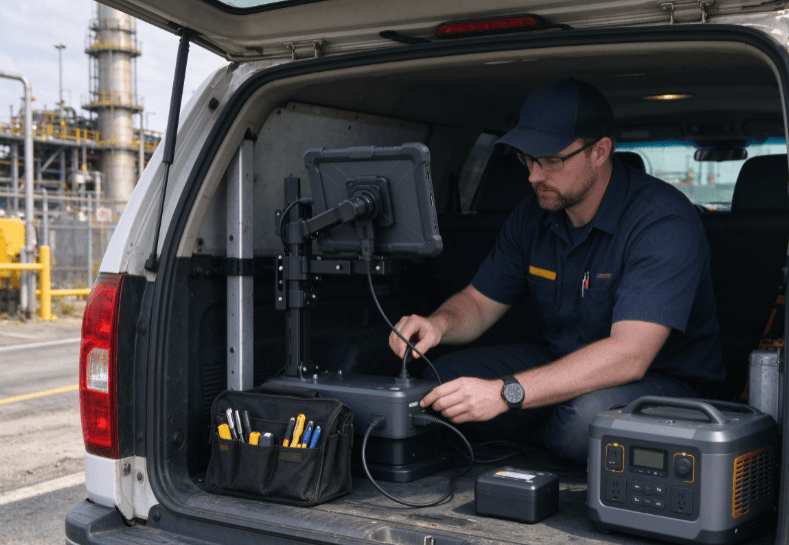
Service technicians traveling between customer locations may have access to vehicle charging.
A suitable docking or charging system can reduce dependence on battery capacity alone.
However, charging compatibility depends on connector design, power input requirements, and accessories.
Vehicle-mounted equipment must also withstand vibration and remain accessible without obstructing the driver.
For projects involving permanent vehicle installations, the fixed-mount industrial tablet guide provides additional considerations for power integration and mounting.
Industrial Equipment Maintenance
Factory maintenance teams often use tablets for diagnostic records, equipment manuals, and inspection reporting.
Their devices may experience intermittent high workloads rather than continuous heavy processing.
Application efficiency and screen management can therefore influence battery endurance.
Where a tablet remains near equipment for extended periods, a compatible external power source may be more practical than maximizing battery capacity.
How to Test Rugged Tablet Battery Life Before Deployment
Published battery specifications cannot replace testing under real operating conditions.
A representative test should reproduce the technician’s normal shift, including wireless communication and inspection applications.
Recommended testing procedure:
- Charge the tablet fully using the approved charger.
- Install the actual field service applications.
- Configure normal display brightness and network settings.
- Perform routine inspection and reporting tasks.
- Record battery percentage at regular intervals.
- Test operation in representative outdoor temperatures.
- Repeat measurements under weak cellular coverage.
- Verify charging accessories and battery recovery time.
When comparing devices, apply the same workload to each model.
For larger deployments, record measured runtime, battery health, charging opportunities, and software power requirements.
Organizations evaluating the rugged tablet product range should use these results alongside published specifications.
FAQ
Is a 10,000mAh battery enough for an eight-hour shift?
It may be sufficient, depending on battery voltage and average power consumption. A 10,000mAh battery rated at 3.8V contains approximately 38Wh of nominal energy. Actual runtime requires field testing.
Why does a rugged tablet lose battery power faster in cold weather?
Low temperatures increase lithium-ion battery resistance and reduce available power and capacity. Runtime may recover as the battery returns to a suitable operating temperature.
Does 5G consume more battery than 4G?
Not necessarily. Power consumption depends on modem efficiency, signal quality, data transfer requirements, and network conditions. Compare both configurations under representative workloads.
Can rugged tablets be charged during field service work?
Many rugged tablets support external charging, but compatibility varies by model. Vehicle chargers, docking stations, and removable batteries should be checked against manufacturer specifications.
How should companies compare rugged tablet battery performance?
Compare battery energy in watt-hours and measure runtime using the same applications, brightness, connectivity, and environmental conditions. Include a reserve for unexpected operating demands.
Conclusion
Reliable all-day tablet operation depends on more than nominal battery capacity.
Display brightness, network conditions, application workload, and operating temperature determine how much energy technicians consume during a field shift.
An effective battery plan should estimate actual energy requirements, include an operating reserve, and identify charging opportunities.
For field service teams comparing the RT80, RT82, and RT83, representative workload testing is the most reliable way to determine whether a device can support an entire working day.