
Rugged Tablet Vehicle Docking Station: Power & Vibration

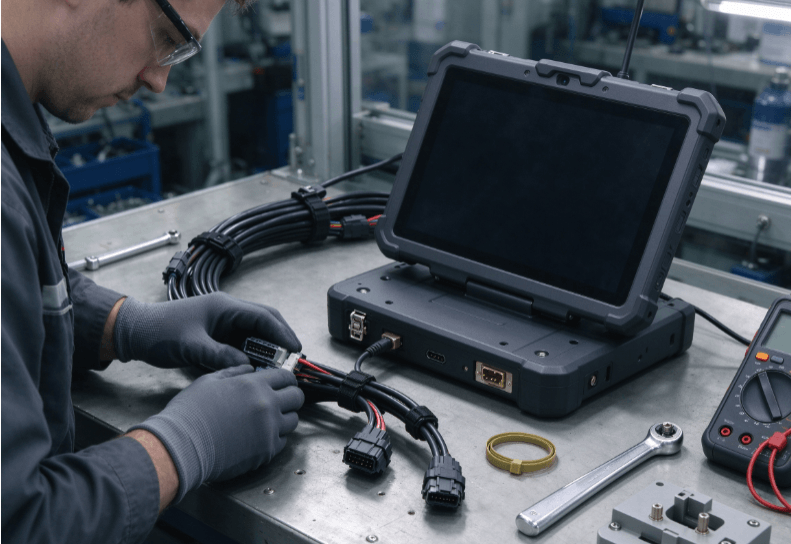
A rugged tablet vehicle docking station needs to do four things reliably: hold the tablet securely, provide stable power, withstand vehicle vibration, and keep the device accessible to the operator. For service vans, trucks, forklifts, and construction vehicles, the dock should be selected as part of the complete tablet installation rather than treated as a simple holder.
Vehicle operation introduces conditions that are uncommon in an office. Continuous vibration, engine-related electrical fluctuations, cable movement, temperature changes, and repeated docking cycles can all affect long-term reliability.
What Makes a Vehicle Docking Station Different?
A conventional tablet holder only needs to support the device.
A professional vehicle docking station may also provide charging, peripheral connections, mechanical locking, and a repeatable interface between the tablet and vehicle.
The requirements normally include:
- Secure tablet retention
- Compatible DC power input
- Reliable charging
- Vibration-resistant mounting
- Protected connectors
- Suitable viewing angle
- Quick tablet removal
- Compatibility with vehicle accessories
The right combination depends on the vehicle and application.
A service technician who removes the tablet several times a day has different requirements from a forklift operator using a permanently mounted device.
For background on permanent industrial installations, this fixed-mount industrial tablet guide covers mounting position, power, environmental conditions, and installation considerations.
How Should a Vehicle Tablet Dock Handle Power?
Power delivery deserves attention because a vehicle electrical system is not a perfectly stable DC source.
Starting the engine, switching electrical loads, and changes in the charging system can create conditions that differ from the nominal vehicle voltage.
Before choosing a dock, confirm:
| Power Requirement | What to Verify |
|---|---|
| Vehicle voltage | 12V, 24V, or applicable system voltage |
| Input range | Supported DC voltage range |
| Charging output | Power required by the tablet |
| Protection | Over-voltage and over-current protection |
| Wiring | Fuse, cable size, and routing |
| Ignition control | Required startup/shutdown behavior |
The dock should be electrically compatible with both the tablet and the vehicle.
A 24V commercial vehicle should not be connected to a docking system simply because the tablet itself charges through a familiar connector.
Ignition Control and Vehicle Battery Drain
Some vehicle deployments require the tablet to respond to the ignition state.
The system can be configured to start with the vehicle and enter a controlled power state after shutdown.
This can reduce unnecessary power consumption when the vehicle is parked.
Whether ignition control is necessary depends on the tablet, operating system, vehicle, and software workflow.
It should be specified during system design rather than added as an afterthought.
Why Does Vibration Matter?
A mounted tablet is exposed to repeated mechanical vibration for much longer periods than a handheld device.
Road surfaces, engine operation, suspension movement, and equipment operation all contribute to the vibration reaching the mounting structure.
The risk is not limited to the tablet enclosure itself.
Repeated vibration can place stress on:
- Mounting brackets
- Screws and fasteners
- Dock connectors
- Power cables
- Peripheral interfaces
- The tablet-to-dock interface
SAE J1455 provides environmental recommendations for electronic equipment used in heavy-duty vehicle applications, including considerations related to vibration, shock, temperature, and electrical conditions.
For harsh environments, the rugged tablet engineering guide provides additional context on environmental stresses that industrial computing equipment needs to handle.
Does a More Rigid Mount Always Perform Better?
Not necessarily.
The mounting system needs enough rigidity to prevent unwanted movement, but its structure also determines how vibration is transferred into the tablet.
Damping can reduce certain vibration transmission, but adding a soft material does not automatically make a mounting system more durable.
Tablet weight, mounting geometry, material properties, and vibration frequency all affect the result.
For demanding vehicles, testing the complete tablet + dock + bracket assembly is more useful than evaluating the tablet alone.
What Should You Check in the Mounting Mechanism?
The locking mechanism needs to balance security with daily usability.
A technician should be able to dock and remove the tablet without excessive force. At the same time, the device must remain secure during braking, acceleration, and rough-road operation.
A typical field service workflow may look like this:
Drive to site → tablet remains docked → arrive → remove tablet → perform inspection → return tablet to vehicle
This makes quick release particularly useful for mobile technicians.
The mounting interface should also remain consistent after repeated docking cycles.
A mechanism that becomes loose or difficult to engage can create operational problems even if the tablet itself continues to function normally.
How Do Cables and Connectors Affect Reliability?
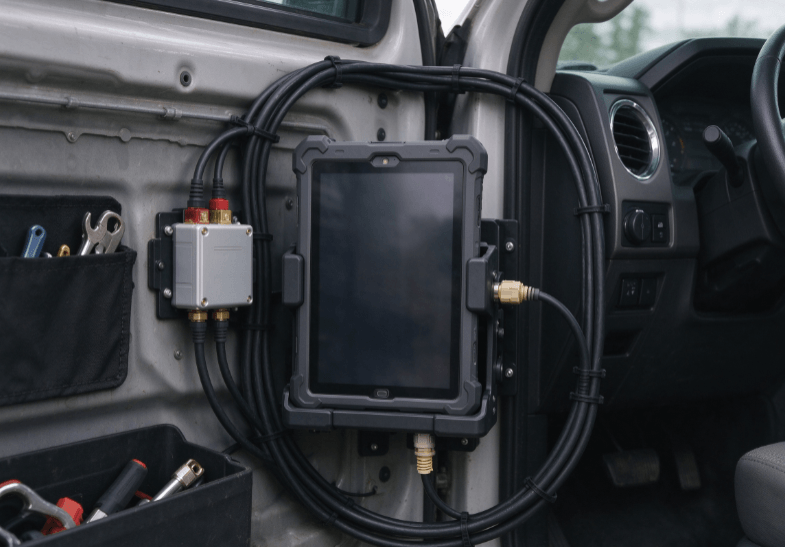
Cable routing is often overlooked during installation.
A heavy cable hanging directly from a connector can transfer mechanical force into the tablet port. Repeated bending can also accelerate cable wear.
Good vehicle installations generally provide:
- Strain relief near connectors
- Protected cable routing
- Adequate slack for tablet removal
- Protection from sharp edges
- Secure attachment points
- Easy access for maintenance
This becomes more important when the tablet connects to scanners, diagnostic equipment, printers, serial devices, Ethernet equipment, or other peripherals.
Industrial tablets may provide interfaces that consumer tablets do not. This is one reason the industrial tablet vs. consumer tablet comparison is useful when planning professional mobile deployments.
Which Rugged Tablets Can Be Considered for Vehicle Use?
The tablet should be evaluated together with the intended docking configuration.
For example, the company’s rugged tablet portfolio includes models such as the RT80, RT82, and RT83, which can be compared according to connectivity, display requirements, interfaces, and deployment environment.
The RT80 rugged tablet can be considered for mobile industrial applications where a rugged computing platform is required.
The RT82 is another option for teams that require cellular connectivity and mobile field computing. Its configuration should be checked against the planned docking and power requirements.
The RT83 rugged tablet provides another model to evaluate when comparing different hardware configurations.
The important point is not simply whether a tablet is described as rugged.
Before selecting the dock, confirm:
- Tablet dimensions
- Mounting interface
- Power requirements
- Available I/O
- Cellular requirements
- Charging method
- Operating environment
- Required accessories
A dock should fit the actual tablet model and intended workflow.
Vehicle Applications Require Different Docking Priorities
Field Service Vans
Service vans commonly use tablets for work orders, navigation, equipment documentation, photographs, signatures, and service reports.
Because technicians may carry the tablet into customer facilities, quick-release functionality is often more valuable than a permanently fixed installation.
Power availability is also relatively convenient because the vehicle provides an accessible charging source.
Forklifts and Warehouse Vehicles
Forklift-mounted tablets need careful attention to vibration and operator visibility.
The mounting position should not obstruct controls or the operator’s view.
The locking mechanism also needs to prevent accidental tablet movement during sudden changes in direction or speed.
Construction and Off-Road Equipment
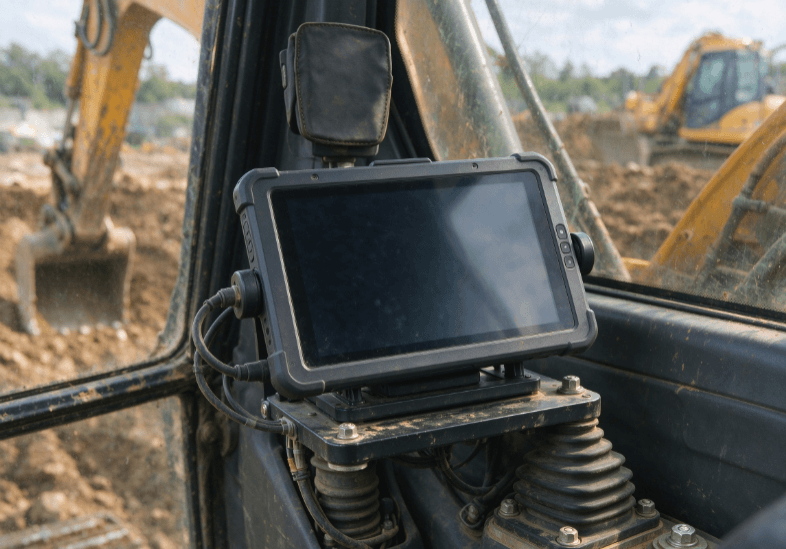
Construction equipment can expose tablets to stronger vibration, shock, dust, temperature changes, and rough terrain.
A mounting configuration suitable for a service van should not automatically be transferred to an excavator or heavy-duty off-road vehicle.
The actual vehicle and mounting location should determine the environmental requirements.
How Should a Vehicle Dock Be Tested?
A docking station should be tested with the actual tablet and vehicle.
A practical validation process is:
- Install the dock at the intended location.
- Check viewing angle and operator accessibility.
- Verify the locking and release mechanism.
- Confirm charging under vehicle power conditions.
- Test all required peripheral connections.
- Operate the vehicle on representative surfaces.
- Inspect cables and connectors after repeated movement.
- Check fasteners and mounting points for loosening.
If the same tablet will be installed in several vehicle types, each configuration should be evaluated separately.
The mounting location can change the vibration and mechanical loads significantly.
What Should Buyers Consider Before Choosing a Dock?
For commercial deployments, the cheapest docking station is not necessarily the most economical option.
Installation work, replacement components, vehicle downtime, and maintenance can become more expensive than the initial hardware difference.
Before purchasing, confirm:
- Tablet and dock compatibility
- Vehicle voltage
- Charging requirements
- Mounting pattern
- Vibration exposure
- Required interfaces
- Cable routing
- Operator visibility
- Replacement availability
- Installation requirements
For specialized fleet deployments, OEM customization may also be appropriate.
The OEM rugged tablet engineering guide explains how customization, interfaces, environmental testing, and deployment requirements can be considered during product development.
FAQ
What is a rugged tablet vehicle docking station?
It is a vehicle-mounted system designed to securely hold a rugged tablet while potentially providing charging, data connectivity, and peripheral integration.
Can a rugged tablet docking station charge the tablet?
Yes, when the dock is designed for the specific tablet and provides compatible power. Vehicle voltage and charging requirements must be checked before installation.
Why is vibration important for vehicle-mounted tablets?
Continuous vibration can place mechanical stress on mounting hardware, connectors, cables, and the tablet-dock interface. The effect depends on the vehicle and mounting location.
Should the docking station be specific to the tablet model?
A model-specific dock can provide more precise retention and connector alignment. Universal mounts may be suitable for some applications but require careful compatibility checks.
Can the same dock be used in a truck and forklift?
Not automatically. Trucks and forklifts can produce different vibration, shock, mounting, and visibility conditions. Each installation should be evaluated separately.
What should be tested before deploying vehicle-mounted rugged tablets?
Test mounting security, charging, connectors, cable routing, operator visibility, and vibration exposure using the actual tablet and intended vehicle configuration.
Conclusion
A dependable rugged tablet vehicle docking station is not simply a bracket for holding a tablet. It is the interface between the computing device and the vehicle’s mechanical and electrical environment.
The best configuration combines secure retention, appropriate power delivery, vibration management, protected connections, and practical operator access.
For a service van, quick tablet removal and charging may be the main priorities. For forklifts and construction vehicles, vibration, shock, mounting security, and environmental exposure deserve greater attention.
When evaluating rugged tablets such as the RT80, RT82, or RT83, the tablet and docking system should be validated together under the conditions in which the equipment will actually operate.