

How to Choose the Right Rugged Tablet for Industrial Use

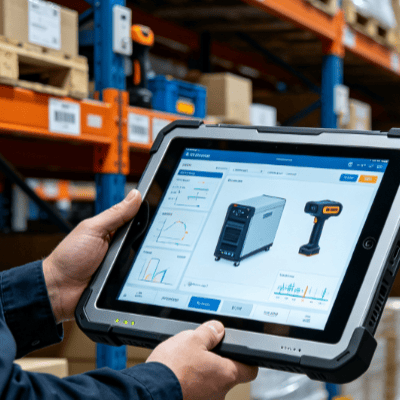
Selecting a mobile computing solution for an industrial environment is a decision that impacts operational uptime, worker safety, and long-term TCO (Total Cost of Ownership). Unlike consumer-grade devices designed for climate-controlled living rooms, an industrial tablet must survive vibrations on a forklift, chemical exposure in a lab, or torrential rain on a construction site.
To choose the right rugged tablet, you must look beyond the processor speed. You need to evaluate the intersection of environmental resilience, specialized input/output requirements, and the specific ergonomic needs of your field or floor staff.

Decoding Ruggedness: IP Ratings and MIL-STD-810H
The term “rugged” is often used loosely by marketers. For industrial engineering and procurement, you must rely on standardized testing to determine a device’s true durability.
Ingress Protection (IP) Ratings
An IP rating consists of two digits. The first (0–6) measures protection against solids (dust), and the second (0–9) measures protection against liquids.
- IP65: Dust-tight and protected against water jets. Ideal for most indoor manufacturing and warehouse use.
- IP67/68: Submersible in water. Essential for outdoor field services, marine environments, or areas where equipment is frequently hosed down.
MIL-STD-810H Certification
This is a U.S. Military Standard that tests equipment limits. A truly rugged tablet should undergo “Transit Drop” testing (typically 26 drops from 4 feet), vibration testing (simulating a vehicle mount), and thermal shock testing. If your tablet will be mounted on a heavy-duty vehicle or used in extreme temperatures (above 50°C or below -20°C), MIL-STD-810H compliance is non-negotiable.
Matching Display Technology to Your Environment
In an industrial context, the screen is the most vulnerable component and the primary interface. Standard screens often fail due to glare or inability to register touch through PPE.
- Sunlight Readability: If used outdoors, look for a display with at least 800 to 1,000 nits of brightness. High-nit screens combined with optical bonding reduce internal reflection, making the data legible even under direct midday sun.
- Glove and Wet Touch Modes: In manufacturing or medical settings, workers rarely have bare, dry hands. Ensure the capacitive touch controller is tuned for “Glove Mode” or “Rain Mode.” Resistive touch screens are an alternative for extreme environments but offer less precision for modern UI.
- Impact Resistance: Seek tablets featuring chemically strengthened glass (such as Gorilla Glass) or integrated screen protectors that prevent shattering in the event of a high-impact drop onto concrete.

Processing Power vs. Thermal Management
Industrial tablets face a unique challenge: they must be powerful enough to run ERP or CAD software while remaining fanless to maintain a sealed chassis.
- Android vs. Windows: The choice depends on your software stack. Windows-based rugged tablets are the standard for field diagnostics and legacy industrial software, while Android tablets excel in lightweight data entry, logistics, and long battery life.
- Thermal Throttling: In high-heat environments, some processors will “throttle” or slow down to prevent overheating. High-end industrial tablets utilize advanced passive cooling (heat pipes and magnesium alloy casings) to maintain peak performance without needing an intake fan that could let in dust or moisture.
Specialized Connectivity and Industrial I/O
A consumer tablet relies on Wi-Fi and Bluetooth. An industrial tablet often serves as a mobile gateway to heavy machinery or remote infrastructure.
- Legacy Ports: Many industrial machines still communicate via RS232 (Serial) or RJ45 (Ethernet). Choosing a tablet with these integrated ports eliminates the need for fragile dongles that break in the field.
- Precision GPS: For surveying, mining, or large-scale logistics, standard GPS isn’t enough. Look for tablets with dedicated GNSS modules (u-blox or similar) that support multiple satellite constellations for sub-meter accuracy.
- Scanning and RFID: While cameras can scan barcodes, they are slow in high-volume environments. Integrated 1D/2D hardware scanners and NFC/RFID readers are essential for rapid inventory management and asset tracking.
Battery Strategy for Multi-Shift Operations
A tablet that dies mid-shift is a liability. There are two primary ways to handle power in industrial settings:
- Hot-Swappable Batteries: This allows a user to swap a depleted battery for a fresh one without shutting down the device. This is critical for 24/7 warehouse operations where the device never “goes home.”
- Extended Capacity Batteries: For field workers away from a charging port for 10+ hours, high-capacity bridge batteries ensure the device stays powered through long shifts and commutes.
Mounting and Ergonomics
How a worker carries or secures the device determines its long-term adoption.
- Vehicle Cradles: If the tablet is used in a forklift or truck, ensure the cradle is “vibration-certified” and provides “pass-through” antenna connections for better GPS and LTE signals outside the vehicle’s metal cabin.
- Hand Straps and Harnesses: For workers on foot, four-point shoulder straps or rotating hand straps reduce fatigue and the likelihood of accidental drops.
Summary of Selection Logic
When evaluating options at a specialized industrial PC provider, prioritize your “Must-Haves” based on the harshest element of your workflow. If your technicians work in the rain, prioritize IP67 and wet-touch. If they perform engine diagnostics, prioritize RS232 ports and Windows OS compatibility.
By focusing on these engineering specifications rather than just consumer aesthetics, you ensure a device that doesn’t just work on Day 1, but survives through Day 1,000.

FAQ
Q: Is a rugged case for a standard iPad the same as an industrial rugged tablet?
A: No. While a case protects against some drops, it does not address internal vibration, thermal management, or component longevity. Standard tablets will overheat or suffer internal connector failure under constant industrial vibration, whereas industrial tablets are engineered from the PCB up for these stresses.
Q: What is the average lifespan of an industrial tablet?
A: Most industrial-grade tablets have a lifecycle of 3 to 5 years, compared to the 12-to-18-month replacement cycle of consumer devices in similar environments. Manufacturers also guarantee “long-term availability,” meaning you can buy the exact same model for several years to maintain a consistent fleet.
Q: Can I use an industrial tablet in “Hazardous Locations” (Ex-proof)?
A: Only if it carries specific certifications like C1D2 (Class I, Division 2) or ATEX. These devices are specially sealed and tested to ensure they won’t spark and cause an explosion in environments with flammable gases or dust.
Q: Why are industrial tablets more expensive than consumer ones?
A: The cost reflects the specialized materials (magnesium alloy vs. plastic), rigorous testing certifications, specialized I/O, and the commitment to long-term parts availability and support. The higher upfront cost is offset by significantly lower downtime and replacement costs.
Reference Sources
- IEC 60529: The international standard for Ingress Protection (IP) ratings.
- Department of Defense Test Method Standard (MIL-STD-810H): Environmental Engineering Considerations and Laboratory Tests.
- IEEE 802.11: Standards for wireless networking in industrial environments.
- VDC Research: Reports on TCO (Total Cost of Ownership) for mobile deployments in hazardous environments.