

Android vs Windows Rugged Tablet: Which OS Fits Your Industrial Workflow?

Selecting the right operating system for industrial mobile computing is rarely a matter of personal preference; it is a high-stakes decision involving legacy infrastructure, peripheral compatibility, and long-term field reliability. In the debate of Android vs Windows rugged tablets, the “better” choice depends entirely on whether your priority is lightweight, app-driven agility or high-performance, complex software integration.
For procurement officers and systems engineers at firms like Seaview Industry, the hardware’s durability is a given—usually featuring IP65/67 ratings and MIL-STD-810G certification. The real bottleneck occurs at the software layer, where the OS dictates how the device interacts with your MES (Manufacturing Execution System), ERP, and specialized sensors.

OS Architecture: The X86 vs. ARM Divergence
The most fundamental difference between these two platforms is the underlying processor architecture. This dictates not only the performance but also the thermal profile and battery efficiency of the tablet.
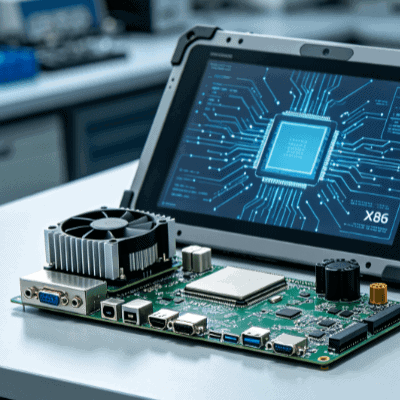
- Windows Rugged Tablets: Typically powered by Intel (X86) processors. These are essentially full-scale computers shrunk into a tablet form factor. They excel at running “heavy” desktop applications like AutoCAD, complex SCADA interfaces, and multi-windowed management software.
- Android Rugged Tablets: Usually built on ARM-based processors. This architecture is inherently more power-efficient. Android devices are optimized for “single-tasking” efficiency—perfect for high-volume barcode scanning, field data entry, and logistics apps where the worker needs 10–12 hours of active screen time without a recharge.
Software Ecosystem and Legacy Integration
The primary driver for Windows dominance in the industrial sector has been legacy support. Most manufacturing plants have spent decades building their infrastructure on Windows-based environments.
The Windows Edge: Continuity
If your facility relies on specialized .exe programs, proprietary drivers for legacy PLC (Programmable Logic Controller) interfaces, or deep integration with Microsoft Azure and Active Directory, Windows is the logical path. The Windows 10/11 IoT Enterprise LTSC (Long-Term Servicing Channel) provides a stable, “locked-down” environment that doesn’t force unnecessary feature updates, ensuring your mission-critical apps don’t break during a shift.
The Android Edge: Modern Mobility
Android has moved far beyond the consumer space. In modern warehousing and “last-mile” delivery, Android’s app-centric ecosystem is superior. Developing custom apps (APIs) for Android is generally faster and more cost-effective. Furthermore, the rise of Progressive Web Apps (PWAs) means many industrial cloud platforms now run flawlessly on Android Chrome environments, bypassing the need for heavy desktop OS overhead.
Critical Comparison: Industrial Performance Metrics
| Feature | Windows Rugged Tablet | Android Rugged Tablet |
| Power Management | High consumption; requires larger/hot-swap batteries. | Low consumption; excels in long-shift scenarios. |
| Security | Robust BitLocker encryption and IT-managed updates. | Relies on EMM (Enterprise Mobility Management) & GMS. |
| Peripheral Support | Superior for specialized USB/Serial hardware drivers. | Better for Bluetooth/Wireless and integrated scanning. |
| User Interface | Precision-focused (stylus/mouse optimized). | Touch-first, intuitive for high-speed workflows. |
| Cost (TCO) | Higher initial cost + licensing fees. | Lower hardware cost; higher MDM management needs. |
Operational Environment and Thermal Constraints
In industrial settings, heat is the enemy of electronics. Because Windows tablets utilize more powerful X86 processors, they generate more internal heat. In a high-temperature foundry or an outdoor desert environment, a Windows tablet may require active cooling (fans) or aggressive thermal throttling, which can impact performance.
Android tablets, being ARM-based, usually operate via passive cooling. This allows for thinner, lighter designs that are less prone to mechanical failure since there are no internal fans to suck in dust or moisture. For field technicians working in direct sunlight, the lower thermal output of an Android device often results in higher sustained screen brightness without the device overheating.
Security and Device Management (MDM)
Security architecture differs significantly between the two. Windows tablets benefit from the familiar Windows Defender and Group Policy Objects (GPO), making them easy for existing IT departments to secure. They are essentially “nodes” on the corporate network.
Android relies on Enterprise Mobility Management (EMM) platforms like SOTI MobiControl or AirWatch. While Android was once viewed as less secure, the “Android Enterprise” framework now allows for granular control—disabling cameras, locking the device into a “Kiosk Mode” (single app), and remote wiping. For large-scale deployments of 500+ units, Android’s deployment tools (like Zero-Touch Enrollment) are often more streamlined than Windows Autopilot in ruggedized environments.
The Lifecycle and Total Cost of Ownership (TCO)
When evaluating the cost of an android vs windows rugged tablet, looking at the sticker price is a mistake. You must calculate the five-year TCO.
- Upfront Hardware: Android is generally 20-30% cheaper.
- Licensing: Windows requires OS licensing (often IoT Enterprise), which adds to the unit cost.
- Support Life: Windows devices generally have a longer “useful life” for software compatibility. Android versions iterate quickly; however, industrial-grade manufacturers like Seaview Industry mitigate this by offering long-term hardware availability and OS version stability for their rugged lines.
Strategic Selection: Which Should You Choose?
Choose a Windows Rugged Tablet if:
- You need to run full versions of ERP or CAD software.
- You require deep integration with local Windows servers and specialized peripheral drivers (RS232/DB9).
- Your workers need a “laptop replacement” that can dock into a full workstation.
- Your IT department is exclusively trained in Windows environment management.
Choose an Android Rugged Tablet if:
- The primary use case is data collection, barcode scanning, or logistics.
- Portability, weight, and 12+ hour battery life are non-negotiable.
- You are building a custom, lightweight app for a specific workflow.
- You are deploying a large fleet of devices and need to minimize hardware expenditure.

Conclusion
The gap between Android and Windows in the industrial sector is narrowing. With the advent of powerful mobile processors and cloud-based industrial software, Android is no longer just for “simple” tasks. However, for complex engineering and legacy-heavy environments, Windows remains the gold standard.
When planning your next hardware refresh, consult with an OEM partner who understands the nuances of the manufacturing floor. Whether you prioritize the high-performance throughput of a Windows tablet or the agile, battery-efficient nature of an Android device, ensure the hardware partner provides the necessary ingress protection (IP) and drop-testing to survive your specific operational reality.
FAQ
Q1: Can Android tablets run Windows programs?
Directly, no. While there are virtual machine (VM) and remote desktop (RDP) solutions, they require a constant network connection and a server to host the application. For offline industrial use, if you need a Windows program, you need a Windows tablet.
Q2: Which OS is better for outdoor sunlight readability?
This is primarily a hardware feature (NITS brightness), not an OS feature. However, Android devices often manage heat better at high brightness levels. Check for tablets with 1000+ NITS and optical bonding regardless of the OS.
Q3: Is Windows IoT Enterprise better than Windows 11 Pro for tablets?
Yes. For industrial use, Windows IoT Enterprise LTSC is preferred because it removes “bloatware” and prevents frequent, disruptive updates that can interfere with manufacturing processes.
Q4: How do I handle barcode scanning on these devices?
Both OS platforms support integrated 1D/2D scanners. Android typically offers faster “wedge” software for scanning into apps, while Windows may require more specific driver configurations for HID (Human Interface Device) input.
Q5: Can I upgrade the OS on a rugged tablet later?
Windows tablets are generally easier to upgrade (e.g., from Windows 10 to 11). Android tablets are usually tied to the version they are shipped with, or perhaps one major version upgrade, due to the specific driver tuning required for ARM chipsets.
Reference Sources
- IEEE Xplore: Research on “Comparative Analysis of Mobile OS in Industrial Automation.”
- Microsoft Learn: Documentation on “Windows IoT Enterprise for Industrial Tablets.”
- **Android Enterprise: ** Official “Rugged Device Validation” standards.
- SGS/TUV Rheinland: Guidelines on “Ingress Protection and Environmental Testing for Mobile Computers.”