
Mobile Thermal Printing Terminal: Paper Width, Speed & Care

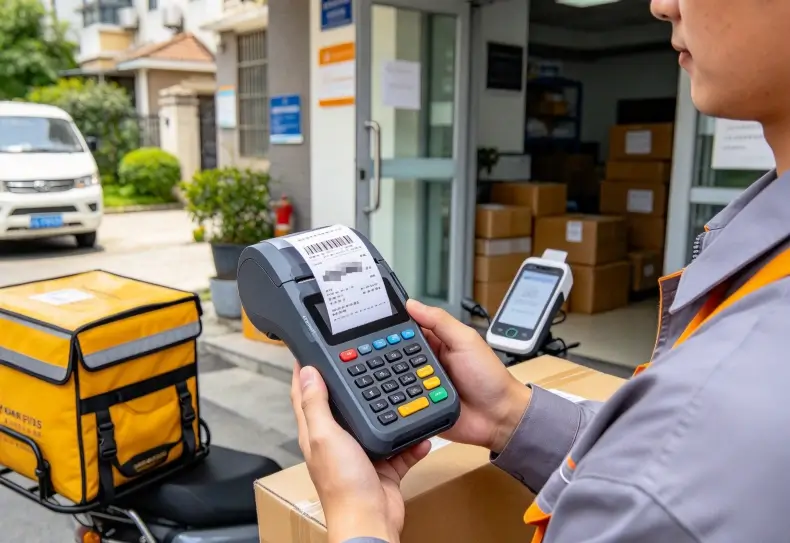
A mobile thermal printing terminal combines mobile computing and receipt or label printing to let employees generate documents directly at the point of service. When selecting one, businesses should compare paper width, print resolution, printing speed, battery capacity, media compatibility, and maintenance requirements. These specifications determine whether the device can handle daily receipts, delivery records, tickets, or barcode labels without slowing down operations.
An integrated printing design can reduce the number of devices employees carry. However, it also introduces limitations in paper format, printer maintenance, device weight, and battery consumption.
The right configuration depends on what employees print, how frequently they print it, and where printing takes place.
How Does Mobile Thermal Printing Work?
Mobile thermal printing uses heat to create text, graphics, or barcodes on specially treated media.
Most compact mobile printers use direct thermal technology. A thermal printhead applies controlled heat to a coated paper surface, creating an image without ink cartridges or toner.
The printing mechanism generally includes:
- Thermal printhead.
- Paper feed roller.
- Paper compartment.
- Media sensor.
- Power and control circuitry.
- Printing interface and driver or SDK.
A mobile computing terminal sends printing instructions to the printer through an integrated interface or a wireless connection.
Direct thermal printing is commonly used for short-term documents such as receipts, tickets, and shipping records.
It is less suitable for documents requiring long-term image stability because heat, sunlight, friction, and certain environmental conditions can cause printed images to fade.
Integrated Printer vs. Separate Mobile Printer
These two configurations serve different operational needs.
| Comparison Factor | Integrated Printing Terminal | Separate Mobile Printer |
|---|---|---|
| Equipment | Computing and printing combined | Terminal and printer are separate |
| Portability | One device to carry | Two devices or accessories |
| Paper format | Limited by integrated mechanism | Depends on selected printer |
| Maintenance | Printer servicing may affect the complete device | Printer can often be replaced independently |
| Battery | Integrated or shared power arrangement | Usually separate printer battery |
| Flexibility | More compact workflow | Greater freedom to change printer type |
| Typical use | Receipts, tickets, short documents | Labels, delivery records, specialized printing |
An integrated design makes sense when employees print frequently and need immediate output.
A separate printer is often preferable when different departments require different media sizes or printing technologies.
For example, a delivery driver printing customer receipts may benefit from an integrated device. A warehouse worker producing large shipping labels may need a dedicated mobile label printer.
Paper Width, Resolution and Print Speed
Paper specifications directly affect document readability and operational efficiency.
Choosing the wrong paper width can restrict document layout, while insufficient resolution can make small text or barcodes difficult to read.
Choosing the Right Paper Width
Mobile thermal printing systems commonly support different paper widths depending on the printer mechanism.
| Paper Width | Typical Application | Selection Consideration |
|---|---|---|
| 58 mm | Compact receipts and tickets | Limited space for text and graphics |
| 80 mm | Detailed receipts and transaction records | More room for item descriptions |
| 100 mm or wider | Selected labels and larger documents | Requires a compatible printing mechanism |
These are common media formats, not guaranteed options for every mobile terminal.
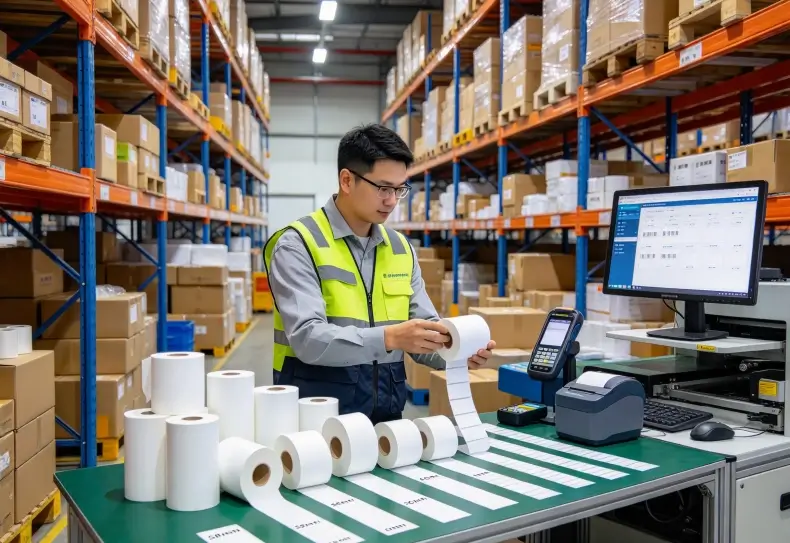
Before selecting a device, check the supported roll width, maximum roll diameter, core size, and paper thickness.
A printer designed for 58 mm receipt paper cannot automatically accept 80 mm media.
The paper compartment must also accommodate the required roll without creating excessive feeding resistance.
Print Resolution and Barcode Readability
Thermal printer resolution is commonly measured in dots per inch (DPI).
A higher DPI value can improve the reproduction of small text and detailed graphics, but it does not guarantee that every barcode will scan successfully.
Barcode readability also depends on:
- Barcode symbology.
- Module width.
- Printhead condition.
- Paper coating.
- Printing darkness.
- Print speed.
- Scanner compatibility.
For logistics applications, test the printed barcode using the scanners employed by receiving and shipping teams.
A label that appears visually clear may still fail automated reading if its bars are distorted or its quiet zones are insufficient.
Understanding Print Speed
Print speed is generally expressed in millimeters per second (mm/s).
Higher speed can reduce the time required to produce long documents, but the actual benefit depends on document length and printing conditions.
| Printing Requirement | Important Consideration |
|---|---|
| Short transaction receipts | Response time and connection stability |
| Long receipts | Sustained printing speed |
| Small barcodes | Resolution and printhead condition |
| Dense graphics | Data processing and thermal limitations |
| Repeated batch printing | Heat management and battery capacity |
A manufacturer may quote maximum print speed under specific conditions. Actual performance can differ when printing dense graphics, complex barcodes, or documents containing many lines.
For operational testing, measure the time between submitting a print job and receiving a complete, readable document.
This is more useful than comparing maximum speed figures alone.
Battery Life and Connectivity During Mobile Printing
Printing adds another power requirement to a handheld terminal.
The display, processor, wireless radios, barcode scanner, and thermal printhead all consume energy during operation.
A device used for occasional receipts may operate differently from one printing hundreds of documents during a delivery shift.
What Affects Printing Battery Consumption?
The main factors include:
- Number of print jobs.
- Length and density of each document.
- Printhead energy requirements.
- Screen brightness and operating time.
- Wi-Fi, Bluetooth, or cellular activity.
- Battery capacity and temperature.
For field applications, battery testing should reproduce the complete working process.
A realistic test includes logging into the business application, scanning records, processing transactions, printing documents, and synchronizing data.
Do not evaluate battery endurance using idle operation alone.
Bluetooth, Wi-Fi and USB Connections
The connection method affects how the terminal communicates with the printer.
| Interface | Typical Application | Consideration |
|---|---|---|
| Bluetooth | Wireless mobile printing | Pairing and connection stability |
| Wi-Fi | Network-based printing | Network coverage and configuration |
| USB | Direct wired connection | Cable management and physical compatibility |
Bluetooth can be convenient for mobile workers who carry a separate printer.
Wi-Fi may suit larger deployments where printers are shared across a network.
USB can provide a direct connection, but cable movement may become inconvenient during mobile operations.
The application must also support the printer’s communication protocol and command set.
Printhead Maintenance and Common Printing Problems
Thermal printers have fewer consumable components than conventional inkjet or laser printers, but they still require regular maintenance.
The printhead is particularly important because it directly determines image quality.
Cleaning the Thermal Printhead
Paper dust, adhesive residue, and accumulated dirt can affect heat transfer.
This may produce missing lines, uneven darkness, or incomplete barcodes.
Cleaning procedures should follow the manufacturer’s instructions. Use approved materials and avoid abrasive tools that could damage the printhead surface.
For devices used in warehouses, inspection intervals should reflect print volume and operating conditions rather than a fixed schedule applied to every installation.
Common Printing Problems
| Problem | Possible Cause | Recommended Check |
|---|---|---|
| Faded printing | Low energy, dirty printhead, unsuitable media | Check settings and clean the printhead |
| Missing lines | Damaged or contaminated heating elements | Inspect the printhead |
| Paper feeding errors | Incorrect roll size or roller contamination | Check paper installation and feed mechanism |
| Barcode scanning failures | Poor print quality or incorrect dimensions | Test with the actual barcode scanner |
| Connection interruptions | Bluetooth pairing or network problems | Check connectivity and application logs |
| Paper jams | Incorrect media loading or damaged paper | Inspect the paper path |
Paper quality also matters.
Thermal paper should be compatible with the printer’s temperature settings and intended application. Incorrect media can create poor contrast, residue, or inconsistent feeding.
For high-volume operations, monitor print quality over time rather than waiting for users to report failures.
Choosing a Mobile Thermal Printing Configuration for Different Applications
Printing requirements vary across industries.
A receipt printer used in route sales has different requirements from a label printer used in warehouse shipping.
Field Service and Delivery Operations
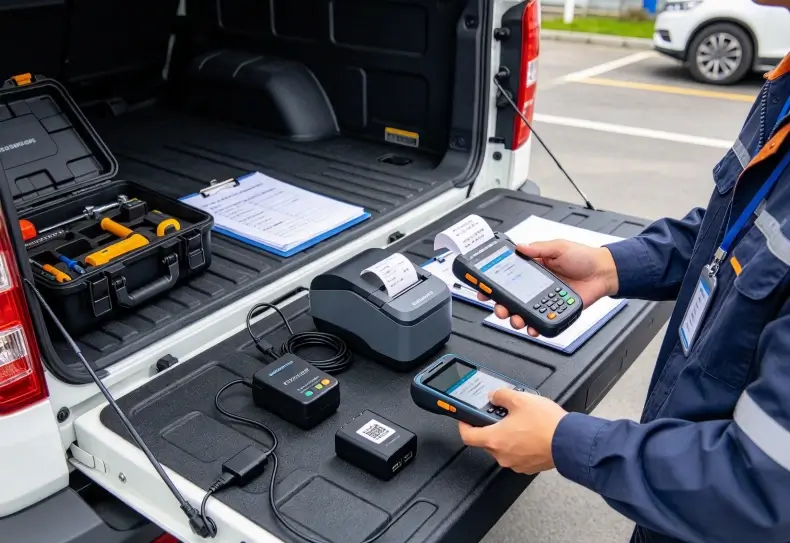
Technicians and delivery personnel may need to print service records, delivery confirmations, customer receipts, or transaction summaries.
An integrated printing terminal can reduce equipment handling when printing is part of nearly every service visit.
The rugged tablet field service guide discusses how mobile connectivity, battery endurance, and field workflows affect device selection.
For printing applications, the same workflow should be evaluated together with media replacement and document readability.
Warehouse Receiving and Shipping
Warehouse employees may print identification labels, receiving records, or shipping documentation.
A compact integrated printer may work for short transaction records. Larger shipping labels generally require a printer mechanism designed for wider media.
The handheld barcode scanner vs. mobile computer comparison provides additional context on selecting mobile computing equipment for scanning and transaction processing.
If barcode printing is part of the workflow, verify that the printer supports the required symbologies and dimensions.
Retail and Mobile Sales
Retail sales representatives may use mobile printing for receipts, returns, and customer transaction records.
An integrated printer can be convenient when employees need to complete transactions away from a fixed checkout counter.
The important considerations are receipt width, printing speed, paper replacement frequency, and connection stability.
How to Evaluate a Mobile Thermal Printing Terminal
A specification sheet should be compared against the actual document and transaction requirements.
Before selecting a configuration, verify:
- Supported paper width and roll dimensions.
- Print resolution and maximum printing speed.
- Direct thermal media compatibility.
- Battery capacity and expected print volume.
- Bluetooth, Wi-Fi, or USB connectivity.
- Supported printing commands and software SDK.
- Printhead cleaning and replacement procedures.
- Paper loading and replacement time.
- Device weight and one-handed usability.
- Service and spare-part availability.
A pilot test should use the actual receipts, labels, and business applications.
Record print failures, unreadable barcodes, paper replacement frequency, and battery consumption across a normal working shift.
These results provide a more reliable basis for comparison than isolated hardware specifications.
Conclusion
A mobile thermal printing terminal is useful when employees need to generate physical documents immediately after completing mobile transactions.
Paper width determines document format, resolution affects readability, and print speed influences transaction time. Battery performance and maintenance requirements become increasingly important in high-volume operations.
An integrated printing device can simplify equipment handling, while a separate mobile printer may provide greater flexibility for specialized media.
The right configuration should be selected according to actual printing workloads, software compatibility, and maintenance requirements rather than maximum specifications alone.