
Face Recognition Terminal for Access Control: Deployment Guide

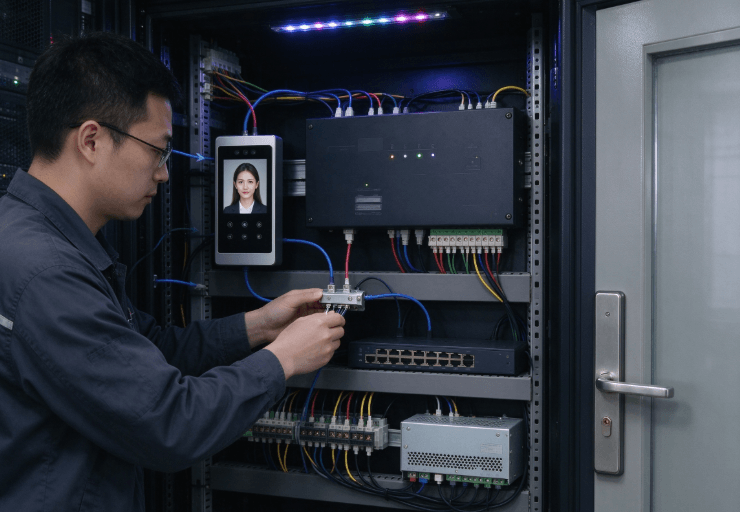
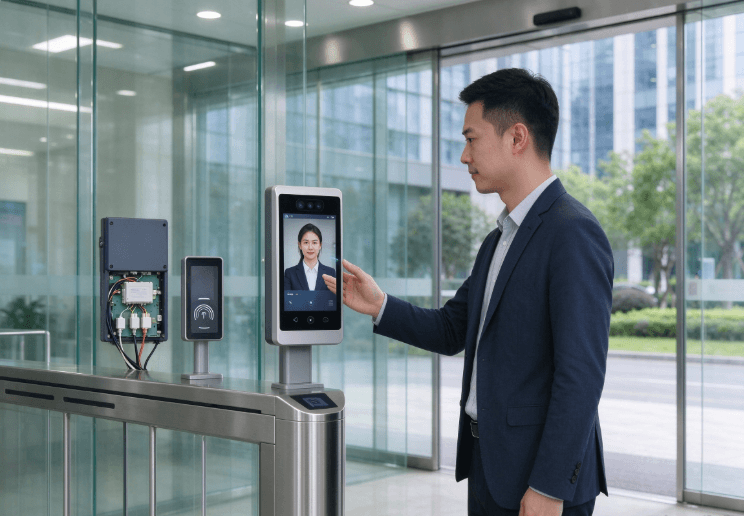
A face recognition terminal for access control verifies a person’s identity by comparing a captured facial image with an enrolled reference, then uses the authentication result to grant or deny access. A reliable deployment requires more than a camera and recognition algorithm. Lighting, presentation attack detection, door-controller integration, network reliability, privacy controls, and fallback authentication all affect how the system performs in daily operation.
For offices, factories, warehouses, and restricted facilities, the terminal should be evaluated as part of the complete access control system. A successful facial match does not automatically mean that a door should unlock; authorization rules, door status, and security policies must also be considered.
What Should a Face Recognition Access Control System Include?
A typical installation contains several connected components:
- Capture device: Camera and sensors that collect facial information.
- Recognition engine: Software that compares the captured face with enrolled reference data.
- Presentation attack detection: Controls designed to identify attempts using photographs, displays, masks, or other presentation artifacts.
- Access control software: Rules determining which people may enter specific areas and at what times.
- Door controller: Hardware that operates the lock according to authorized control signals.
- Event management: Logs of authentication attempts, access decisions, and system faults.
These components may be integrated into one terminal or distributed across multiple devices and servers.
The distinction matters during deployment. A terminal that recognizes faces but lacks the necessary controller interface cannot automatically replace an existing access control panel.
Before selecting equipment, document the required authentication workflow, door hardware, network architecture, and emergency egress arrangements.
Recognition Accuracy, Lighting, and Anti-Spoofing
Facial recognition performance depends on the quality of captured images and the conditions under which people approach the terminal.
Strong backlighting, shadows, glare, camera placement, and changes in appearance can affect image quality. Outdoor installations introduce additional variables, including direct sunlight and changing ambient illumination.
Test the Actual Entry Environment
A terminal should be tested at the intended mounting height and distance.
Evaluate recognition during normal arrival patterns, including peak entry periods. Check performance with glasses, different hairstyles, and the range of users expected at the site.
Useful test conditions include:
- Direct sunlight and backlighting near entrances.
- Low-light conditions during evening shifts.
- Different approach angles and distances.
- Crowded entry areas and closely spaced users.
- Expected changes in appearance and accessories.
Do not rely on a single successful demonstration. Measure false rejection rates, false acceptance rates, and the time required to complete authentication under representative conditions.
A high recognition score in a controlled demonstration does not guarantee the same results in a busy factory entrance.
Why Presentation Attack Detection Matters
Presentation attack detection (PAD), sometimes described as liveness detection, helps determine whether a biometric sensor is being presented with a genuine person or an artificial representation.
ISO/IEC 30107-1 defines a framework for describing and evaluating presentation attack detection methods. ISO/IEC 30107-3 addresses testing and reporting for these methods.
However, PAD should not be treated as proof that an entire access control system is secure. Credential theft, unauthorized enrollment, compromised controllers, and insecure communications require separate controls.
For restricted facilities, review documented PAD testing and determine whether the test conditions match the intended terminal and operating environment.
Integrating the Terminal with Doors and Existing Systems
The recognition terminal must communicate correctly with the access control infrastructure.
Depending on the design, the system may use a relay output, a supported controller protocol, or an interface to centralized access management software. Compatibility must be verified before installation.
| Integration Area | What to Verify |
|---|---|
| Door controller | Supported inputs, outputs, and communication protocols |
| Electric lock | Electrical requirements and fail-safe or fail-secure behavior |
| Network | Ethernet or Wi-Fi support, segmentation, and firewall rules |
| Access software | User permissions, schedules, and audit logs |
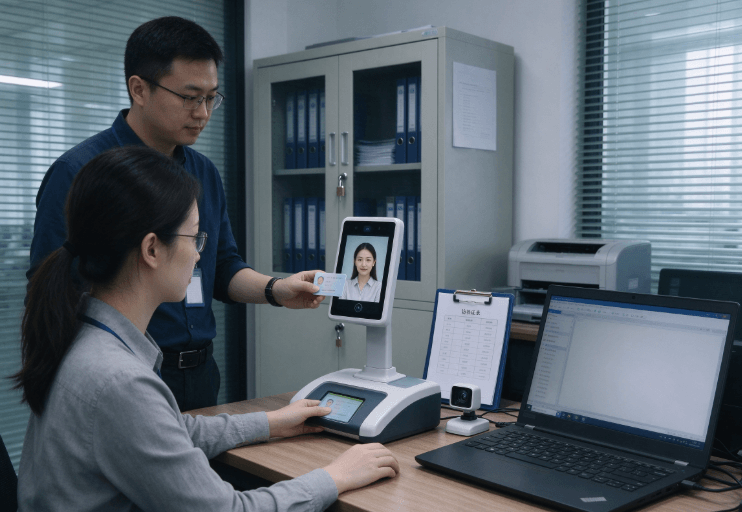
| Credential database | Enrollment, updates, revocation, and synchronization |
| Emergency egress | Compliance with applicable life-safety requirements |
A facial recognition match and an access authorization decision are different operations.
For example, an employee may be correctly recognized but still lack permission to enter a restricted laboratory outside approved hours. The access management system must enforce the authorization policy independently of the biometric match.
Existing installations should also be checked for compatibility with card readers, visitor management systems, and centralized identity platforms.
Privacy, Enrollment, and Biometric Data Security
Facial data requires careful handling because it can identify individuals and cannot be changed as easily as a password.
Before deployment, determine what data is collected, where it is stored, how long it is retained, and which systems or personnel can access it.
A responsible deployment plan should address:
- Clear notice explaining the purpose of facial recognition.
- Appropriate legal basis and consent where required.
- Secure enrollment and identity verification.
- Access restrictions for biometric templates and records.
- Encryption and protection of data in transit and at rest.
- Retention and deletion procedures.
- Audit trails for enrollment changes and administrative actions.
- An alternative authentication method where appropriate or legally required.
The exact requirements depend on the jurisdiction and use case. Employee access control, visitor management, and public-facing identification may be subject to different rules.
NIST’s Digital Identity Guidelines discuss biometric authentication risks and the importance of treating biometric information as sensitive. These guidelines are useful technical references, but their requirements do not automatically apply to every physical access control installation.
Selecting Hardware for Indoor and Outdoor Access Points
Environmental suitability should be verified against the actual installation rather than inferred from a product’s general description.
An indoor office entrance may require a different enclosure and temperature range from a gate exposed to rain, dust, and direct sunlight.
Review the following hardware characteristics:
- Camera resolution and low-light performance.
- Supported recognition and PAD functions.
- Operating temperature and humidity limits.
- IP rating where dust or water exposure is expected.
- Mounting options and camera positioning.
- Power supply and network interfaces.
- Local processing versus server-dependent recognition.
- Firmware support and security update policy.
The industrial tablet engineering guide for harsh environments provides background on environmental protection and industrial device design. It is useful for understanding deployment conditions, although an industrial tablet should not be assumed to provide facial recognition or door-controller functionality unless its specifications explicitly confirm those features.
Similarly, the industrial rugged tablet range and Kroniix device portfolio can help readers explore related industrial computing categories. These are adjacent hardware resources, not verified substitutes for a dedicated access control terminal.
For any candidate product, confirm the actual camera system, recognition software, interfaces, enclosure rating, and access control compatibility.
A Practical Deployment and Acceptance Checklist
Before enabling the system for routine use, test the complete entry process rather than the recognition function alone.
- Confirm enrollment procedures and identity verification.
- Test recognition in representative lighting and weather.
- Measure false acceptance and false rejection performance.
- Verify presentation attack detection against documented test conditions.
- Test authorization rules for different doors and schedules.
- Confirm controller communication and lock operation.
- Test network interruptions and recovery behavior.
- Verify audit logs, administrative permissions, and data deletion.
- Test the approved fallback authentication method.
- Confirm emergency egress and applicable life-safety requirements.
A pilot deployment at one entrance can expose issues before the system is extended to multiple buildings.
Record authentication failures, average entry time, controller faults, and user support requests. These measurements help determine whether problems originate in image capture, recognition software, access policies, or network integration.
FAQ
Does a face recognition terminal work in low light?
Performance depends on the camera, illumination system, sensor design, and recognition algorithm. Test the device at the actual entrance during both daytime and nighttime conditions.
What is the difference between facial recognition and liveness detection?
Facial recognition compares a captured face with enrolled reference data. Liveness detection is one form of presentation attack detection that helps identify attempts to fool the biometric sensor.
Can a face recognition terminal integrate with an existing access control system?
Potentially, provided the terminal supports compatible controller interfaces, communication protocols, and access management software. Confirm electrical requirements and authorization workflows before installation.
What happens if facial recognition fails?
The system should follow a defined fallback procedure, such as an authorized card, PIN, or staffed verification process. The appropriate option depends on site security policies and applicable requirements.
Is facial recognition suitable for outdoor access control?
It can be suitable when the device is rated for the environment and performs reliably under actual lighting, weather, and temperature conditions. Outdoor suitability should be verified rather than inferred from the terminal’s appearance.
How should biometric data be protected?
Restrict access to enrollment records and biometric templates, secure data transmission and storage, define retention periods, and maintain administrative audit logs. Applicable privacy obligations depend on the jurisdiction and use case.
Conclusion
A face recognition terminal for access control should be selected and deployed as part of a complete identity verification and door authorization system.
Recognition performance matters, but so do anti-spoofing controls, environmental conditions, controller compatibility, privacy safeguards, and emergency procedures.
The most reliable deployment combines documented technical capabilities with testing at the actual entry point. This reduces the risk of selecting hardware that performs well in demonstrations but fails to meet operational or security requirements.