

Industrial Mini PC for Automation: A Guide to Factory Control


The shift toward Industry 4.0 has replaced bulky tower computers with compact, ruggedized systems. An industrial mini PC for automation serves as the brain of the modern factory, handling data acquisition, machine vision, and real-time logic control. Unlike consumer hardware, these units must survive 24/7 operation in environments that would destroy standard electronics within weeks.
Selecting the right controller requires a deep understanding of both computing power and the physical constraints of the production floor. This guide examines the critical technical specifications engineers must evaluate to ensure system stability and long-term ROI.
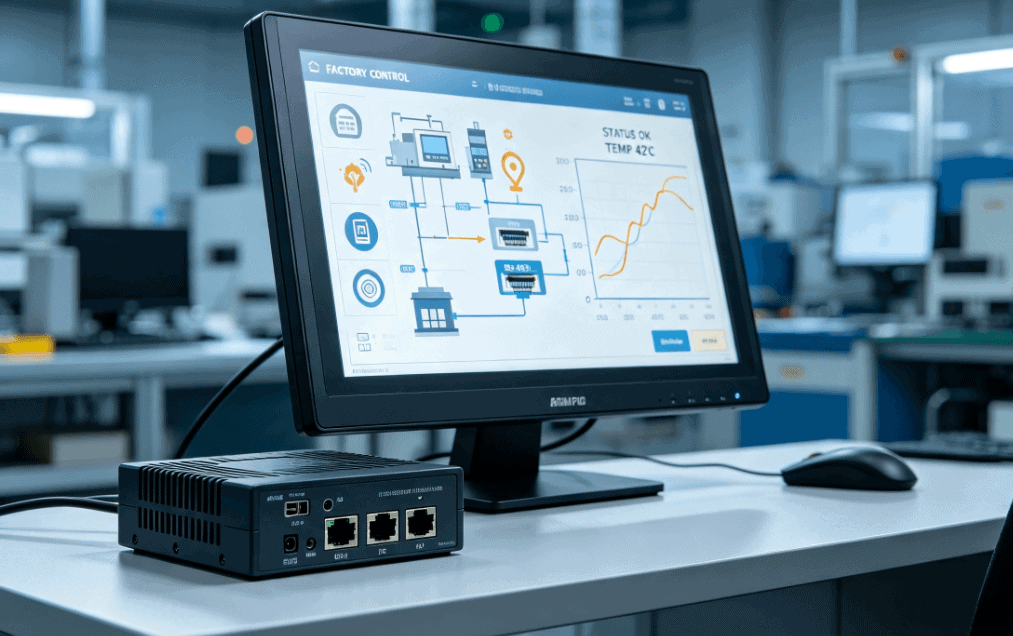
Why Mini PCs are Replacing Traditional Controllers
Traditional PLCs (Programmable Logic Controllers) are excellent for simple logic but struggle with complex data processing or high-resolution imaging. Industrial mini PCs bridge this gap by offering the processing power of a workstation in a footprint smaller than a lunchbox.
Modern factory control systems utilize these PCs for:
- Edge Computing: Processing sensor data locally to reduce latency.
- HMI (Human Machine Interface): Driving high-resolution displays for operator interaction.
- Protocol Conversion: Acting as a gateway between legacy RS-232/485 equipment and cloud-based IoT platforms.
Core Configuration: Balancing Power and Thermal Stability
When specifying an industrial mini PC for automation, the processor choice is the most critical balance of performance and heat generation.
- Fanless Thermal Design: Fans are mechanical points of failure. In a factory, fans suck in conductive dust, oil mist, and debris. High-quality industrial mini PCs use passive cooling, where the aluminum alloy chassis acts as a giant heat sink.
- Processor Selection:
- Intel Celeron/Pentium: Ideal for light data logging and simple HMI tasks.
- Intel Core i3/i5: The “sweet spot” for most automation tasks, including multi-camera machine vision.
- Intel Core i7/i9: Reserved for AI-driven analytics or complex 3D motion control.
- Memory (RAM): Industrial environments often require ECC (Error Correction Code) memory to prevent data corruption in mission-critical applications, though standard DDR4/DDR5 is sufficient for most non-safety-critical automation.
Essential Interface Requirements for Factory Control
The utility of an industrial mini PC is defined by its I/O (Input/Output). In a factory control system, connectivity to the “physical world” is more important than raw clock speed.
| Feature | Requirement | Why it Matters |
| Dual LAN Ports | RJ45 Gigabit | Separates the internal machine network from the external corporate/cloud network. |
| Serial Ports | RS-232/422/485 | Essential for communicating with legacy sensors, PLCs, and motor drives. |
| GPIO | General Purpose I/O | Allows the PC to trigger relays or read digital signals directly. |
| Wide DC Input | 9V – 36V | Matches standard factory power rails and protects against voltage spikes. |
Environmental Durability and EEAT Factors
In an industrial setting, “reliability” is a measurable metric, not a marketing buzzword. Engineers must look for specific build qualities that indicate a unit is fit for purpose.
Vibration and Shock Resistance
Factories are violent environments. Mechanical vibrations from CNC machines or heavy presses can loosen RAM sticks or SSDs. Selection should prioritize mSATA or M.2 NVMe storage over traditional SATA cables, as these “cable-less” connections are far more resistant to vibration.
Operating Temperature Ranges
Standard PCs operate between 10°C and 35°C. A professional industrial mini PC is often rated for -20°C to 70°C. This wide range ensures the system won’t throttle or crash during a summer heatwave in a non-climate-controlled warehouse.
Electromagnetic Compatibility (EMC)
Large motors and welders create massive electromagnetic interference (EMI). Industrial-grade PCs use shielded enclosures and isolated I/O ports to prevent “ghost signals” or system resets caused by nearby heavy machinery.

Selection Checklist for Procurement Managers
When evaluating suppliers and hardware, use the following technical checklist:
- Mounting Options: Does it support DIN-rail mounting for control cabinets or VESA mounting for the back of a monitor?
- Auto Power-On: Does the BIOS support “Restore on AC Power Loss”? This ensures the factory resumes operation automatically after a blackout.
- Watchdog Timer: Is there a hardware-based timer that can automatically reboot the OS if the software freezes?
- Compliance: Does the unit carry CE, FCC, and RoHS certifications? For specific industries, UL or ATEX (explosion-proof) may be required.
Deployment Insights: Windows vs. Linux
The choice of Operating System (OS) impacts both cost and stability. Windows 10/11 IoT Enterprise is the standard for most US-based factories due to its Long-Term Servicing Channel (LTSC), which prevents forced updates that could interrupt production. However, Linux (Ubuntu/Debian) is increasingly popular for dedicated edge devices where licensing costs must be minimized and the software stack is highly customized.
For projects requiring high-availability uptime, engineers often prefer Linux for its lower overhead and granular control over kernel processes.
FAQ: Industrial Mini PCs in Automation
Q: Can I use a consumer mini PC (like a NUC) for factory control?
A: While tempting due to price, consumer units lack the thermal management and I/O isolation required for industrial use. They typically fail within 6-12 months due to dust accumulation or power surges, leading to expensive production downtime.
Q: What is the benefit of a “Fanless” design?
A: Fanless designs eliminate the primary cause of hardware failure in factories: the fan motor. It also creates a sealed or semi-sealed chassis that prevents metallic dust from short-circuiting the internal motherboard.
Q: How much RAM is needed for a typical automation gateway?
A: For simple data collection and protocol conversion, 8GB is sufficient. If the PC is running machine vision software or a heavy SCADA database, 16GB or 32GB is recommended.
Q: Do these PCs support wireless connectivity?
A: Yes, most can be configured with industrial-grade Wi-Fi 6 or 4G/5G LTE modules. However, for core control logic, a wired Gigabit Ethernet connection is always preferred for reliability.
Reference Sources
- IEEE Xplore: Standards for Industrial Ethernet and Control Systems
- International Electrotechnical Commission (IEC): IEC 61131-3: Programmable controllers
- Intel IoT Solutions: Technical Specifications for Industrial Edge Computing
- Microsoft Learn: Windows IoT Enterprise LTSC Documentation