
Handheld Barcode Scanner vs Mobile Computer: How to Choose

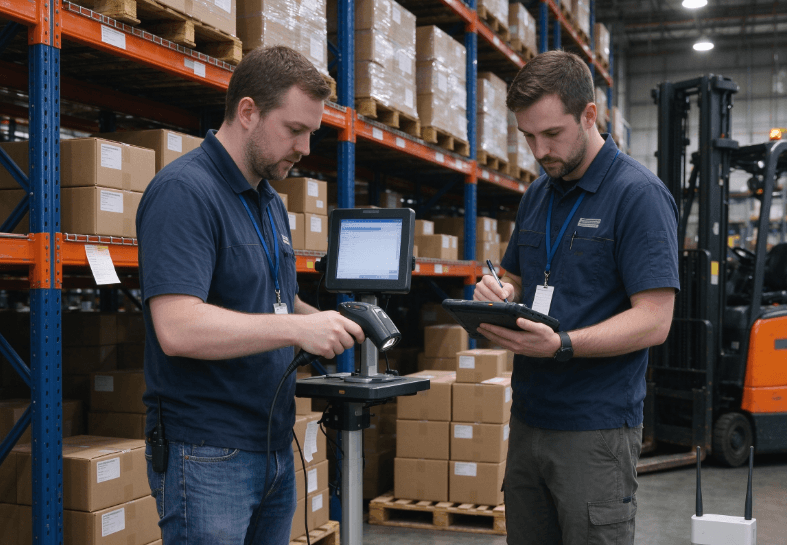
A handheld barcode scanner vs mobile computer comparison comes down to what workers need to do after capturing a barcode. A dedicated scanner is usually sufficient when barcode data goes directly to an existing computer or POS system. A handheld mobile computer is more suitable when employees must scan items, retrieve records, update inventory, and complete transactions while moving around a facility.
The distinction matters in warehouses, distribution centers, retail stores, and manufacturing plants. Buying a device with more functions than the workflow requires can increase costs, while choosing a basic scanner for a complex mobile process can create extra handling and delays.
What Is the Difference Between a Barcode Scanner and a Mobile Computer?
A dedicated handheld barcode scanner captures and decodes barcode information, then transfers the result to a connected host or compatible device. Depending on the model, it may use USB, Bluetooth, or another supported interface.
A handheld mobile computer combines barcode data capture with an operating system, processor, display, and application environment. Workers can scan an item and act on the information directly, provided the required application and network connection are available.
| Comparison Factor | Dedicated Barcode Scanner | Handheld Mobile Computer |
|---|---|---|
| Primary function | Capture barcode data | Capture, process, and manage data |
| Computing platform | Usually relies on a host | Integrated operating system |
| Display | Often absent or limited | Usually includes a screen |
| Data processing | Typically handled by connected software | Can run applications locally |
| Connectivity | USB, Bluetooth, or supported interfaces | Wi-Fi; cellular options depend on model |
| Typical use | Checkout, workstation scanning, simple data capture | Inventory, picking, receiving, mobile operations |
| Deployment | Often simpler for an existing host system | Requires application and device management planning |
These are general categories, not absolute rules. Some scanners include displays or onboard storage, while mobile computers may support external scanners and other peripherals.
When Does a Dedicated Barcode Scanner Make More Sense?
A dedicated scanner is often the practical choice when workers already use a computer, POS terminal, or fixed workstation.
In retail checkout, for example, the scanner captures the product code and sends it to the POS system. Pricing, stock records, payment processing, and transaction history are managed by the host software.
Similar arrangements work for workstation-based quality checks, package identification, and document processing.
A dedicated scanner may be appropriate when:
- Workers scan items at a fixed station.
- An existing computer already runs the required software.
- The workflow requires limited data entry.
- A simple connection to the host is preferred.
- Purchasing and managing a separate computing platform would add little value.
The important specifications are barcode compatibility, scan distance, decoding performance, connection type, ergonomics, and environmental suitability.
For example, Zebra’s general-purpose handheld barcode scanners illustrate dedicated scanning products for retail, inventory, and other data-capture tasks.
However, a basic scanner may become less convenient when workers repeatedly leave their workstation or need to consult records between scans.
When Should You Choose a Handheld Mobile Computer?
A mobile computer becomes more valuable when scanning is only one step in a larger workflow.
Consider a warehouse receiving a pallet of components. An employee scans the shipment label, checks the purchase order, records the received quantity, flags damaged goods, and assigns a storage location.
If the process requires a separate workstation for every step, employees may need to walk back and forth or switch devices. A mobile computer can consolidate those actions into one application-driven workflow.
Typical applications include:
- Warehouse receiving and putaway.
- Picking, packing, and shipping.
- Cycle counting and inventory reconciliation.
- Manufacturing work-in-progress tracking.
- Asset inspection and maintenance.
- Delivery confirmation and field service.
Kroniix’s handheld terminal product range includes mobile computing products such as the RS53, RS50, and R366-S.
These products are relevant starting points when evaluating integrated handheld computing for mobile operations. Before choosing a model for barcode-intensive work, confirm the exact scanning hardware, supported symbologies, software compatibility, and connectivity options in its current technical specification.
Barcode Scanning Performance: What Actually Affects Productivity?
The scanner’s reading speed is only one part of transaction time.
A complete workflow may include locating a label, aiming the device, decoding the barcode, retrieving a record, entering quantities, confirming the transaction, and handling exceptions.
If most scans require no additional input, a dedicated scanner can keep the process straightforward. If each scan triggers a stock check or data-entry task, integrated computing may reduce unnecessary movement.
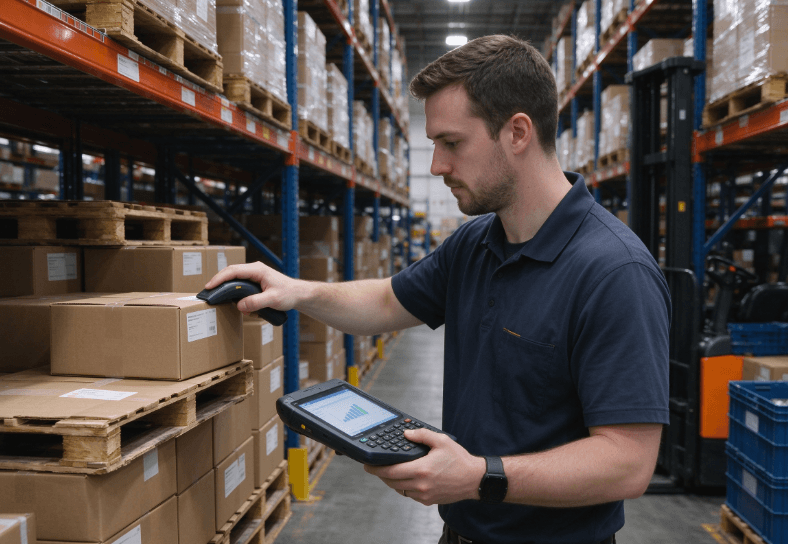
Check Barcode Type and Reading Conditions
Before comparing devices, identify the labels used in your operation.
- 1D barcodes: Common on retail products, shipping labels, and inventory labels.
- 2D barcodes: Include QR codes and Data Matrix codes.
- Damaged labels: May require stronger imaging and decoding performance.
- Long-distance labels: May require a specialized long-range scanning engine.
Do not assume that every scanner reads every symbology or performs equally well at different distances.
The reading environment matters too. Reflective packaging, low-quality printing, shrink wrap, damaged labels, and unusual scanning angles can affect results.
For high-volume operations, test candidate devices with representative labels rather than relying solely on a manufacturer’s maximum scan-rate claim.
Integrated Scanner vs Camera-Based Scanning
A mobile computer may capture barcodes using an integrated scan engine or, depending on its configuration, a camera-based method.
An integrated scan engine is designed specifically for barcode acquisition. Camera-based scanning can be suitable for lighter workloads, but results depend on the camera, software, lighting, label condition, and user technique.
The choice should reflect the required scan volume and operating conditions.
Where scan reliability is critical, test both approaches with actual packaging, labels, and working distances.
How Do Hardware Costs Compare with Total Workflow Costs?
The cheapest device is not necessarily the least expensive option over its useful life.
A dedicated scanner may have a lower initial cost, particularly when the business already has suitable host computers. A mobile computer may cost more upfront but reduce the need for fixed terminals or separate data-entry steps.
| Cost Factor | Dedicated Scanner | Handheld Mobile Computer |
|---|---|---|
| Initial hardware | Often lower for basic configurations | Often higher due to integrated computing |
| Host equipment | Usually required | May reduce dependence on fixed workstations |
| Software | Scanner-to-host integration | Application deployment and maintenance |
| Connectivity | Depends on scanner and host | Wi-Fi or cellular configuration as required |
| Device management | Depends on model and deployment | Requires mobile device lifecycle management |
| Training | Often simpler for basic capture | Includes application and transaction workflows |
A fair comparison should measure the cost per completed transaction, not just the purchase price.
For instance, a distribution center may benefit from mobile computers if employees can complete receiving, stock updates, and discrepancy reporting at the pallet. A retail counter with an established POS system may gain little from adding a second computing platform.
How to Select a Handheld Device for Industrial Use
Industrial workflows often introduce requirements beyond basic scanning.
Devices may be exposed to dust, moisture, repeated drops, long shifts, and fluctuating temperatures. They must also work with the organization’s inventory software, wireless network, and peripherals.
Review these factors before choosing a device:
- Scanning hardware: Verify supported symbologies, reading distance, and decoding performance.
- Operating system: Confirm compatibility with the inventory, ERP, or warehouse management application.
- Connectivity: Check Wi-Fi coverage and whether cellular data is needed.
- Battery: Test runtime under the actual scanning workload.
- Durability: Review IP ratings, drop-test conditions, and operating temperature.
- Ergonomics: Evaluate weight, grip, trigger placement, and one-handed use.
- Support lifecycle: Confirm security updates, spare parts, battery availability, and device management options.
Kroniix also lists UHF RFID handheld terminals, which address a different data-capture requirement. RFID can identify tagged items without requiring the operator to aim directly at each barcode, depending on the tag, reader, and environment.
RFID is not a universal replacement for barcode scanning. Businesses should compare tag costs, read-zone requirements, existing labels, and application compatibility before deciding whether RFID belongs in the workflow.
For operations that need a larger display for inspection forms or technical documentation, the industrial rugged tablet range provides another category to consider. A tablet may complement a handheld scanner rather than replace it, especially when workers need both high-volume scanning and detailed on-screen information.
A Practical Checklist Before Purchasing
Before making a decision, answer these questions:
- Do employees only capture barcode data, or must they update records?
- Is a host computer already available at the point of use?
- Which 1D and 2D barcode types are required?
- How far away are labels, and what condition are they in?
- Does the workflow require Wi-Fi, cellular connectivity, or offline operation?
- Will the device operate in harsh industrial conditions?
- Does the software support the selected device and scanner interface?
- What are the daily scan volume and expected working hours?
A pilot test can reveal practical differences that specifications alone cannot show. Measure completed transactions, scanning errors, operator movement, training time, and exception handling with real workers and real labels.
Conclusion
A dedicated barcode scanner is usually the better fit when the main task is capturing codes for an existing host system. A handheld mobile computer is more appropriate when workers need to scan, retrieve information, and update business records while moving around a facility.
For warehouse and industrial operations, the decision should follow the workflow rather than the device category. Compare the complete transaction process, test scanning performance under real conditions, and confirm software compatibility before committing to a deployment.
FAQ
Can a handheld barcode scanner work without a computer?
Some models support temporary batch storage or connection to compatible mobile devices. However, offline capabilities and data-transfer options vary by scanner.
Do handheld mobile computers have built-in barcode scanners?
Many enterprise mobile computers include an integrated scan engine, but configurations vary. Confirm the scanning hardware and supported barcode types before purchasing.
Which is better for warehouse inventory management?
A mobile computer is often useful when workers must scan items, check locations, and update quantities in one workflow. A dedicated scanner can be sufficient when an existing terminal handles the remaining tasks.
Can a mobile computer replace a dedicated barcode scanner?
Yes, if its scanning performance, ergonomics, and software support meet the operational requirements. Specialized high-volume or long-range scanning may still justify a dedicated scanner.
What is the difference between barcode scanning and UHF RFID?
Barcode scanning reads a printed code, generally requiring the reader to see the label. UHF RFID reads compatible radio-frequency tags and may identify multiple tagged items within a suitable read zone without direct visual alignment.
Should businesses test devices before deployment?
Yes. Testing with actual labels, software, operators, and working conditions helps identify problems with scan reliability, ergonomics, connectivity, and transaction completion before a larger rollout.