

How Rugged Tablets for Warehouse Optimize Logistics Efficiency

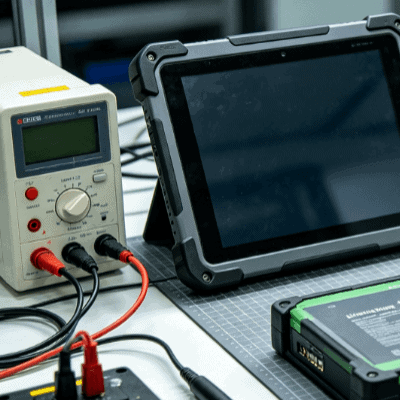
Modern warehousing has evolved from simple storage into high-velocity fulfillment centers where every second of latency impacts the bottom line. Central to this evolution is the transition from paper-based manual entry to mobile digital workflows. However, the standard consumer-grade tablets used in offices often fail when introduced to the rigors of a loading dock or a cold-storage facility.
Integrating a rugged tablet for warehouse operations is no longer about just “going digital”; it is about building a resilient infrastructure that survives drops, dust, and constant vibration while maintaining 100% uptime.

The Engineering Behind Warehouse Ruggedness: Beyond a Protective Case
A rugged tablet is not a consumer device in a thick shell. It is a purpose-built industrial tool engineered from the board level up to withstand environmental stressors. In a warehouse setting, these devices must meet specific certifications to ensure they don’t become a point of failure.
Two primary standards define this durability:
- MIL-STD-810G/H: This military-grade certification involves testing for shock, vibration, and repeated drops onto concrete. In a busy logistics hub, a tablet mounted on a forklift experiences constant low-frequency vibration that would de-solder internal components in standard electronics.
- IP Ratings (Ingress Protection): A warehouse is a haven for fine dust and, in many cases, moisture. An IP65 or IP67 rating ensures that the internal circuitry is sealed against particulates and water jets, preventing the “slow death” caused by internal corrosion.
By deploying devices that meet these standards, facility managers reduce the Total Cost of Ownership (TCO). While the initial investment is higher, the avoidance of frequent replacement cycles and the elimination of “down-time” wages—where workers sit idle because their tool is broken—provide a massive ROI.
Optimizing Inventory Accuracy with Integrated Data Capture
The most immediate efficiency gain when deploying a rugged tablet for warehouse use is the leap in data precision. Consumer tablets rely on camera-based scanning, which is slow, struggles in low light, and fails to read damaged barcodes.
Industrial tablets typically integrate dedicated 1D/2D hardware scan engines. These modules utilize laser or high-speed imaging technology to:
- Scan barcodes from several meters away (long-range scanning).
- Process data instantly, even if the label is wrinkled, dirty, or under shrink-wrap.
- Allow for “continuous scan” modes during high-volume receiving.
This hardware integration links directly to the Warehouse Management System (WMS). When a worker scans a pallet, the system updates in real-time. This eliminates “ghost inventory”—items that are physically present but not yet recorded in the system—thereby preventing overselling and improving order fulfillment rates.

Enhancing Forklift Operations and Vehicle Mount Stability
A significant portion of warehouse mobility occurs on forklifts, reach trucks, and pallet jacks. A rugged tablet serves as the central nervous system for these vehicles.
Vehicle-mounted tablets must handle:
- Power Fluctuations: Forklifts provide inconsistent voltage. Industrial tablets use specialized power converters or docks to handle power surges without rebooting.
- Screen Visibility: Warehouses often have a mix of high-intensity LED overheads and bright sunlight at the loading docks. Tablets like those found on Industrial-TabletPC utilize high-nit, sunlight-readable displays with anti-reflective coatings to ensure the operator never has to squint or reposition the vehicle to see the screen.
- Gloved-Touch Sensitivity: Warehouse operators wear safety gloves. Rugged screens use resistive or specialized capacitive touch controllers that respond accurately to gloved hands or styluses, even when the screen is wet.
Comparison: Consumer vs. Rugged Tablets in Logistics
| Feature | Consumer Tablet | Rugged Tablet for Warehouse |
| Drop Protection | Minimal (requires 3rd party case) | 4ft to 6ft direct to concrete (built-in) |
| Battery Life | 6–8 hours (non-removable) | 10–12 hours (Hot-swappable options) |
| Data Capture | Software/Camera based | Integrated 1D/2D Hardware Scanner |
| Operating Temp | 0°C to 35°C | -20°C to 60°C (Cold storage compatible) |
| I/O Ports | USB-C only | Serial (RS232), RJ45, USB-A, Pogo Pins |
Connectivity in the “Dead Zone”
One of the most overlooked challenges in large-scale logistics is “Wi-Fi roaming.” As a worker moves through miles of steel racking, a standard tablet often loses connection when switching between access points.
Industrial-grade tablets feature superior antenna arrays and dual-band Wi-Fi 6 modules designed for seamless roaming. Many also include 4G/5G LTE failover. If a worker moves to a remote corner of the yard where Wi-Fi doesn’t reach, the tablet stays connected to the WMS via cellular data. This ensures that picking lists and shipping manifests are always synchronized, preventing the “batching” of data that leads to errors.
Cold Storage and Extreme Environments
For facilities dealing with food, pharmaceuticals, or chemical storage, temperature fluctuations are a constant threat. When a tablet moves from a -20°C freezer to a 25°C loading dock, internal condensation occurs.
A specialized rugged tablet for warehouse environments often features internal heaters and vacuum-sealed screens to prevent fogging. This allows for uninterrupted operation in cold chain logistics, where a standard device’s battery would drain in minutes and the screen would become unresponsive due to frost.
Streamlining Workflow with Programmable Physical Keys
While the modern UI is touch-centric, physical buttons remain vital in high-speed industrial environments. Rugged tablets often feature programmable “hotkeys.”
An engineer can program these buttons to:
- Instantly trigger the barcode scanner.
- Toggle the high-intensity flashlight.
- Quickly bring up the “Report Error” screen in the WMS.
- Capture a photo of a damaged shipment for insurance purposes.
Tactile feedback allows workers to perform these actions by “feel” without taking their eyes off their surroundings, significantly improving safety in environments where heavy machinery is moving.

FAQ
Q: Can we just use iPads with a heavy-duty case instead of dedicated rugged tablets?
A: While a case protects against minor impacts, it does not address the “internal” failures caused by vibration, thermal shock, or charging port wear. Furthermore, iPads lack integrated hardware scanners and hot-swappable batteries, leading to higher downtime and lower scanning efficiency.
Q: What is a “Hot-Swappable” battery, and why is it important for warehouse shifts?
A: A hot-swappable battery allows a worker to replace a dead battery with a charged one without turning off the tablet. In 24/7 warehouse operations, this ensures the device never leaves the floor and avoids the need for dedicated “charging breaks.”
Q: Are rugged tablets compatible with existing Warehouse Management Systems (WMS)?
A: Yes. Most industrial tablets run on standard Windows 10/11 IoT or Android Enterprise. This allows them to run native WMS clients like SAP, Oracle NetSuite, or Manhattan Associates just like a desktop PC.
Q: What is the typical lifespan of a rugged tablet for warehouse use?
A: On average, a rugged device has a lifecycle of 5 to 7 years. In contrast, consumer devices in industrial environments usually fail or require replacement within 12 to 18 months due to hardware failure or battery degradation.
Reference Sources
- MIL-STD-810H: Department of Defense Test Method Standard for Environmental Engineering Considerations (Referencing shock/vibration logic).
- IEC 60529: Degrees of Protection Provided by Enclosures (IP Code).
- VDC Research: Total Cost of Ownership Models for Mobile Computing in Enterprise Environments.
- ISO 9001: Quality Management Standards in Industrial Electronic Manufacturing.